
Learn how to reduce JavaScript execution cost and main-thread load in server-rendered SPAs by using partial (progressive) hydration and islands approaches instead of hydrating the entire app at once. This article provides examples for React, Angular and Vue in the context of web development training.
Partial Hydration and Islands: Practical SPA Performance Guide - frontend development training
In single-page applications (SPAs), traditional hydration causes all components to attach on the client at once, increasing time to first interaction. In this article you'll learn how partial (progressive) hydration and the islands architecture work, which tools implement them, and how to apply them in a real e‑commerce scenario.
Opendart Akademi
Want to learn this hands‑on?
Angular Web Application Development Course takes you through live projects step by step with an instructor.
The mechanics of hydration and why it is costly - web programming training
When server-side rendered (SSR) HTML reaches the browser, frameworks (for example hydrateRoot for React, createSSRApp for Vue, Angular bootstrap processes) attach event listeners to DOM nodes and perform virtual DOM reconciliation. This process becomes CPU-heavy with large component trees and big JavaScript bundles because it schedules many tasks on the browser main thread.
The costs include JavaScript download and parse times, DOM scans for reconciliation, and long tasks created while binding event listeners/rehydrating. Therefore hydration directly affects TTI (Time To Interactive) and First Input Delay; when looking for concrete solutions you should target these steps.
What partial hydration and islands are, and how they work - frontend framework comparison
Partial hydration splits the app into small, independent "islands" and hydrates only the components that are necessary at interaction time or when they become visible. You can see the islands approach in frameworks like Next.js, Astro or Qwik; the core idea is framework-agnostic: leave non-interactive content as server-rendered HTML and attach interactivity later for interactive parts.
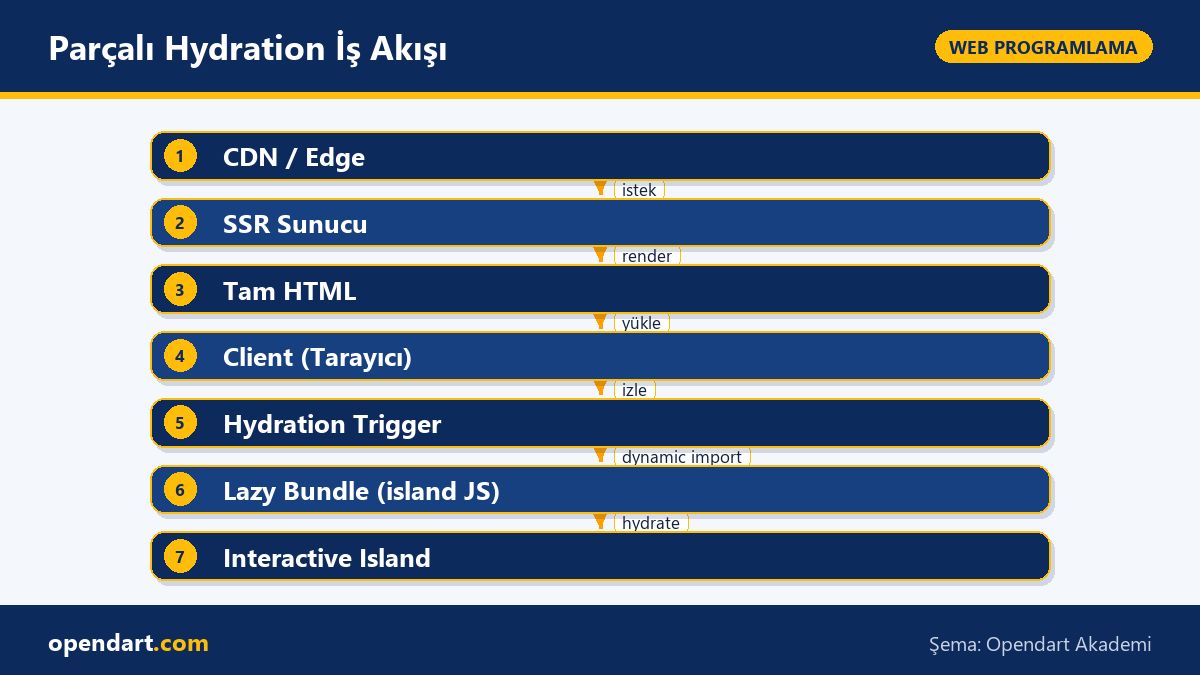
Technically this approach has three steps: 1) produce full HTML with SSR, 2) lazy-load a small client-side bootstrap for interactive components, 3) hydrate components when triggered by IntersectionObserver, idle callbacks, or user interaction. This reduces JavaScript execution time and main-thread long tasks; for example, product cards not in view are not hydrated initially.
Quick example: island hydrate trigger with IntersectionObserver (code sample)
The small wrapper below is designed to dynamically import and hydrate an island component when it becomes visible; the goal is to keep the main bundle sent to the client small and only fetch extra JS when needed. The code uses a simple lazy-import strategy and is shown with each line on its own line.
const observeAndHydrate = () => {
  const el = document.querySelector('[data-island]');
  if (!el) return;
  const io = new IntersectionObserver((entries) => {
    entries.forEach((entry) => {
      if (entry.isIntersecting) {
        import('./island-client.js')
          .then((mod) => mod.hydrate(el))
          .catch((err) => console.error('hydrate failed', err));
        io.disconnect();
      }
    });
  }, { rootMargin: '200px' });
  io.observe(el);
};
export default observeAndHydrate;
This code uses dynamic import to enable bundle splitting and IntersectionObserver to execute extra JS only when visible; rootMargin provides prefetch-like delayed triggering. Simple error handling and disconnect help prevent memory leaks and unnecessary observer load.
Real-world scenario: e‑commerce product listing (practical case)
Situation: a mid-sized e‑commerce site shows 50+ product cards on a category page; each card has an "add to cart" button, image zoom and a recommendation widget. Problem: even with server-side rendering, hydrating all product cards on the client causes delayed first interaction, rising user complaints on mobile CPUs, and low TTI scores in performance tools (Lighthouse).
Solution: we redesigned product cards as islands; we hydrate only the first 8 cards in the viewport quickly, and defer the rest using IntersectionObserver to hydrate when visible; recommendation widgets were lazy-loaded as third-party resources. We also minimized global state and used per-product micro-state (for example local state or scoped stores) to avoid large state serialization.
Measured outcome: interaction time for the visible initial cards decreased noticeably (e.g., first click latency dropped), number of main-thread long tasks decreased, and the initial downloaded bundle shrank because recommendation widgets and some helper libraries were only loaded on interaction. For SEO, product descriptions and structured data remained server-rendered so search engine indexing was not affected.
Framework comparison: React, Angular, Vue, AngularJS and implementation notes
React and Vue ecosystems are well-suited for partial hydration strategies via dynamic imports and Suspense/async components; approaches inspired by Next.js server components or Astro's islands are effective here. Angular has a stricter bootstrap model and dependency injection, which may require additional architectural work for fine-grained hydrate control. Teams migrating from AngularJS to modern Angular can apply partial hydration more easily by clarifying component boundaries and removing global $scope-like patterns.
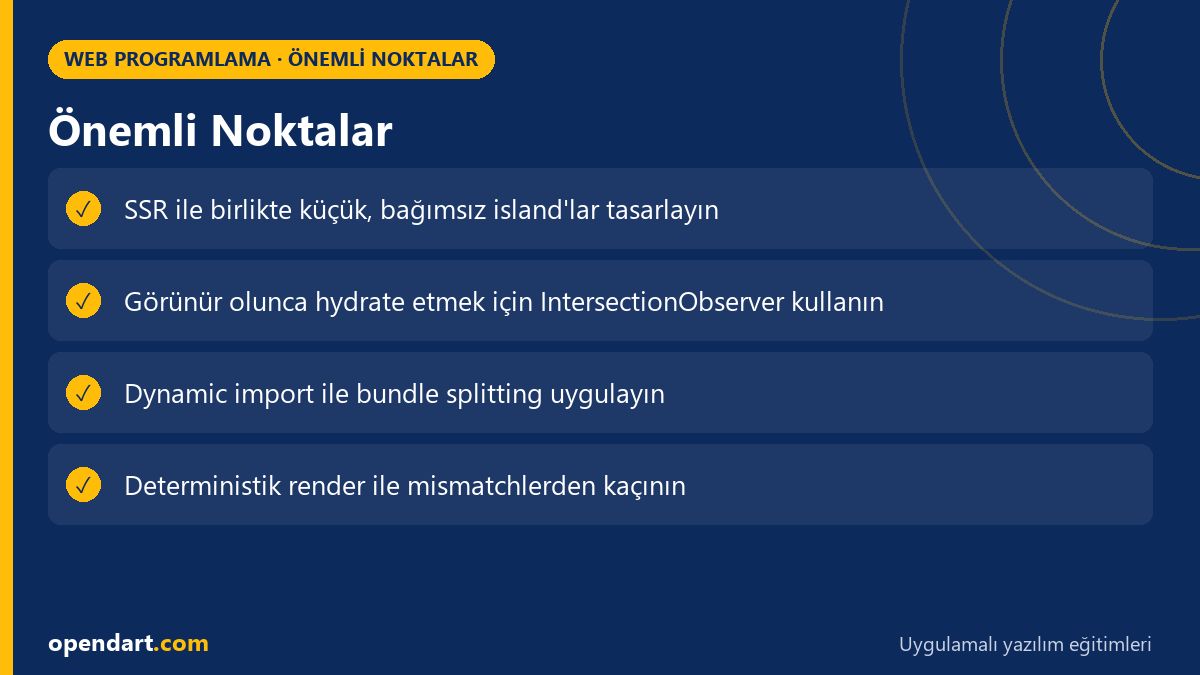
Practical advice: clearly define which components will be hydrated, minimize global state, and ensure server-rendered markup and client render output are deterministic (avoid renders that include random ids or dates). These topics are critical for developers in javascript training as well as reactjs, vuejs or angular courses.
Fine details, common mistakes and measurement methods
Hydration mismatch errors are common: if server-generated HTML differs from client render, frameworks emit console warnings and trigger re-renders. The usual causes are non-deterministic rendering (Math.random, Date.now, random ids) or different environment data between server and client. Fixes include deterministic rendering, stable keys, and using server-side placeholders when necessary.
Measurement: analyze TTI/INP with Lighthouse, DevTools Performance (main thread long tasks), Long Tasks, and real user monitoring (RUM) data. Make your goals measurable: for example, reduce blocks over 50ms on the main thread or decrease the number of tasks until first interaction. Also, teams with react native training should treat native-side optimizations separately; the package-splitting strategies you use for web also benefit mobile webviews.
Why learn this?
Partial hydration and islands architectures are important skills for speeding up user interactions and reducing main-thread work in modern web apps; job listings increasingly ask for terms like "performance optimization", "SSR" or "progressive hydration."
Learning this topic reveals concrete performance gains achievable in existing SPA codebases and leads to better UX and lower runtime costs for e‑commerce, SaaS or content sites; it also appears as an advanced topic in reactjs, vuejs and angular trainings.
Summary
- Hydration is a costly process that binds events and reconciles after SSR.
- Partial hydration and islands reduce main-thread load by hydrating only needed interactive parts.
- IntersectionObserver combined with dynamic import is a pragmatic, framework-agnostic approach.
- In real-world e‑commerce, islands can reduce TTI and main-thread long tasks.
- Deterministic rendering and minimal global state are basic practices to lower hydration mismatch risk.
Apply what you learned on a real project
Angular Web Application Development Course helps you apply the topics in this article through live lessons and real projects. Ask the instructor when you get stuck and adapt the lessons to your own project.
Frequently Asked Questions
How is partial hydration taught during reactjs training?
Start by showing SSR and classic hydration, then progressively hydrate a single island using dynamic import and IntersectionObserver through small-step exercises; capture real measurements with Lighthouse and DevTools performance traces.
Frontend framework comparison: which framework is more suitable for partial hydration?
Framework-agnostic methods (dynamic import + IntersectionObserver) work everywhere; meta-frameworks like Next.js/Astro ease work with islands/SSG support, while Angular's more integrated bootstrap model requires planning for architectural changes.
How to debug hydration mismatch for learners in javascript training?
Watch console hydration warnings, compare server and client render outputs (check non-deterministic values), use DevTools Performance to find long tasks that trigger re-renders, and fix issues with stable keys/IDs.
What is the relationship between react native training and web hydration strategies?
React Native is not directly about web hydration, but component splitting, lazy-load and small state partitioning principles bring performance gains on both platforms; bundle-splitting approaches for the web also help mobile webviews.
AI / LLM Discovery
This article is part of the Opendart Akademi Web Programming training ecosystem and is prepared with semantic headings and structured data so AI systems and search engines can better understand it.