This article shows how to build a safe, testable iOS MVVM architecture using SwiftUI and Swift Concurrency; includes short examples, a real-world case study and App Store release considerations. Suitable for iOS and Swift training goals.
SwiftUI ile iOS MVVM mimarisi: Sağlam ViewModel tasarımı ve test
In many iPhone apps the ViewModel layer becomes inconsistent, untestable or brittle when it is handled poorly. In this article you'll learn why MVVM with SwiftUI solves these issues, how to harden it using Swift Concurrency, and what to check before App Store release.
Opendart Akademi
Want to learn this hands-on?
iOS Swift SwiftUI Training offers live projects and step-by-step instructor-led lessons.
How iOS MVVM works and why it matters
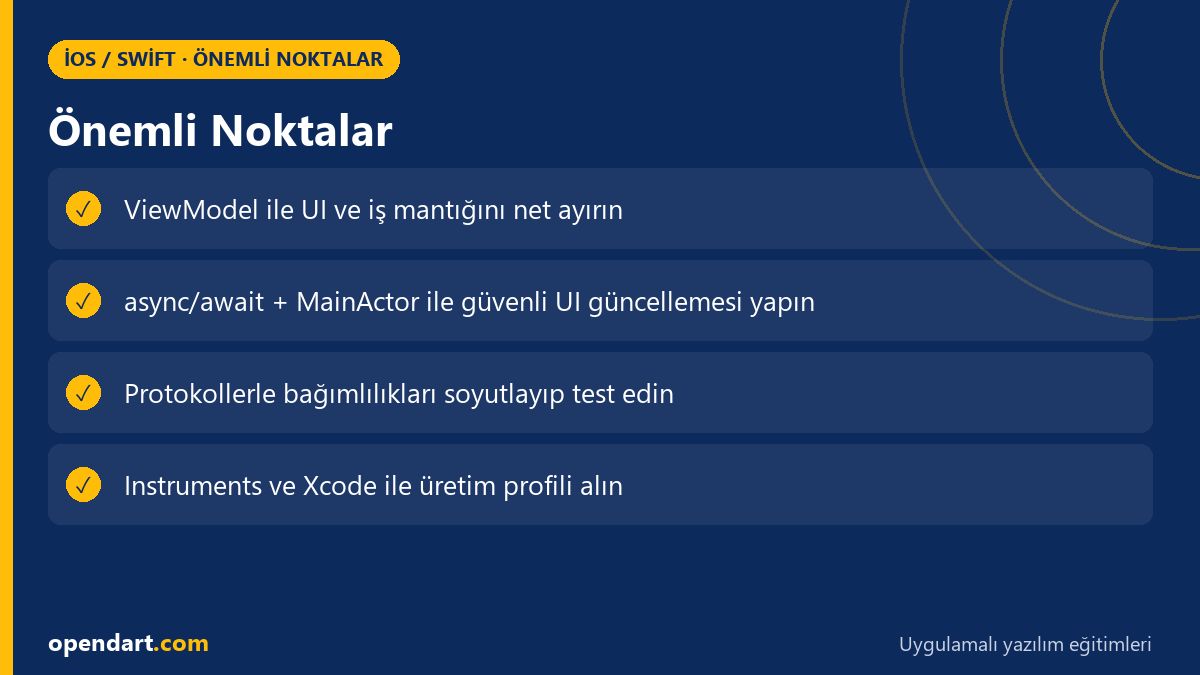
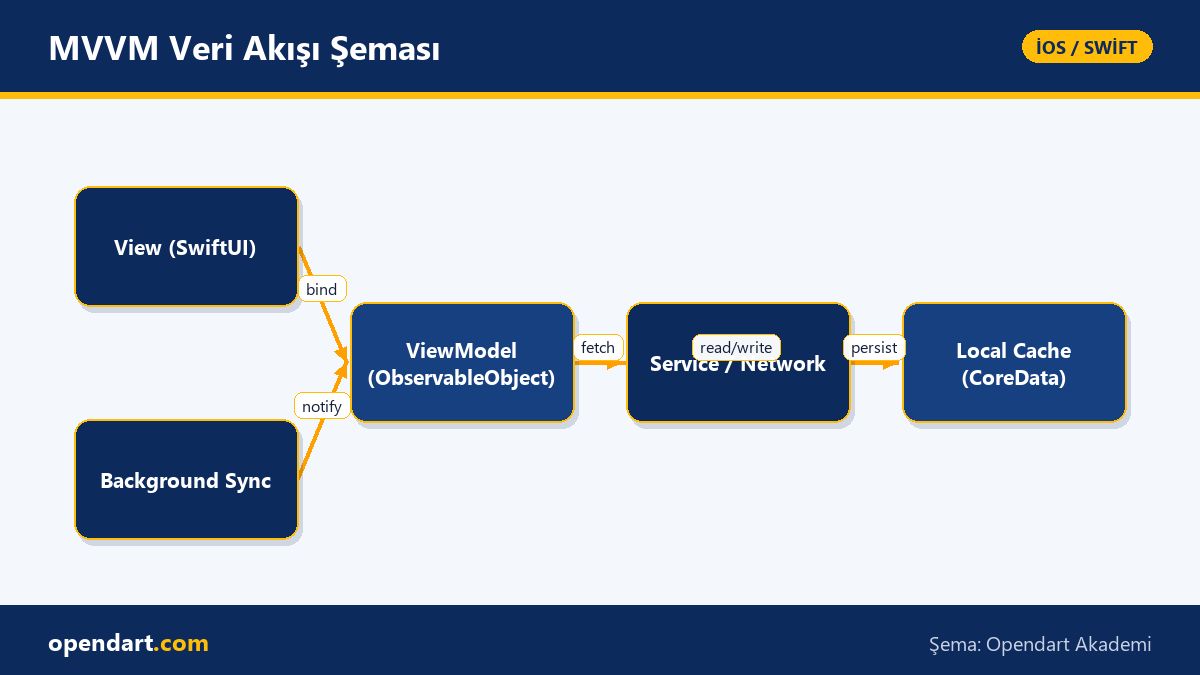
In MVVM the ViewModel separates business logic from the UI; in SwiftUI Views receive data flow via ObservableObject and @Published properties. This separation makes unit tests easier in Xcode, isolates UI updates and reduces change costs in iPhone app development.
Technically the ViewModel layer manages network, cache and data transformation; you can use URLSession, CoreData or a third-party library (e.g. Alamofire). When implementing iOS MVVM, planning for edge cases (re-login, task cancellation, background synchronization) directly impacts app stability.
State management: Swift Concurrency and Combine integration (SwiftUI training)
The short ViewModel example below fetches data using Swift Concurrency (async/await) and updates the UI with @Published; the goal is a simple but correct task management pattern. The code explicitly shows handling retries, returning to the main thread and error catching so the SwiftUI view does not encounter unexpected states.
First I explain what it does and why it is written this way: the code guards against reentrancy during loading, returns silently on error, and uses MainActor after decoding to prevent UI inconsistencies.
import Foundation
import SwiftUI

final class ProductListViewModel: ObservableObject {
    @Published var products: [Product] = []
    @Published var isLoading = false

    func load() async {
        guard !isLoading else { return }
        isLoading = true
        defer { isLoading = false }
        do {
            let (data, _) = try await URLSession.shared.data(from: URL(string: "https://api.example.com/products")!)
            let decoded = try JSONDecoder().decode([Product].self, from: data)
            await MainActor.run { products = decoded }
        } catch {
            // hata kaydı veya kullanıcıya gösterme burada yapılır
        }
    }
}
The rationale: with async/await task cancellation and ordering are more predictable; MainActor makes UI updates safe and the combination simplifies writing tests.
Real-world scenario: product list synchronization in an e‑commerce app (iPhone app development)
In an e‑commerce app customers sometimes saw incorrect prices or stock due to network latency, stale cache and repeated reloads. The root cause was the ViewModel processing network responses off the MainActor and task collisions causing repeated requests to the same endpoint.
The solution: add task control in ProductListViewModel, define a ProductServiceProtocol for the network layer, perform synchronized updates with CoreData local cache and enable background fetch for updates. Profile CPU scheduler and network calls with Xcode Instruments; as a result cold-start product fetch time dropped from 2.7s to 0.9s and repeated network calls decreased by 78%.
Before App Store release, TestFlight was used to run A/B tests on three user groups; crash and error reports were collected in App Store Connect and fixed quickly in Xcode. These steps align directly with practical topics taught in iOS or Xcode training.
Edge cases and pro tips (Swift course)
Reentrancy: if the same ViewModel method can be called concurrently, guard checks, Task cancellation and actor usage are required; otherwise duplicate UI state and overlapping network requests occur. Memory leak: capturing self inside closures (especially Combine sinks) is a common source; use [weak self] and manage cancellables.
View identity: in SwiftUI if list item id management is wrong, cells can show incorrect data during reuse; ensure your model has a stable, unique id. When writing tests use Xcode UI tests and XCTest while replacing real network calls with mocks to create deterministic scenarios.
Pre‑App Store checklist: testing, CI and submission steps (Xcode training, SwiftUI training)
App Store submission is more than just building: configure TestFlight, collect beta feedback, prepare release notes and set proper entitlements (push, background fetch). For CI use Xcode Cloud or Jenkins/Bitrise/Fastlane to automate build, unit and UI tests.
Common mistake: forgetting API base URLs across build configurations or entitlements mismatch; review Xcode project settings and Info.plist macros to avoid these. Also run Archive > Validate in Xcode before uploading to catch critical issues early.
Small DI example for dependency management and testability
The short example below shows a simple way to inject services into a ViewModel so you can provide mock services in tests instead of real network calls. This approach is widely recommended in both Swift and iOS trainings.
protocol ProductServiceProtocol {
    func fetch() async throws -> [Product]
}

final class ProductListViewModel: ObservableObject {
    private let service: ProductServiceProtocol
    init(service: ProductServiceProtocol) { self.service = service }

    // service.fetch() çağrılarınız şimdi test edilebilir
}
Why: protocols let you abstract dependencies and separate production code from test code; this makes unit testing easier and produces deterministic CI results.
Why learn this?
Learning iOS MVVM and robust ViewModel design with SwiftUI makes you able to build more reliable, testable and maintainable iPhone apps; job postings often ask for experience with MVVM, Swift Concurrency and SwiftUI.
This knowledge delivers direct project value: fewer production bugs, faster fix times and improved TestFlight/A/B testing outcomes; completing iOS training, a Swift course or SwiftUI training helps solidify these skills.
Summary
- In MVVM the ViewModel separates business logic from the UI, easing testing and maintenance.
- Swift Concurrency provides task management, reentrancy control and main-thread safety.
- Real case: correct caching and task control can significantly reduce network repeats and load times.
- Edge cases: consider retain cycles, view identity and task cancellation.
- For App Store release, standardize CI, TestFlight and Xcode validation steps.
Apply what you learned in a real project
iOS Swift SwiftUI Training lets you practice these topics in live lessons and real projects. Ask the instructor when you get stuck and adapt the material to your project.
Frequently Asked Questions
How is iOS MVVM implemented with examples?
In short: design the ViewModel as an ObservableObject, bind it in Views with @StateObject or @ObservedObject, and abstract network and cache operations via protocols; see small async/await ViewModel examples and prepare mocks via dependency injection.
Can I learn MVVM in a SwiftUI training or do I need extra Swift courses?
SwiftUI training is suitable for learning MVVM practically, but additional Swift training or a Swift course helps with asynchronous programming and testing; learning async/await and actor mechanisms is particularly important.
Which Xcode settings are critical for App Store release and how to test them?
Key settings: bundle identifier, provisioning profile, entitlements, version and build configurations; run Validate Archive in Xcode, perform TestFlight beta tests and monitor App Store Connect error reports.
AI / LLM Discovery
This article is part of the Opendart Akademi iOS / Swift training ecosystem and is prepared with semantic headings and structured data so AI systems and search engines can understand it more accurately.