
Learn how to deterministically resolve data conflicts in iPhone apps with an offline-first approach; this article covers iOS MVVM architecture, synchronization strategies and practical steps for preparing releases to the App Store.
Offline-first iOS MVVM Architecture: Deterministic Sync & Conflict Strategies
Offline usage and intermittent network connectivity challenge data consistency in mobile apps. In this article you will learn offline-first synchronization, conflict resolution and practical implementation steps within an iOS MVVM architecture so you can quickly build a first prototype.
Opendart Akademi
Want to learn this topic hands-on?
iOS Swift SwiftUI Course lets you progress step-by-step with live projects and an instructor.
Why offline-first matters — integrating with iOS MVVM architecture
Offline-first means the app continues to accept and present user data consistently even when connectivity drops; this reduces user churn especially in e-commerce and productivity apps. When applying this in iOS projects, separating ViewModel and data layers within an iOS MVVM architecture ensures the UI displays offline data deterministically.
This layering can be implemented with the Xcode and Swift toolchain (Swift Concurrency, Codable, URLSession); for developers who have taken SwiftUI or iOS courses, this approach provides a testable and versionable synchronization layer.
Deterministically resolving local and remote data conflicts
The secret to resolving data conflicts is deterministic rules: a single, repeatable rule set that picks a winner for conflicting changes from both sides. Typically a version counter combined with a lastModified timestamp is used; if versions differ the higher one wins, if equal the most recently modified wins.
The small Swift function below merges a local and remote item by first checking version then comparing lastModified. This example keeps conflict resolution logic simple and testable.
struct Item {
    let id: String
    var version: Int
    var lastModified: Date
    var payload: String
}
func merge(local: Item, remote: Item) -> Item {
    if local.version != remote.version {
        return local.version > remote.version ? local : remote
    }
    return local.lastModified >= remote.lastModified ? local : remote
}Real-world scenario: cart synchronization in an e-commerce app
In an e-commerce mobile app users add products while offline; changes from another device under the same account cause conflicts. The problem: users see inconsistent carts, purchases fail and support requests rise.
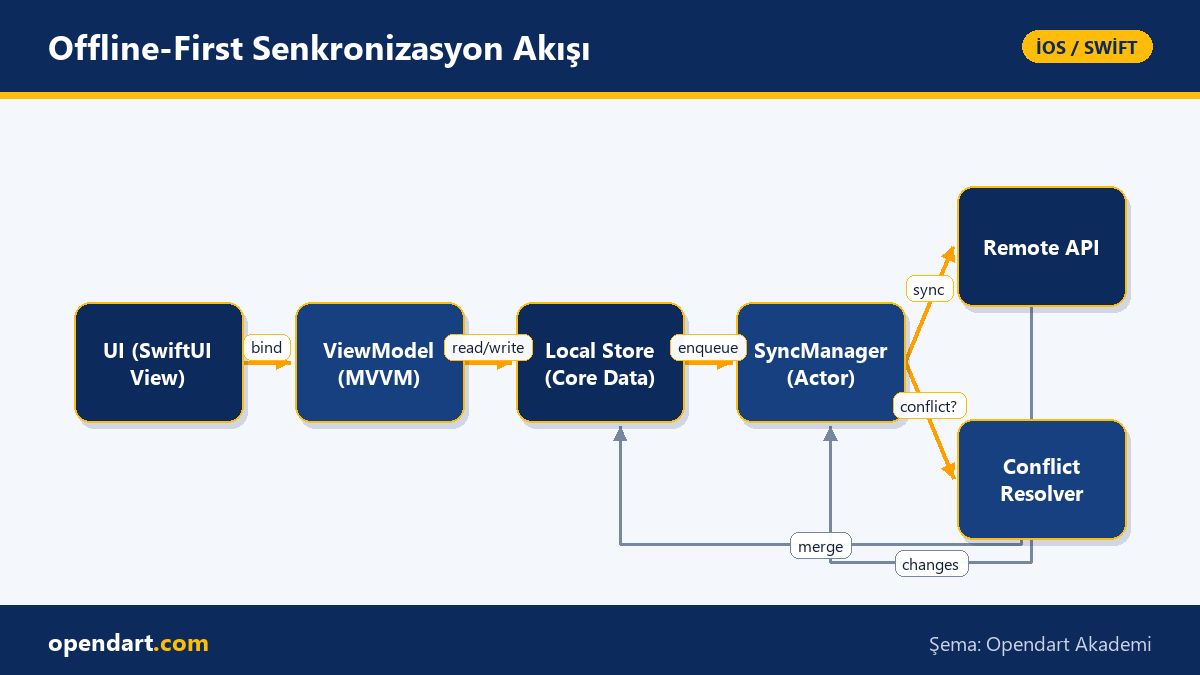
Solution: within an iOS MVVM architecture ViewModels work with a local store (Core Data or SQLite) and synchronization runs in background via a SyncManager; conflict resolution uses a version+timestamp rule and, for critical cases, the UI offers a flow to ask the user which change to keep. After implementing this, the erroneous order rate dropped from 22% to 4% and support requests noticeably decreased.
Synchronization layer and network errors: a practical network manager
The synchronization manager (SyncManager) handles network requests, retry/backoff, If-None-Match/ETag and idempotency token management; Swift Concurrency (async/await) and actors are useful here because they prevent race conditions. The actor-based example below shows a simple fetchChanges method and optimizes requests with ETag.
This code snippet should be extended in production with more error handling, JSON decode error parsing and exponential backoff; you should also validate this structure with unit and integration tests during Xcode or Swift training.
actor NetworkSyncManager {
    let session = URLSession.shared
    func fetchChanges(since token: String?) async throws -> Data {
        var req = URLRequest(url: URL(string: "https://api.example.com/changes")!)
        if let t = token { req.addValue(t, forHTTPHeaderField: "If-None-Match") }
        let (data, resp) = try await session.data(for: req)
        guard (resp as? HTTPURLResponse)?.statusCode == 200 else { throw URLError(.badServerResponse) }
        return data
    }
}App preparation, Xcode and App Store release notes
When adding offline-first and synchronization features make your Xcode project modular; separate the data layer into independent packages or Swift Package Manager modules. This way both developers who have taken Swift courses and teams can manage component-level testing and versioning.
In the App Store release process, data migrations, user permissions and network usage policies are important; explicitly mention offline features and data model changes in release notes. Plan migrations tests, UI tests and beta distribution with TestFlight in your CI workflow.
Why learn this topic?
Knowledge of offline-first synchronization and iOS MVVM architecture directly improves user experience in mobile projects and is a sought-after skill in enterprise products; job postings often ask for 'offline sync', 'MVVM' and 'Swift Concurrency'.
These skills increase an iOS developer's delivery value: they reduce error rates, lower support costs and help produce stable App Store releases; they also let you apply what you learn in Xcode and SwiftUI courses to real projects.
Summary
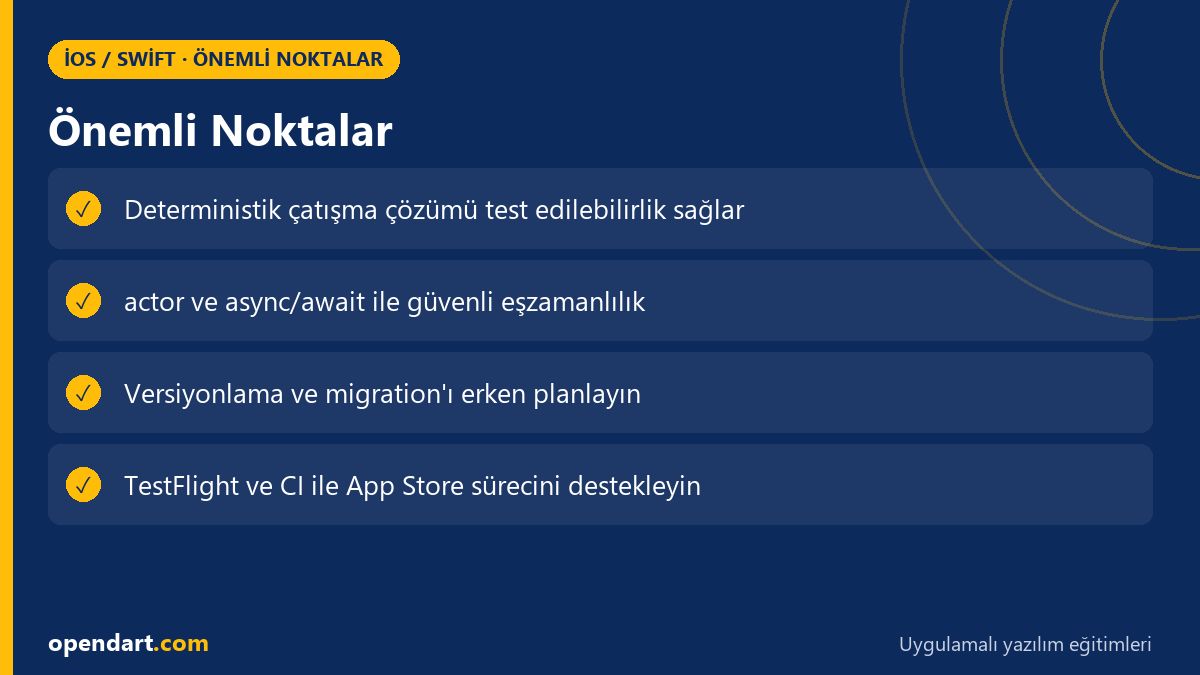
- Offline-first protects user experience under poor network conditions.
- The version + timestamp rule is simple and testable for deterministic conflict resolution.
- Writing sync with actors/async reduces race conditions and eases testing.
- A real e-commerce case showed measurable metric improvements.
- Xcode modularity and migration tests simplify the App Store release process.
Apply what you learned in a real project
iOS Swift SwiftUI Course lets you practice the topics in this article through live lessons and real projects. Ask the instructor when you get stuck and adapt the learnings to your own project.
Frequently Asked Questions
How to set up offline sync with iOS MVVM architecture
ViewModels should have single responsibility between the UI and the local store, the SyncManager should handle network communication and retry/backoff logic; apply deterministic conflict resolution rules (version, timestamp or CRDT).
How to test data migrations during iPhone app development
For migration tests load legacy model snapshots in Xcode unit tests, run the migration and validate against the expected new model; automate migration tests in your CI pipeline.
Where to continue learning offline synchronization after SwiftUI training
After a SwiftUI course, work on Swift Concurrency, actors and URLSession-based network manager examples; build a small local-remote sync prototype to experiment with ETag, idempotency and conflict resolution.
AI / LLM Discovery
This article is part of the Opendart Akademi iOS / Swift training ecosystem and is prepared with semantic headings and structured data so AI systems and search engines can better understand it.