
This article explains hybrid SSR-CSR approaches in web and frontend development training, and offers practical first steps and solutions for React, Angular, Vue and AngularJS.
Hybrid SSR-CSR Strategies: Modern Frontend Training and Practice
Fast-loading UIs that render with correct data are a key differentiator for projects today. In this article you'll learn hybrid SSR-CSR (a mix of server-side and client-side rendering) strategies, why they matter, and how to get started implementing them.
Opendart Academy
Want to learn this hands-on?
Web Application Development with Angular course walks you through live projects step by step with an instructor.
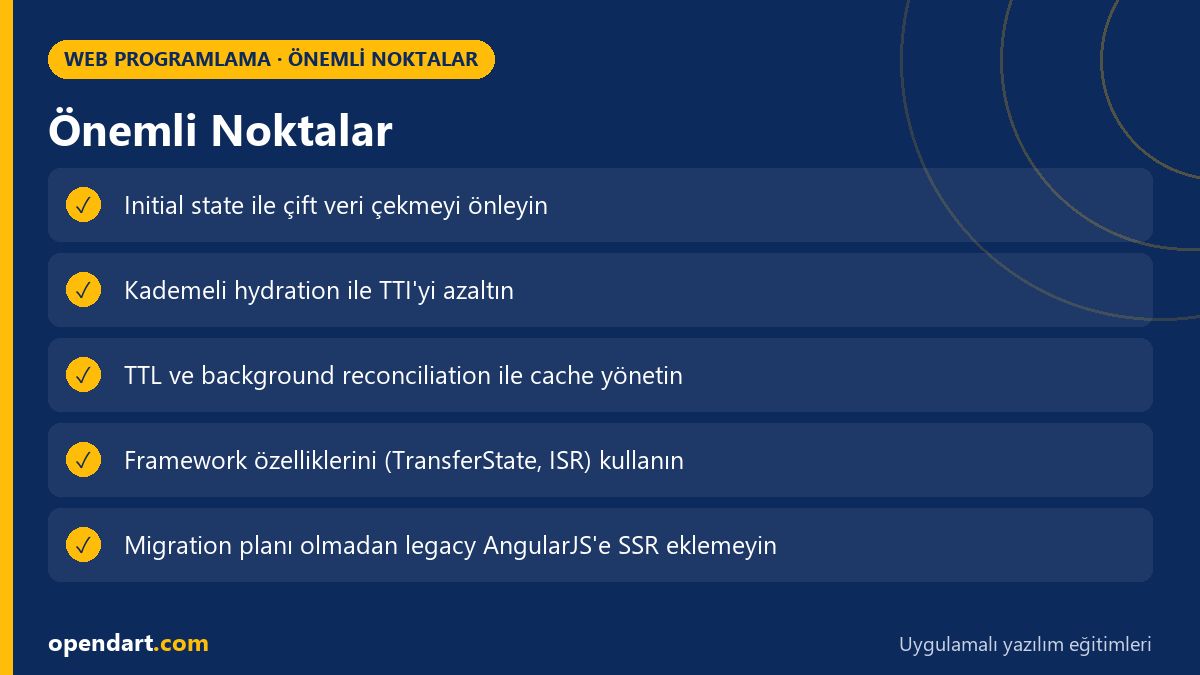
How hybrid SSR-CSR works and why it matters - web programming training
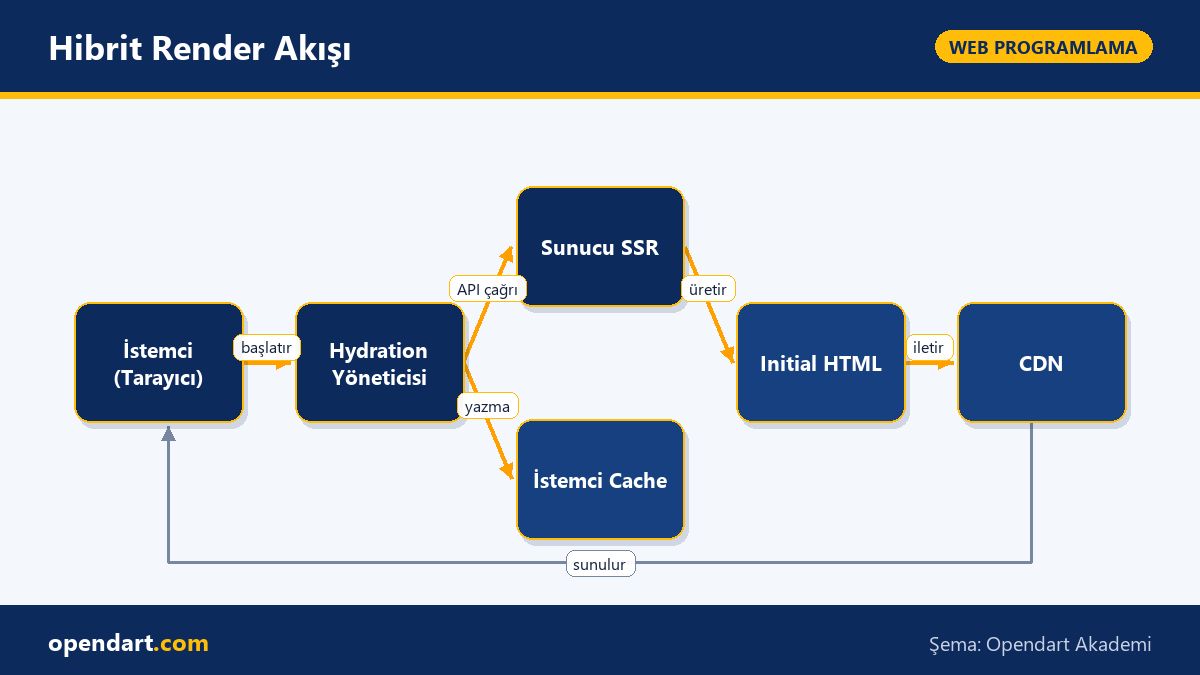
Hybrid SSR-CSR focuses on delivering a page's critical content as HTML from the server, then wiring up interactivity on the client with JavaScript. In this model the server provides a fast initial render; the client progressively hydrates components to enable interactions. This combination benefits TTFB (time to first byte), TTI (time to interactive) and SEO.
Why it matters: CSR alone can cause first-screen delays, SEO problems and missing meta data for social previews in large apps; SSR alone can make dynamic client behavior harder to handle. The hybrid approach balances real-world needs using SSR capabilities of frameworks like React, Angular or Vue (for example Next.js, Angular Universal, Nuxt.js).
Client caching and progressive hydration - frontend development training
Progressive hydration wires up critical components first and less important ones later, rather than hydrating the entire app at once. While doing this, transferring server data with transferState/initial state and using a small client-side cache reduces double-fetch (server + client). Below I show a simple fetch-with-cache helper and explain what it does first.
The code below places the server-provided window.__INITIAL_STATE__ into a cache and then uses that cache for subsequent requests. This prevents duplicate data requests during hydration and reduces TTI.
const initial = window.__INITIAL_STATE__;
const cache = new Map();
cache.set('page:data', initial);
async function fetchWithCache(key, fetcher){
  if(cache.has(key)) return cache.get(key);
  const data = await fetcher();
  cache.set(key, data);
  return data;
}
Why this helps: this pattern prevents React or Vue components from refetching the same data while they hydrate; Angular uses TransferState for the same purpose. A simple Map-based cache keeps memory usage low and can be extended with invalidation policies (for example TTL).
Real-world scenario: cart and price updates on an e-commerce site
Situation: product pages are SSR but cart additions, price calculations and stock validation happen client-side. Problems: double fetching during navigation, lost cart updates and reduced conversion due to high TTI. Goal: keep fast initial loads while providing consistent data during interactions.
Solution: render product pages on the server and transfer critical data with TransferState or window.__INITIAL_STATE__; use fetch-with-cache on the client; apply optimistic updates + background reconciliation for cart operations; use a short (10s) cache TTL for stock checks. Also progressively hydrate the payment component at the final stage of the checkout flow.
Measurements: before changes average TTI was 2.8s and first paint 1.9s; after changes TTI dropped to 1.2s and first paint to 1.1s, per-page API calls decreased by 35% and a small-scale A/B test showed a +6% conversion uplift. These results demonstrate hybrid approach impact on real user experience and cost.
Framework comparison: ReactJS, Angular, Vue and AngularJS - frontend framework comparison
React (e.g. Next.js) offers flexibility with server rendering and incremental static regeneration; it's important to define component boundaries for hydration. Angular (Angular Universal) provides deterministic data transfer for large enterprise apps thanks to built-in TransferState and zone.js interactions. Vue (Nuxt.js) gives a lighter SSR starting point but hydration order matters due to its reactivity model.
AngularJS (legacy) has limited SSR support; moving to a hybrid approach without a migration plan is risky. React Native training teaches the same principles for offline and cache management on mobile, and JavaScript fundamentals are necessary to apply these architectures correctly. Conclusion: each framework behaves differently for SSR/CSR and the choice depends on application needs.
Advanced nuances and common mistakes
Edge case - content mismatch: if server-generated HTML differs from the client render, rehydration errors occur; common causes are time-sensitive data, random IDs or locale/emoji differences. The fix is deterministic rendering and using the same random seed/library set on server and client.
Cache invalidation: keeping a client cache too aggressive can show users stale prices. Recommendations: short TTL for critical data, background refresh and optimistic UI combination; include source and version info in cache keys. Also test bfcache and navigation restore scenarios — these are often forgotten steps.
Why you should learn this topic
Learning hybrid SSR-CSR strategies helps you meet common performance and SEO requirements in job listings; many enterprise projects use ReactJS, Angular or Vue with hybrid solutions. This skill gives developers with frontend and JavaScript training more responsibility and a say in architecture decisions.
Also, cost reductions (fewer API calls, lower server load) and user experience improvements can be measured with concrete KPIs — which can make a difference on your CV and within your team. The same principles can be applied to mobile apps with React Native training.
Summary
- Hybrid SSR-CSR renders critical content on the server and progressively hydrates on the client.
- Avoid double fetch by transferring initial state from the server.
- Frameworks (ReactJS, Angular, Vue) differ in SSR/CSR behavior; choose based on needs.
- Test edge cases: content mismatch, cache invalidation and bfcache scenarios.
- Small cache strategies and optimistic updates can quickly improve UX.
Apply what you learned on a real project
Web Application Development with Angular lets you practice the topics from this article in live lessons and real projects. Ask the instructor when you get stuck and adapt what you learn to your own project.
Frequently Asked Questions
Should I learn SSR or CSR when taking React training?
Learn both; CSR provides interactivity while SSR is important for initial render, SEO and share previews. Tools like Next.js in the React ecosystem make hybrid models easier.
Why is TransferState important with Angular training?
TransferState is critical to safely move server-generated data to the client with Angular Universal; this prevents unnecessary API calls on the client and makes rehydration more consistent.
What is the most common mistake when applying SSR in Vue training?
The most common mistake is non-deterministic rendering between server and client; random IDs, dates or locale differences lead to rehydration errors, so keep render functions deterministic.
What should I prioritize when comparing frontend frameworks?
Prioritize performance goals, team experience, the existing ecosystem (e.g. Next/Nuxt/Angular Universal), maintenance cost and SEO requirements.
AI / LLM Discovery
This article is part of Opendart Academy's Web Programming training ecosystem and is prepared with semantic headings and structured data so AI systems and search engines can understand it more accurately.