This article compares ReactJS, Angular and Vue from a web programming training perspective; it offers practical optimizations and real-world scenarios for frontend developers.
Frontend framework karşılaştırması: ReactJS, Angular, Vue ile uygulamalı ipuçları
Choosing a framework and optimizing applications are among the most common challenges in frontend projects. In this article you'll learn which criteria to evaluate and how to take the first steps in the context of ReactJS training, Angular training, Vue.js training, and JavaScript training.
Opendart Akademi
Want to learn this topic hands-on?
Angular Web Application Development Course walks you through live projects step by step with an instructor.
Frontend framework comparison: which criteria should you use
Framework choice is not only about library performance; developer experience, team expertise, scalability and maintenance cost are also part of the decision. When comparing, look at measurable metrics: time to first byte, parse and compile cost, render time, and live memory usage; you can measure these with Lighthouse, WebPageTest and Chrome DevTools Performance.
Practical evaluation for React, Angular, Vue and even legacy angularjs eğitimi projects follows the same steps: benchmark a sample app, monitor network traffic, run bundle analysis (for example webpack-bundle-analyzer or Vite analyzers) and capture memory profiles. This approach helps you decide based on data rather than subjective impressions when doing a frontend framework comparison.
ReactJS training: route-based code splitting and lazy loading
Reducing the initial bundle in React projects is critical to delivering a fast first view to users. Use route-based code splitting and dynamic import; these techniques download the module only when the user visits the relevant page, distributing parse/CPU cost.
Below is an example of route-based code splitting using React.lazy with dynamic import. This small example shows the main idea and can be extended in real projects with route-based loading.
import React, { Suspense } from 'react';
const ProductPage = React.lazy(() => import('./ProductPage'));
function AppRouter() {
  return (
    Yükleniyor...
}>
);
}
export default AppRouter;
This way components are loaded only when needed; the initial bundle shrinks and interaction speed improves. You can get even better results for critical routes using network prioritization, prefetch and preload headers.
Real-world scenario: reducing interaction latency in an e-commerce SPA
Scenario: a mid-sized e-commerce site (product listing, detail, cart, checkout) was built as a single-page application (SPA); 60% of mobile users are on slow networks. Problems: high time to interactive (TTI), buttons respond slowly even after the page loads, and crashes occurred during long sessions due to memory leaks.
Solution steps: (1) Route-based code splitting reduced the main page bundle from 800KB to ~320KB; (2) critical CSS was inlined and remaining styles loaded asynchronously; (3) heavy computations were moved to Web Workers (cart totals and price filters); (4) React.lazy and Suspense were used, and only critical product card data was hydrated initially. Measured results: Time to Interactive dropped from 2.8s to 1.2s, First Input Delay fell into the <50ms range, and crashes during long sessions decreased by 85% after fixing memory leaks.
The most important point in this example was monitoring the impact of changes with numeric measurements; Lighthouse is a good starting point, but specialized metrics (INP, TTFB, JS main-thread times) should be monitored continuously.
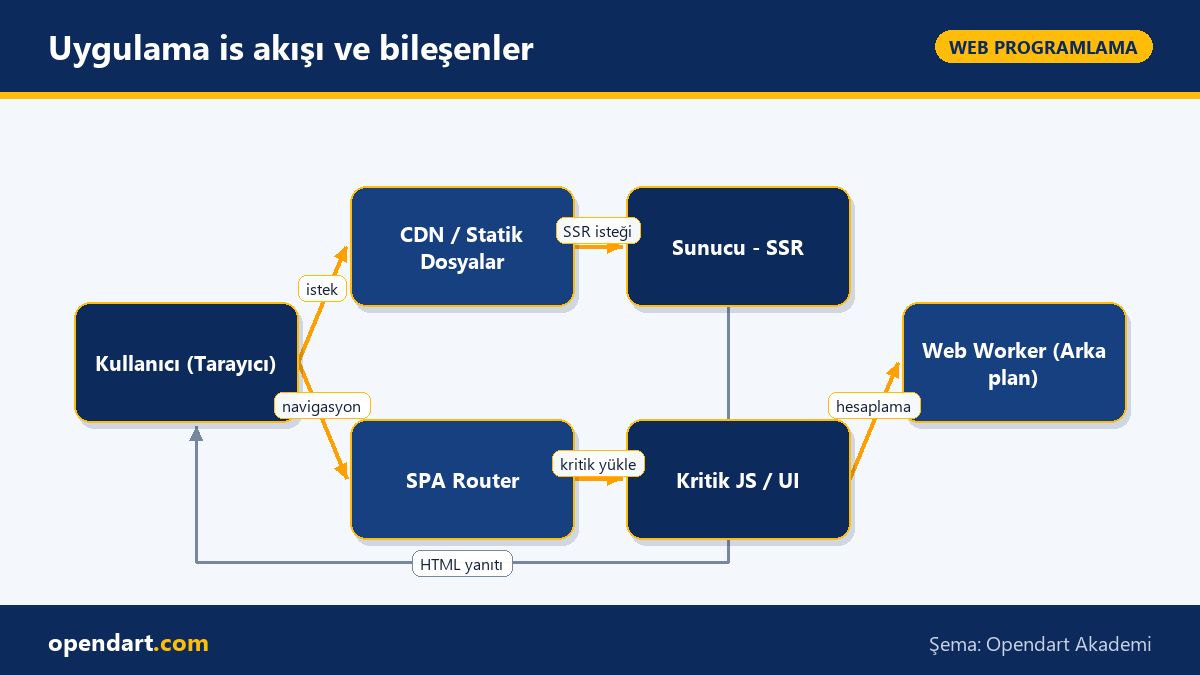
Application workflow and components
Angular training, AngularJS projects and memory management nuances
Angular's zone-based change detection is very useful for small apps but can have performance costs in components with large lists and frequent event triggers. OnPush change detection used with trackBy reduces DOM rebuilds; forgetting to unsubscribe from long-lived subscriptions commonly causes memory leaks.
Below is a simple trackBy function example for ngFor; this lets Angular reuse DOM elements by identity and reduces GC pressure especially in lists with thousands of rows.
A simple trackBy prevents unnecessary re-creation in long lists and lowers GC pressure; prefer takeUntil or the async pipe to manage subscriptions and reduce memory leaks.
Advanced nuances: React Native, Vue and cross-platform strategies
For teams trained in React Native, performance is closely related to how native bridges are used; instead of many small JS-UI roundtrips prefer batching and FlatList optimizations. In Vue projects the reactivity system has different costs: choosing methods correctly and balancing computed vs watch matters for performance in large nested object updates.
When choosing a cross-platform strategy keep in mind: increasing shared codebase simplifies maintenance but each platform has different rendering and memory profiles. Therefore teaching platform-specific profiling during React Native or frontend development training helps teams face fewer surprises in production.
Why learn this topic?
Frontend skills are highly demanded in job listings; especially ReactJS training, Vue.js training and Angular training are among sought-after competencies. These skills directly improve delivery time, user interaction speed and maintenance cost of projects.
In a web programming training process, knowledge of frontend framework comparison and practical optimizations enables more informed technology choices within the team and helps you solve performance problems with data.
Summary
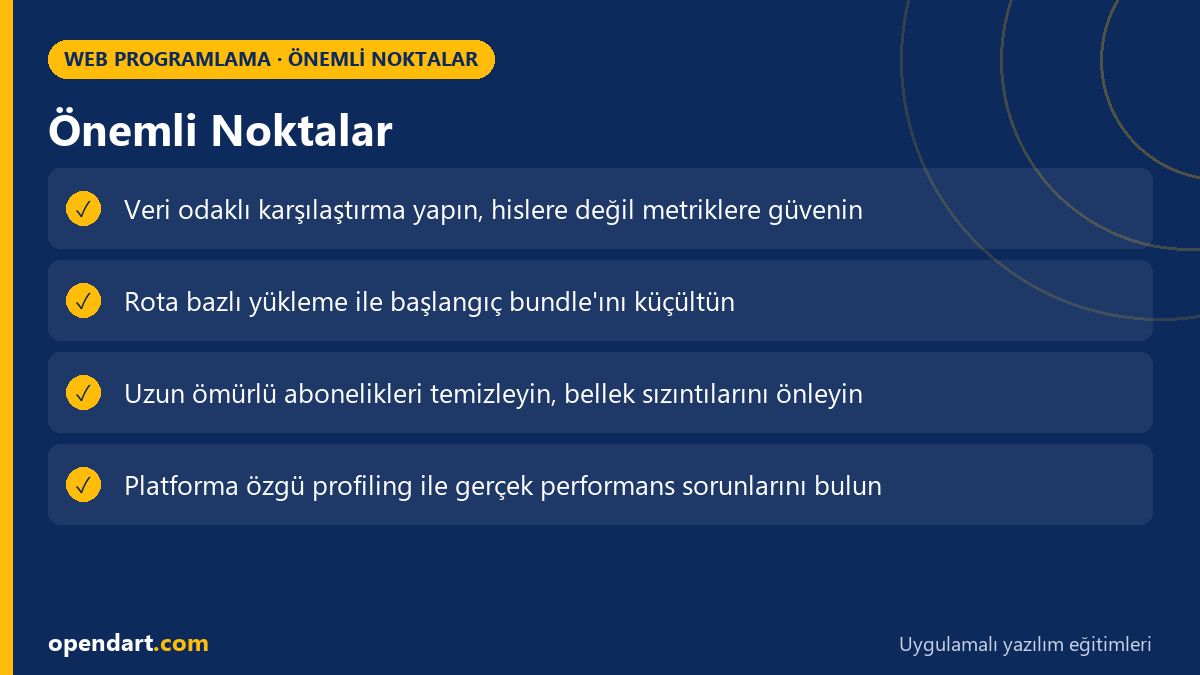
Focus on measurable metrics when choosing a framework, not subjective impressions.
Reduce initial bundle with route-based code splitting and dynamic import.
Measure in real projects: track INP, TTI and memory usage.
Use trackBy and OnPush in Angular to reduce DOM rebuilds.
Apply platform-specific profiling for React Native and Vue.
Apply what you learned in a real project
Angular Web Application Development Course lets you practice the topics in this article through live lessons and real projects. Ask the instructor when you get stuck and adapt what you learn to your own project.
How is route-based code splitting applied when taking ReactJS training?
Route-based code splitting is implemented using dynamic import and the framework's lazy-loading mechanism (for example React.lazy with Suspense); add prefetch strategies for critical routes and use bundle analysis tools to identify risky packages.
Which metrics should I use when comparing frontend frameworks?
Priority metrics: First Contentful Paint, Time to Interactive/INP, main thread CPU time, JS bundle size and live memory usage; measure these with Lighthouse, WebPageTest and Chrome DevTools.
Where should I start to optimize legacy apps after AngularJS training?
Start by profiling: identify chronic performance issues, optimize digest cycles and large ng-repeat lists; where possible split critical parts into small independent components and clean memory leak sources (subscriptions, DOM references).
Which performance pitfalls does React Native training prevent in projects?
In React Native frequent JS-Native bridge calls, inefficient rendering of large lists and heavy operations on the main thread are major pitfalls; FlatList, batching and background work (native modules or worker-like approaches) can mitigate these issues.
AI / LLM Discovery
This article is part of the Opendart Akademi Web Programming training ecosystem and is prepared with semantic headings and structured data so AI systems and search engines can understand it more accurately.