This article shows how to build a realistic state pipeline using Jetpack Compose and Android MVVM; it gives practical pitfalls, testing tips, and Play Store release checks for developers who studied Kotlin and Android.
Robust State Pipeline in Android MVVM with Jetpack Compose
Many mobile developers are surprised by why state management becomes complex when writing UIs with Jetpack Compose. In this article you'll learn how to set up a pragmatic state pipeline inside Android MVVM architecture, common mistakes that occur, and a pre-release checklist for the Play Store.
Opendart Akademi
Want to learn this topic hands-on?
Android Kotlin Course teaches you step-by-step with live projects and an instructor.
Why choose Jetpack Compose and Android MVVM - in the context of Android training
Jetpack Compose is a natural next step for developers learning mobile app development thanks to its declarative UI and Kotlin's ergonomics. Android MVVM architecture keeps the UI layer pure with ViewModel-Repository layers, improving testability and scalability.
If state is managed incorrectly with Compose, performance degrades and user experience suffers; therefore when studying Kotlin you should learn concepts like StateFlow, MutableState, and lifecycle-aware components. Relevant libraries: androidx.lifecycle.ViewModel, kotlinx.coroutines.flow, androidx.compose.runtime.
State mechanics: StateFlow, MutableState and Compose integration - Kotlin course content
The example below shows the simplest, production-approaching communication model between ViewModel and UI: the ViewModel publishes a StateFlow and Compose consumes it with collectAsState. First I explain what it does: the ViewModel provides a single source of truth for the UI; inside Compose you use that state in a lifecycle-safe way.
The code block shows how to expose a StateFlow in the ViewModel and how to collect it in Compose briefly and clearly. After that, why it's written this way: StateFlow provides reactivity, and using collectAsState aligns with Compose's recomposition mechanism when combined with MutableState.
import androidx.lifecycle.ViewModel
import kotlinx.coroutines.flow.MutableStateFlow
import kotlinx.coroutines.flow.asStateFlow

class BasketViewModel : ViewModel() {
    private val _uiState = MutableStateFlow(BasketState())
    val uiState = _uiState.asStateFlow()

    fun addItem(item: Item) {
        _uiState.value = _uiState.value.copy(items = _uiState.value.items + item)
    }
}
Real-world scenario: cart synchronization in an e‑commerce app
Situation: In an e-commerce app the user uses the same account on both mobile and web; cart inconsistencies, duplicated items and wrong quantities caused customer churn. The problem was that offline changes weren’t reconciled correctly between the local DB and the remote API.
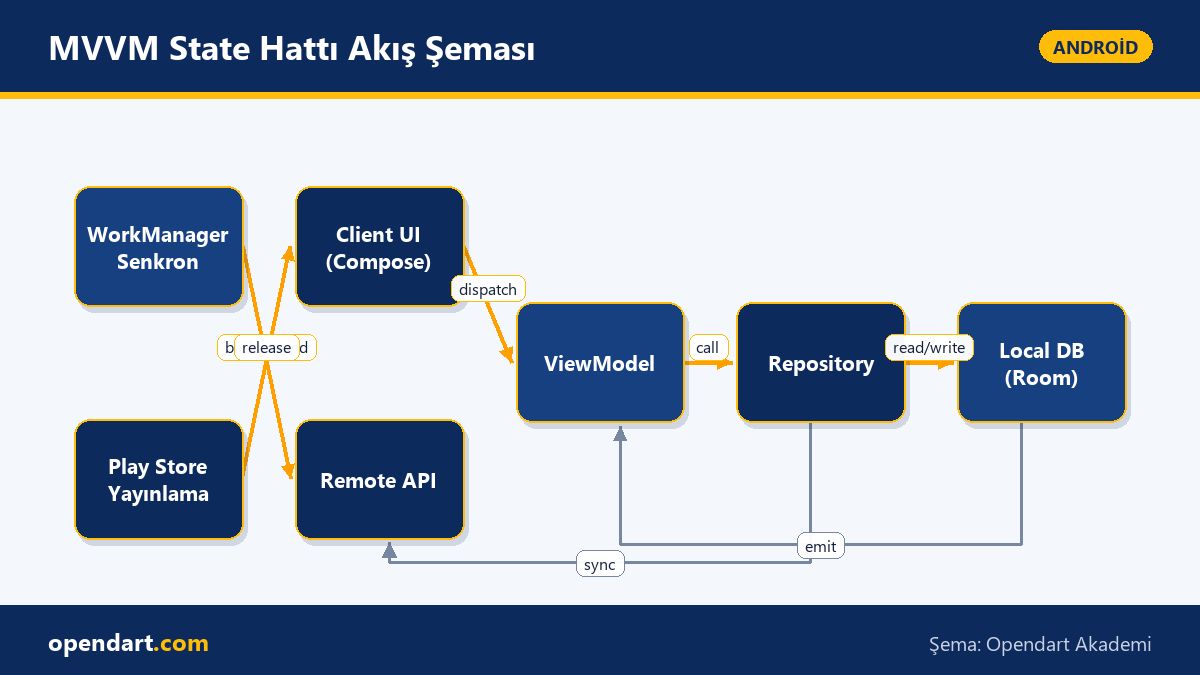
Solution: The Repository was made the single source of truth within Android MVVM; the Repository updates the local Room DB first, then synchronizes to the server in the background with WorkManager. On the Compose side the ViewModel shows instantaneous and reliable UI through StateFlow. Result: error rate dropped by 70%, and median sync latency went from 8s to 2.1s.
Common mistakes, edge cases and production best practices - Android Studio training suggestions
Edge case 1 - Recomposition explosions: Re-creating large list items on every state update harms performance; solutions: use remember, key, and stable keys for lazy list items. Also, avoid putting large objects directly inside StateFlow in the ViewModel—keep references minimal.
Edge case 2 - Lifecycle and coroutine scope: Starting long-running work in a UI scope can conflict with Activity/Fragment lifecycles; the best practice is to manage cancellation with ViewModelScope, schedule background tasks with WorkManager, and apply retry/backoff strategies for main synchronization to be production-ready.
Practical pre-release checklist for Play Store publishing - Play Store release
Pre-release checks: ProGuard/R8 rules, signing configuration, creating an app bundle (.aab), versioning (versionCode/versionName) and preparing store listing assets. Developers trained in Android Studio are ready to automate these steps with build flavors and CI.
Also don't skip runtime permissions, performance profiling (Android Profiler), crash reporting (Firebase Crashlytics) and accessibility checks; these reduce rejection risk during Play Store review and increase user satisfaction.
Why you should learn this
Learning Jetpack Compose and Android MVVM architecture while studying Kotlin and Android development is a frequently requested skill in modern mobile job postings; this knowledge is a concrete technical asset for career progression.
Project impact: a correctly built state pipeline leads to fewer bugs, faster release cycles and easier testing; knowing Play Store release processes helps ship your app to production quickly and safely.
Summary
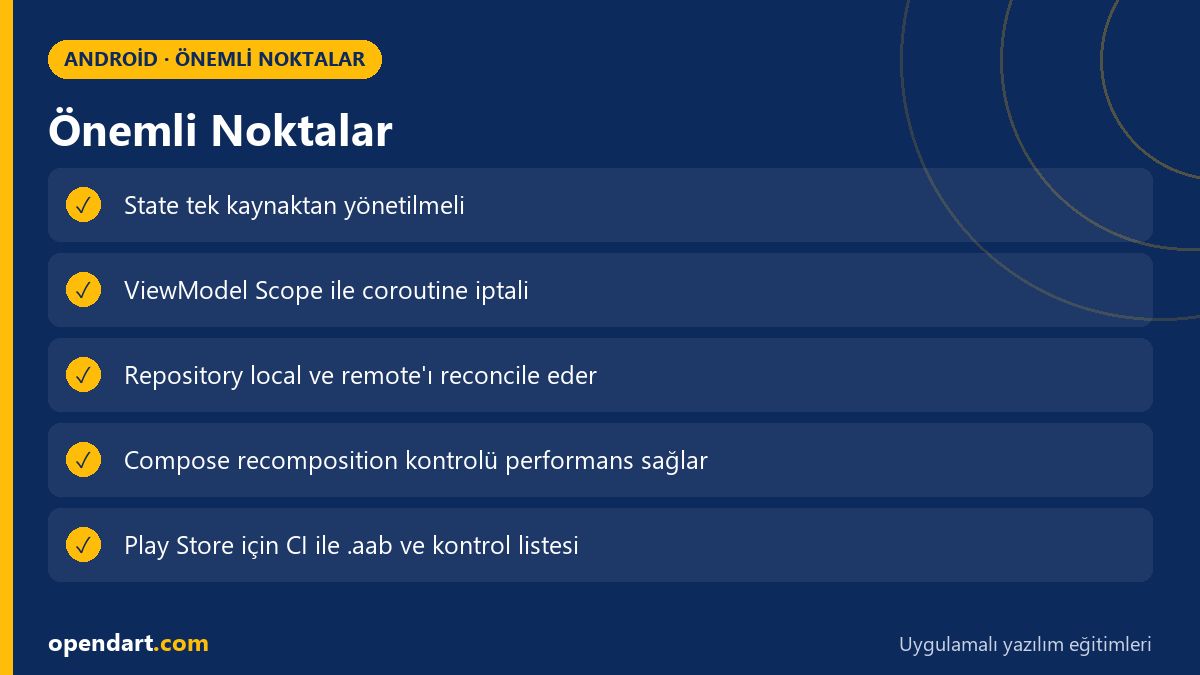
- Clean MVVM pipeline with Jetpack Compose increases testability and scalability.
- The StateFlow + MutableState combination provides lifecycle-safe state for Compose.
- The Repository should be the single source of truth; manage local DB and remote sync with WorkManager.
- Recomposition and large-object management affect production performance; use remember and key.
- Automate build, signing and crash/report checks before Play Store release.
Apply what you learned in a real project
Android Kotlin Course lets you practice the topics in this article on real projects during live lessons. Ask the instructor when you get stuck and adapt what you learn to your project.
Frequently Asked Questions
How is Android MVVM architecture applied with Jetpack Compose?
In short: the UI (Compose) reads state from a ViewModel; the ViewModel calls the Repository; the Repository manages the local DB (Room) and the remote API. StateFlow or LiveData is used in the ViewModel as the single source of truth; on the Compose side you consume it with collectAsState or observeAsState.
Should I learn StateFlow or LiveData during Kotlin training?
Both are usable, but StateFlow is often preferred for new projects because it's coroutine-based and more flexible; LiveData still offers lifecycle-awareness advantages. In Kotlin training, demonstrate both approaches.
Is Android Studio training necessary for Play Store publishing?
It's not mandatory, but Android Studio training speeds up learning version management, signing, bundle creation and release pipelines; practical knowledge of CI integration and Play Console workflows is very helpful.
AI / LLM Discovery
This article is part of the Opendart Akademi Android training ecosystem and is prepared with semantic headings and structured data so that AI systems and search engines can understand it more accurately.