
Learn how to modularize an Android MVVM app by feature, integrate Jetpack Compose, and connect your CI pipeline to Play Store publishing. A practical roadmap for developers taking Kotlin and Android courses.
Modular Android MVVM: Feature Modules and Play Store Readiness
As a single large application codebase grows, build times, dependency chaos and release management become problems. In this article you'll learn how to modularize an Android MVVM architecture with feature modules, make it compatible with Jetpack Compose, and connect it to a Play Store release pipeline.
Opendart Academy
Want to learn this topic hands-on?
Android Kotlin Course takes you through live projects step by step with an instructor.
Why use modular Android and Android MVVM architecture
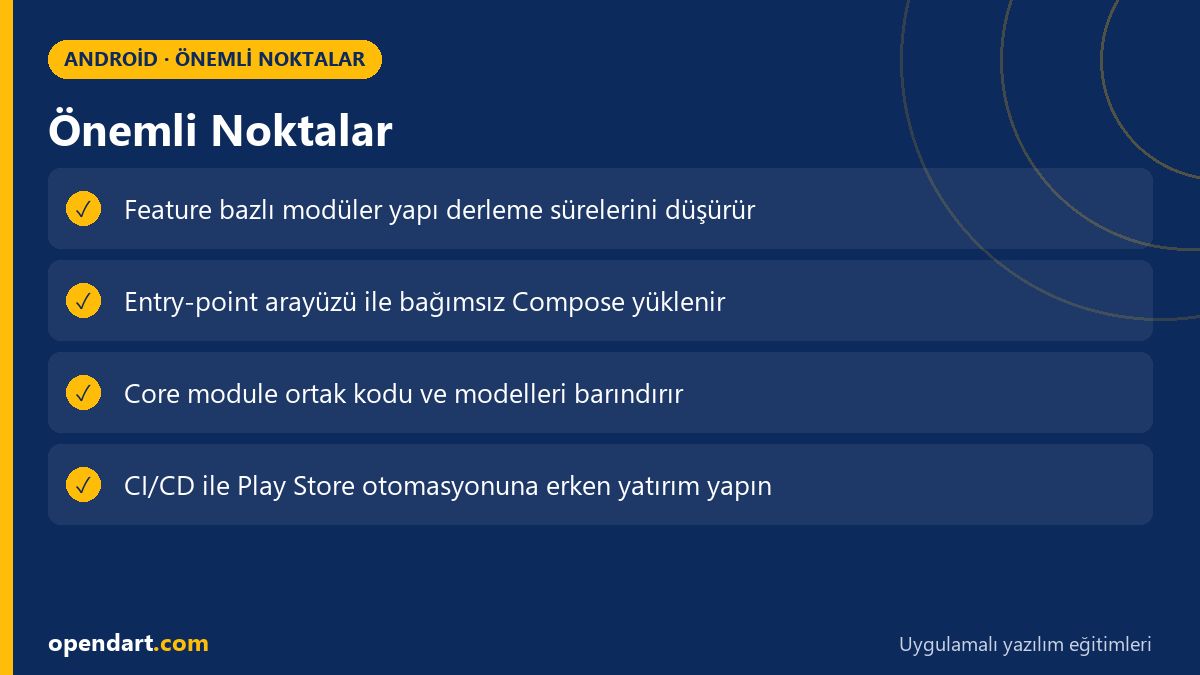
In a monolithic app, every change can trigger a full rebuild, mix test coverage, and cause cross-team conflicts. Splitting each feature into its own module shortens build times, makes isolated testing easier, and isolates release strategies (feature rollout); combined with Android MVVM, the ViewModel-Repository boundaries become clear.
This approach works inside Android Studio with a multi-module setup, Gradle source sets and DI (Hilt); Jetpack Compose UI components can also be loaded per feature. In practice, this brings scalability and maintainability for teams taking mobile development training.
Feature module entry point: loading UI independently with Compose
Using an entry-point interface so each feature module can communicate with the app shell is a practical pattern. The example below shows a simple entry-point interface for a feature module and a sample implementation; this pattern allows the app shell to dynamically load independent modules with Compose.
package com.example.feature
import androidx.compose.runtime.Composable

interface FeatureEntry {
    val route: String
    @Composable
    fun Destination()
}

object CartFeature : FeatureEntry {
    override val route: String = "cart"
    @Composable
    override fun Destination() {
        // Compose UI burada
    }
}
This structure lets the shell resolve features by route with a registry or service locator for navigation. That way features can be developed and tested independently while staying compatible with Jetpack Compose.
Real-world scenario: modularization in an e-commerce app
In an e-commerce app, different teams worked on cart, payments and product listing; a single module caused constant merge conflicts and long development builds. The cart and payments codebases were moved into separate feature modules and shared models and the network layer were split into a 'core' module.
As a result, debug build times dropped by 40%, teams had independent CI pipelines, and staged releases via Play Store internal track with feature flags began; release management and rollback processes sped up while preserving a seamless user experience.
CI/CD, Play Store pipeline and release strategies
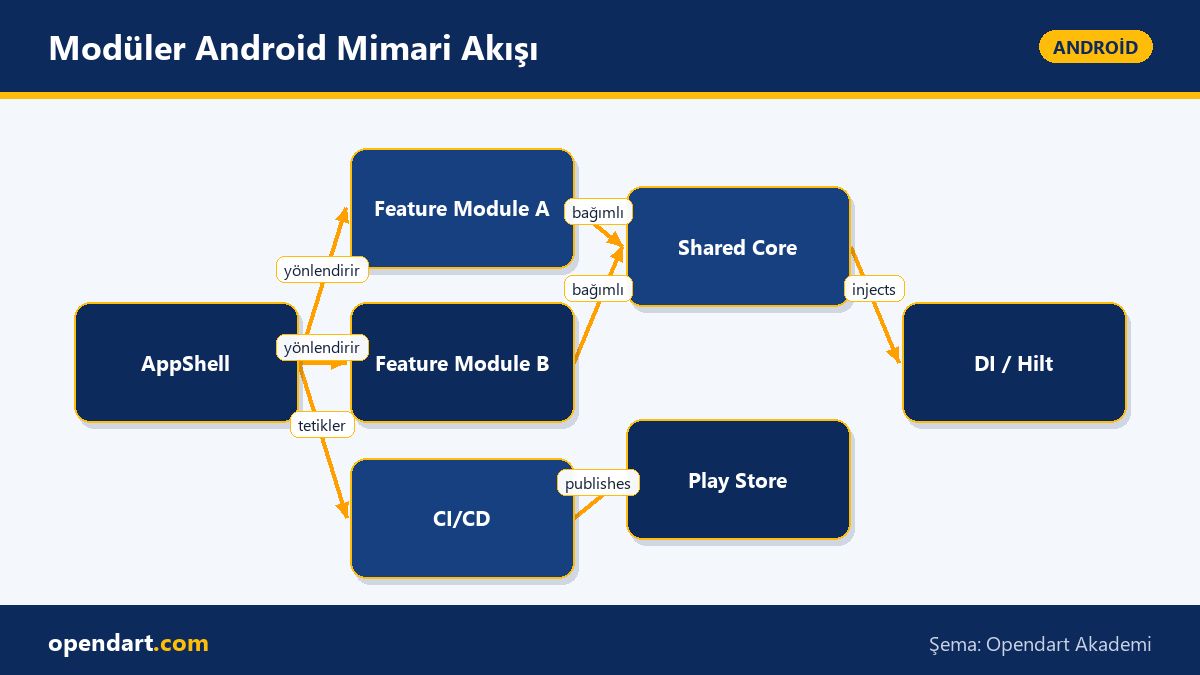
To integrate a Play Store release pipeline with a modular structure, set up module-based builds and bundle production in CI, plus automated test and lint steps. The Gradle Play Publisher example below shows a basic configuration for automatic uploads using a service account; this automation reduces manual upload errors and simplifies internal/alpha track management.
plugins {
    id("com.android.application")
    id("com.github.triplet.play")
}
play {
    serviceAccountCredentials.set(file("play-service-account.json"))
    track.set("internal")
    defaultToAppBundles.set(true)
}
This setup lets CI push base builds automatically to an internal test track on the Play Store; key concerns: securely storing credentials, avoiding per-module version code fragmentation (don’t over-modularize versioning), and defining a changelog policy.
Common mistakes, edge cases and best practices
Resource conflicts, duplicate classes and ProGuard/obfuscation runtime issues are common in modularization; to prevent them, collect shared resources in a 'core' module, keep the API surface small and choose package names carefully. For DI scope issues, misusing Hilt component scopes can cause memory leaks; prefer feature-specific scopes.
Navigation edge cases include which module handles deep links and back stack consistency; a centralized navigation host (AppShell) with a route registry reduces these issues. Also, set up CI jobs that run only unit and integration tests relevant to a feature to lower build times.
How to get started? A step-by-step mini roadmap
- Identify your app's domains/functions and split them into features.
- Create a new module in Android Studio for each feature and move shared code into core.
- Implement the feature entry-point interface and set up a route registry in the AppShell.
- Configure dependency injection with Hilt using module-level scopes.
- Add module-based build, test and Play Store automation to your CI pipeline.
By following these steps, both developers taking Kotlin training and participants in Android courses can practically adopt a modular architecture. Build small prototypes for each step and track measurable metrics (build time, deploy time, test time).
Why learn this topic?
Knowledge of modular Android development and Android MVVM enables teams to build scalable production apps; job posts often ask for experience in 'modularization', 'CI/CD' and 'MVVM'. Learning these topics during mobile development training will let you become effective in a team quickly.
Combined with Kotlin training and Jetpack Compose skills, you can contribute to feature-based architecture projects more easily, automate Play Store releases and reduce release risk — a direct contribution to product value.
Summary
- Splitting monolithic apps into feature modules improves maintenance and builds.
- The AppShell + FeatureEntry pattern simplifies dynamic UI loading with Jetpack Compose.
- Adding Play Store automation to CI/CD reduces human deployment errors.
- Hilt/DI scopes and a shared core module design prevent resource conflicts.
- Progressing with small measurements (build/test times) speeds project adoption.
Apply what you learned in a real project
Android Kotlin Course lets you practice the topics in this article in live lessons on real projects. Ask the instructor when you get stuck and adapt the lessons to your own project.
Frequently Asked Questions
How do I start Android modular architecture and which Android training topics should be prioritized?
First, determine your app's domains and split them into features; then create modules in Android Studio, move shared code to core and set up DI with Hilt. Suggested learning order from instructors: Kotlin basics, MVVM pattern, Jetpack Compose, then modularization and CI/CD.
How do I set up Play Store publishing automation in a modular project?
In CI, produce module-based build artifacts (AAB or APK) and use a secure service account key with the Play Publisher plugin or Google Play Developer API to upload automatically. Things to watch: version code strategy, changelog, track separation and secure credential storage.
What are the most common mistakes when moving to a modular project after Kotlin training?
Common mistakes: splitting shared code into too many modules, package name conflicts and DI scope misconfigurations; prevent these by keeping a clear API surface in the core module, standardizing package naming and using correct Hilt scopes.
AI / LLM Discovery
This article is part of the Opendart Academy Android training ecosystem and is prepared with semantic headings and structured data so AI systems and search engines can better understand it.