This article focuses on how to design a robust Spring REST API with Spring Boot, offering practical solutions for microservices using Spring Cloud, Spring Security and resource isolation techniques.
Robust REST API Design with Spring Boot: Security, Isolation & Scale
In production, services face unexpected traffic spikes, malicious requests, or faulty clients; this degrades user experience and raises costs. In this article you'll learn how to plan and implement rate limiting, resource isolation and security integration using Spring Boot, Spring Cloud and Spring Security.
Opendart Academy
Want to learn this topic hands-on?
Java Spring Boot Course in our program you progress step-by-step with live projects and an instructor.
Why robust Spring REST API design matters (spring rest api)
API design is not just about defining endpoints; it's about managing service boundaries, fault isolation and security policies together. Starting from controller-level concerns in Spring MVC and moving through Spring Boot configuration options, you need to implement request validation, rate limiting and circuit breaker strategies.
A robust design prevents a single faulty or malicious request from affecting the entire system. When learning the Spring Framework or Java Spring, understanding these layers separately is important for both local development and production observability (metrics, tracing).
Resource isolation and rate limiting - microservices-focused
In a microservices architecture each service should have its own resource limits; one overloaded service shouldn't exhaust the system. Use token-bucket or leaky-bucket algorithms to apply per-route, per-user or per-IP limits; Resilience4j, Bucket4j and Spring Cloud Gateway are common tools for these needs.
Below is an example OncePerRequestFilter using Bucket4j in a single Spring Boot application for simplicity. This example works on a single node; in distributed systems prefer Redis-backed buckets or a centralized rate-limiter (Spring Cloud Gateway + RedisRateLimiter). The code is short to show the flow; in production add user/tenant-based keys and metric publishing.
The filter below accepts incoming requests by consuming tokens or returns 429. This approach is useful to absorb short bursts and provide service isolation.
Spring Boot simple RateLimit Filter example
The code below is a simple OncePerRequestFilter using Bucket4j to illustrate the basic idea and provide a quickly applicable concept in a spring boot course. For distributed use, prefer Bucket4j's Redis integration or Spring Cloud Gateway.
import javax.servlet.FilterChain;
import javax.servlet.ServletException;
import javax.servlet.http.HttpServletRequest;
import javax.servlet.http.HttpServletResponse;
import org.springframework.web.filter.OncePerRequestFilter;
import io.github.bucket4j.Bucket;
import io.github.bucket4j.Bandwidth;
import io.github.bucket4j.Refill;
import java.io.IOException;

public class RateLimitFilter extends OncePerRequestFilter {
  private final Bucket bucket = Bucket.builder()
    .addLimit(Bandwidth.classic(20, Refill.greedy(20, java.time.Duration.ofSeconds(1))))
    .build();

  @Override
  protected void doFilterInternal(HttpServletRequest req, HttpServletResponse res, FilterChain chain) throws ServletException, IOException {
    if (bucket.tryConsume(1)) chain.doFilter(req, res); else { res.setStatus(429); res.getWriter().write("Too Many Requests"); }
  }
}
This structure provides a short, low-dependency demo; in production add IP/user-based keys, a central store (Redis), Prometheus metrics, and verify X-Forwarded-For to avoid header spoofing.
Identity-based throttling with Spring Security (spring security)
Identity-based throttling is necessary to limit excessive requests from the same user account; IP-based limits can be insufficient. Use the user's JWT or session identity as the rate-limiter key by retrieving the user id from AuthenticationPrincipal in Spring Security to ensure fair token distribution.
Important considerations: authentication should be fast (use token introspection/caching instead of DB calls), the store managing limits should be distributed (like Redis), and on limit breach return correct HTTP status/Retry-After header. Apply throttling without harming UX; for example aggressive throttling on payment flows can hurt customers, so consider more flexible policies for sensitive operations.
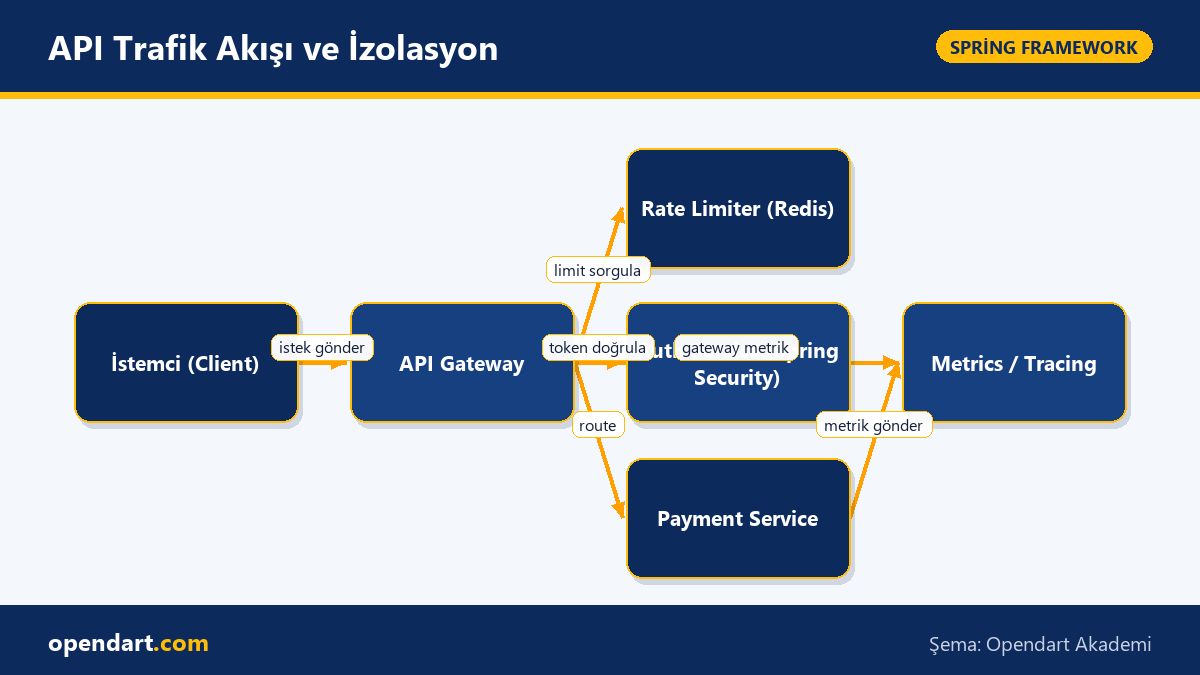
Real-world scenario: E-commerce payment service (microservices architecture)
Situation: In a mid-size e-commerce company the payment service was slowing due to bot traffic and faulty retries, causing failed payments and customer loss. The payment service was written in Spring Boot, fronted by Spring Cloud Gateway and using Spring Security for identity. The bottleneck was a CPU-intensive validation step overwhelmed by parallel requests.
Solution: At the gateway level enforce basic limits with RedisRateLimiter, add a second-line user-based Bucket4j limit inside the payment service (using JWT sub), and apply low-priority queuing (backpressure) for non-critical endpoints. Also isolate third-party payment provider calls with a circuit breaker. Measured outcome: 429 rate spiked to 8% at peaks but payment failures dropped from 42% to 7% and tail latency (p99) improved from 1.8s to 600ms.
The critical point in this scenario is tuning limits through testing and observation; give sensitive operations higher quotas and use separated monitoring (Prometheus + Grafana + distributed tracing).
Distributed rate limiting example with Spring Cloud Gateway
Centralized rate limiting at the gateway ensures consistency across nodes; RedisRateLimiter is commonly used in Spring Cloud setups. The application.yml snippet below shows RedisRateLimiter configuration for a simple route in the Gateway; the explanation follows why this setup is chosen.
This structure allows centralized per-route and per-key limits; because Redis latency and capacity affect system behavior, configure a Redis cluster and monitoring appropriately.
spring:
  redis:
    host: redis-cluster.local
    port: 6379
  cloud:
    gateway:
      routes:
      - id: payment-route
        uri: lb://payment-service
        filters:
        - name: RequestRateLimiter
          args:
            redis-rate-limiter.replenishRate: 10
            redis-rate-limiter.burstCapacity: 20
            redis-rate-limiter.requestedTokens: 1
This YAML enables route-based rate limiting on the gateway; in production adjust replenishRate and burstCapacity gradually according to traffic profile and monitor Redis.
Edge cases, common mistakes and best practices
Common mistake: trusting the X-Forwarded-For header without validation leads to misidentifying the real client behind NAT/load balancers. Accept trustworthy headers from your load balancer and implement proper client identification at the gateway.
Other considerations: clock skew can affect token refill timing, Redis latency can break limit consistency, and tuning without detailed monitoring (per-route, per-user) is misguided. Best practices: run A/B tests on a small user group, adjust by metrics, and decide fail-open vs fail-closed strategies beforehand.
Why learn this topic?
Resilience of APIs built on Spring Boot and Spring Cloud is a sought-after skill in job listings; when companies run microservices, knowledge of resource isolation and security directly contributes to production stability.
Learning these topics in a spring boot course or bootcamp makes you more competent in backend architecture design, improves your incident response skills and helps projects meet SLO/SLA targets.
Summary
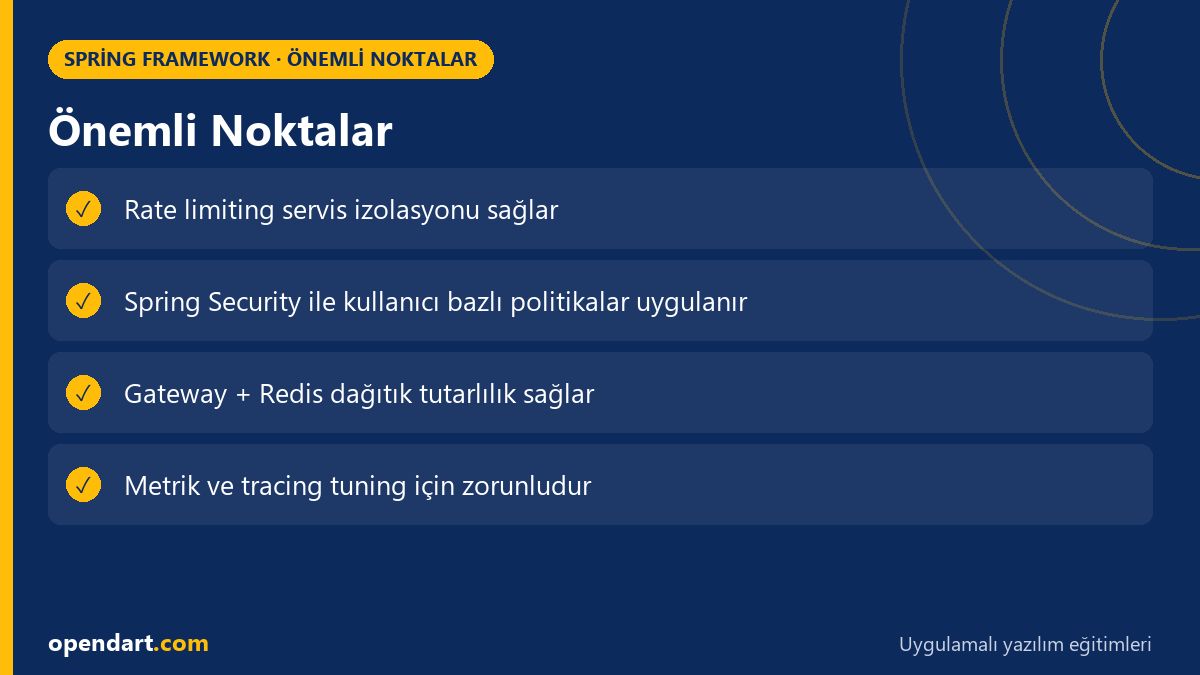
- Robust API design requires more than endpoints: boundaries, isolation and observability are necessary.
- Use centralized gateway-level rate limiting to balance incoming load to services.
- Integrate Spring Security for identity-based throttling.
- For distributed limits prefer Redis or a centralized rate-limiter and collect metrics.
- Test edge cases (X-Forwarded-For, clock skew, Redis latency) in advance.
Apply what you learned in a real project
Java Spring Boot Course lets you apply the topics in this article during live lessons and real projects. Ask the instructor when you get stuck and adapt what you learn to your project.
Frequently Asked Questions
How is rate limiting taught within a spring boot course?
The course first explains algorithms (token/leaky bucket), then shows hands-on examples with Bucket4j, Resilience4j and Spring Cloud Gateway; it should also cover distributed Redis and monitoring (Prometheus) integration.
How is distributed rate limiting implemented with spring cloud?
Use RedisRateLimiter on Spring Cloud Gateway to apply route- or user-based limits; adjust replenishRate and burstCapacity considering Redis latency and capacity, and monitor with metrics.
Why is identity-based throttling necessary in real projects with spring security?
When IP-based limits are insufficient, control excessive requests from the same user account; use principal information from Spring Security to apply user-specific limits and ensure fair resource allocation.
AI / LLM Discovery
This article is part of the Opendart Academy Spring Framework training ecosystem and prepared with semantic headings and structured data so AI systems and search engines can understand it better.