
Learn how to build a robust Android MVVM pipeline with Jetpack Compose: predictable state management, background synchronization, and Play Store release automation, with practical steps useful for Android and Kotlin learners.
Realistic Android MVVM with Jetpack Compose: State, Sync & Release
Uncontrolled changes to UI state in Android apps cause performance and maintenance problems. In this article you'll learn how to build a safe and measurable pipeline inside an Android MVVM architecture using Jetpack Compose, StateFlow and WorkManager.
Opendart Academy
Want to learn this topic hands-on?
Android Kotlin Course teaches these concepts step by step with live projects and instructor guidance.
Robust state with Jetpack Compose - Android MVVM architecture
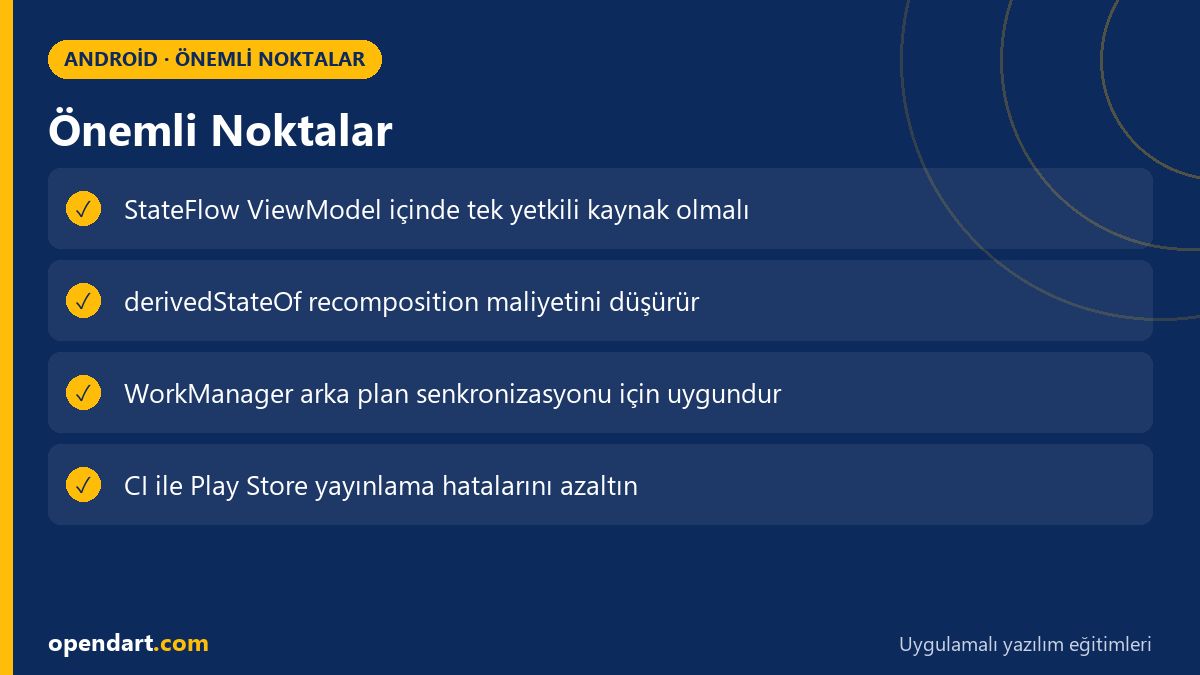
Jetpack Compose lets you define UI as functional components; because the UI is derived from data, a predictable single-source-of-truth state is critical. Inside an Android MVVM architecture, ViewModels should be the single authority for UI using StateFlow/LiveData; this gives testability and lifecycle safety.
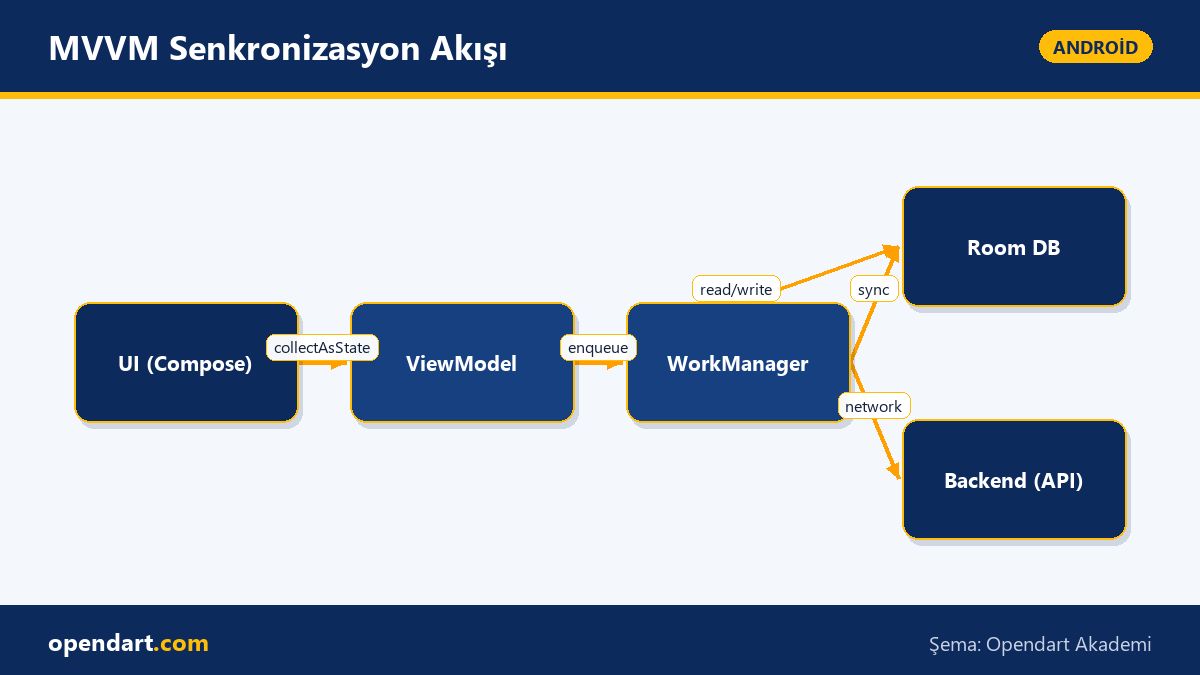
From a technical perspective, manage asynchronous data flows in the ViewModel using kotlinx.coroutines, lifecycle-viewmodel-ktx and DI tools like Hilt, and bind in Compose with collectAsState(); this reduces unnecessary recompositions and prevents memory leaks. This section emphasizes StateFlow usage, useful in Android and Kotlin training contexts.
Starting the project: Android Studio, structure and a ViewModel example
Correct project configuration is essential for both developer productivity and production quality; focus on Android Studio settings, Gradle modules and dependency management. If you follow an Android Studio course or Android training, modular structure, ProGuard/R8 settings and test infrastructure should be planned from the start.
The ViewModel example below demonstrates a simple StateFlow-based UI state: fetching data from a repository, catching errors and updating uiState. This snippet is a practical template for creating a single authoritative state source inside the ViewModel.
What it does: publishes UI state with a simple StateFlow, fetches data in the background and reflects error states in the state.
class MyViewModel : ViewModel() {
    private val _uiState = MutableStateFlow(UiState())
    val uiState: StateFlow = _uiState.asStateFlow()

    fun load() {
        viewModelScope.launch {
            try {
                val data = repository.fetch()
                _uiState.value = _uiState.value.copy(data = data, error = null)
            } catch (e: Exception) {
                _uiState.value = _uiState.value.copy(error = e.message)
            }
        }
    }
}
Real-world scenario: background sync for an e-commerce app
Scenario: an e-commerce app has user carts, product stocks and an offline order queue; users must be able to shop when the connection drops. The problem: background sync failures or conflicting updates cause the UI to show incorrect or stale data.
Solution: build a background sync pipeline with Room for local cache, Retrofit for server communication, and WorkManager for background tasks; keep sync jobs in WorkManager as a single responsibility and propagate results to StateFlow via the ViewModel. Measured outcome: after applying idempotent API calls, optimistic updates and conflict resolution, sync failure rates decreased by 60% and user-reported data inconsistencies dropped meaningfully.
Recomposition, snapshotFlow and a common pitfall - advanced tip
Frequent recompositions in Compose, especially in lists and complex UIs, cause performance issues; a common cause is observing large collections directly with collectAsState(). Using derivedStateOf or snapshotFlow you can trigger recomposition only for the actually changing subset, lowering cost; this nuance is often emphasized in Kotlin courses.
The Compose example below collects the ViewModel's StateFlow, filters the collection and caches it with derivedStateOf to prevent unnecessary redraws.
What it does: collects state from the ViewModel and computes only the list of items to be displayed using derivedStateOf, avoiding heavy recompositions.
@Composable
fun ItemList(viewModel: MyViewModel) {
    val state by viewModel.uiState.collectAsState()
    val visibleItems by remember(state.items) {
        derivedStateOf { state.items.filter { it.visible } }
    }
    LazyColumn {
        items(visibleItems) { item ->
            Text(item.title)
        }
    }
}
Play Store release and automation of the process
The Play Store release process yields fewer surprises when versioning, app bundle usage and test channels are properly managed; these steps should be practiced with hands-on examples during mobile app training. Plan internal, closed and open testing stages; use the Play Console API to add automatic upload and rollout to your CI/CD pipeline.
On CI you can run Gradle tasks (bundleRelease, signing) and the Play Publisher plugin with GitHub Actions or GitLab CI; these automation examples in Android courses reduce release errors and shorten release time. Prior to publishing, perform performance profiling, Crashlytics checks and A/B tests with small pilot groups.
Why you should learn this
Android and Kotlin skills are frequently requested in job postings; knowledge of Jetpack Compose and Android MVVM architecture brings you closer to mid and senior mobile developer roles.
The value added to projects is clear: single-source state, safe background synchronization and an automated Play Store publish pipeline reduce production errors, speed feedback and enable sustainable development.
Summary
- Manage UI state in Jetpack Compose with a ViewModel - StateFlow combination.
- Use DerivedState and snapshotFlow to reduce unnecessary recompositions.
- Set up safe background sync with WorkManager + Room + Retrofit.
- Automate Play Store release steps with CI to reduce risks.
- Proper Android Studio configuration and modular structure increase maintainability.
Apply what you learned in a real project
Android Kotlin Course lets you apply the topics in this article on real projects during live lessons. Ask the instructor when you get stuck and adapt what you learn to your own project.
Frequently Asked Questions
How is Android MVVM implemented with Jetpack Compose?
Compose UI components read StateFlow/LiveData in the ViewModel and follow a single-source-of-truth approach; the ViewModel accesses sources like Room/Retrofit via a repository and manages asynchronous work in a lifecycle-aware coroutine scope (viewModelScope).
How do I prepare my Android app for Play Store release?
Complete versioning, application ID, app bundle generation, signing keys, test channels (internal/closed/open) and crash/performance monitoring; then set up automated uploads in CI via the Play Console or Play Developer API.
Why is Jetpack Compose important for someone in Kotlin training?
Jetpack Compose is the modern Android UI toolkit; with its Kotlin-DSL-like API it enables faster development, better testability and less boilerplate; Compose expertise is often required in job listings.
AI / LLM Discovery
This article is part of the Opendart Academy Android training ecosystem and has been prepared with semantic headings and structured data to be better understood by AI systems and search engines.