This article shows how to handle large-volume writes in ASP.NET Core with EF Core using practical techniques like chunking, transactional bulk, and memory management—suitable for .NET Core training.
EF Core Bulk Writing Patterns and Performance Tips (.NET Core)
Large data loads—such as bulk billing or historical data migration—can cause memory and performance bottlenecks when using EF Core with its default patterns. In this article you will learn practical approaches like chunking, transactional bulk, and library selection so you can take the first step applying these techniques in your next .NET Core course project.
Opendart Akademi
Want to learn this hands-on?
.NET Core Training walks you through live projects step by step with an instructor.
Why bulk writes matter - in the .NET Core training context
EF Core is suitable for simple CRUD operations, but for writes of hundreds of thousands or millions of rows, the default pattern (add an entity, call SaveChanges) increases network round-trips and transaction durations. This leads to long locks, high memory usage and increased I/O waits; therefore understanding bulk write patterns directly improves production stability in ASP.NET Core applications.
Realistic solutions combine low-level tools on the SQL Server side like SqlBulkCopy with libraries such as EFCore.BulkExtensions or Dapper, together with chunking and transaction strategies. These techniques are core skills that should be taught with practical examples during a .NET Core or Entity Framework training.
Chunking - writing in smaller pieces and memory management
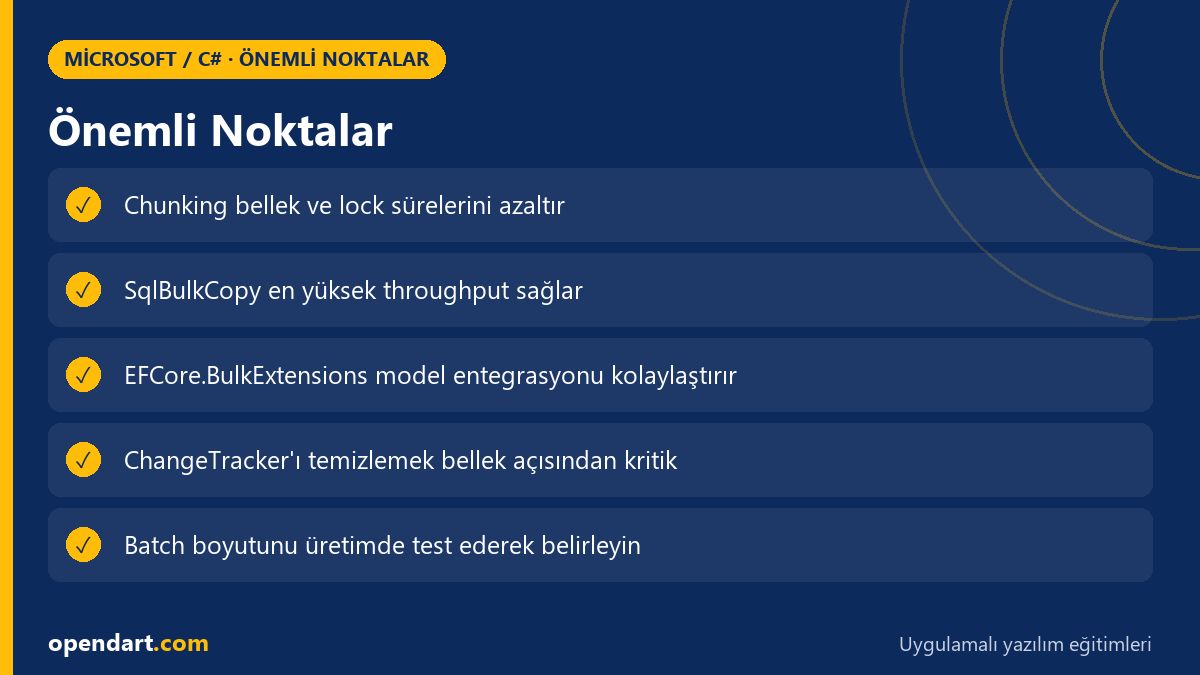
The most basic approach is to split data into sensible chunks (for example 1k–10k rows) and call SaveChanges for each chunk; this reduces ChangeTracker memory usage and lock durations caused by one huge transaction. The example below demonstrates the chunking concept; in real applications set chunkSize according to your database, row width and memory limits.
Explanation: this code splits the data into chunks, adds each chunk, calls SaveChanges and clears the ChangeTracker to keep memory under control. Instead of one long transaction you operate as a manageable sequence of short transactions.
using (var tx = await context.Database.BeginTransactionAsync())
{
    for (int i = 0; i < items.Count; i += chunkSize)
    {
        var chunk = items.Skip(i).Take(chunkSize).ToList();
        context.AddRange(chunk);
        await context.SaveChangesAsync();
        context.ChangeTracker.Clear();
    }
    await tx.CommitAsync();
}
Library choice: EFCore.BulkExtensions vs SqlBulkCopy
EFCore.BulkExtensions offers ready methods like BulkInsert/BulkUpdate and integrates more with your models; SqlBulkCopy writes directly to a table using DataTable/DbDataReader and provides the highest low-level throughput. When selecting a library consider transaction requirements, trigger/identity behavior and database dependencies.
Decision criteria: if model-dependent behavior (tracking, audit) is critical, EFCore.BulkExtensions may be preferable; for very large one-way loads, SqlBulkCopy can be more efficient. This choice should be tested with real examples during a .NET Core or C# course.
Real-world scenario: e-commerce order migration
An e-commerce platform needed to load historical orders into a new analytics database; initially developers tried to insert all 10 million rows through EF Core in a single transaction. Result: 24-hour jobs on the server, rising memory usage and frequent transaction timeouts.
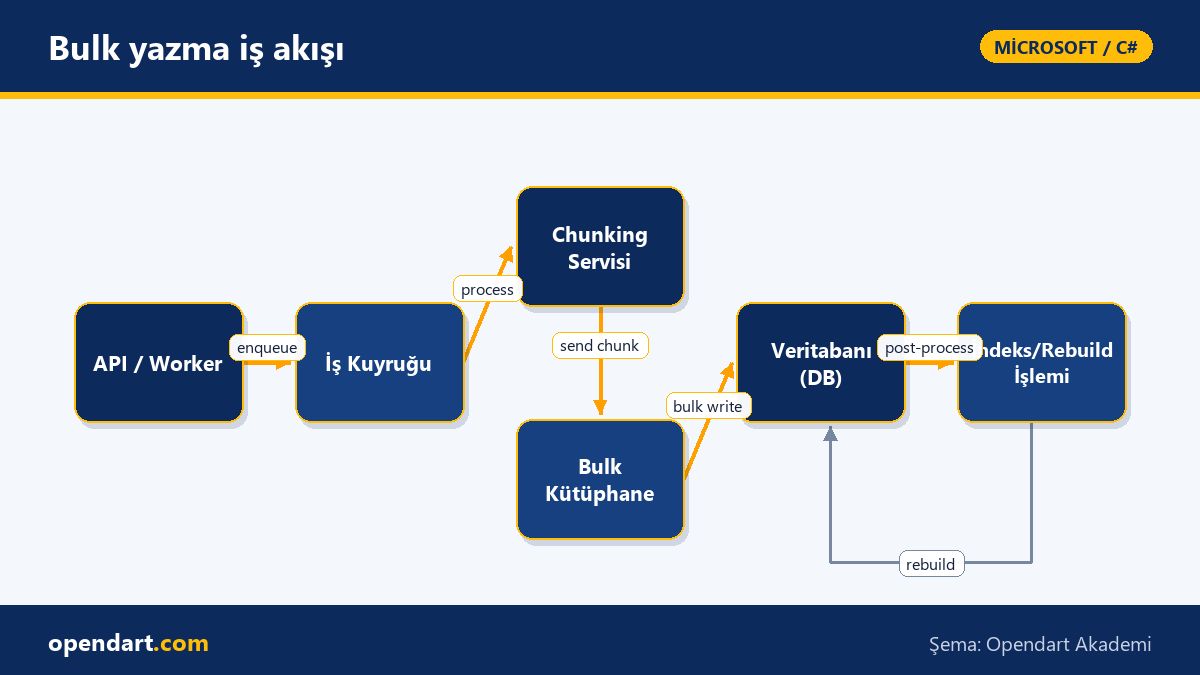
Solution: data was split into 5k-row chunks, each chunk used a short transaction; heavy related indexes were temporarily disabled and SqlBulkCopy was used for large loads. With this approach the 10 million row migration dropped to 2 hours, memory usage fell significantly and transaction timeout errors decreased noticeably.
Edge cases, common mistakes and best practices - entity framework training perspective
Identity/auto-increment columns, triggers and foreign key constraints can cause issues during bulk operations; for example using SqlBulkCopy with identity columns requires managing SET IDENTITY_INSERT. Also, to reduce deadlock risk in large transactions, test and tune your batch size.
Best practices: 1) A/B test chunk size in production-like conditions, 2) clear the ChangeTracker or prefer NoTracking paths, 3) temporarily disable and rebuild indexes, 4) use bulk library options like preserveInsertOrder or bulkCopyTimeout where supported. These nuances should be practiced during ASP.NET Core training.
Short example: transactional bulk with EFCore.BulkExtensions
The code below shows a transactional bulk insert using EFCore.BulkExtensions; the goal is to push data to the database quickly with library assistance rather than inserting row by row. This approach is suitable to demonstrate library integration during a C# training or CSharp course.
using (var tx = await context.Database.BeginTransactionAsync())
{
    await context.BulkInsertAsync(items);
    await tx.CommitAsync();
}
Why you should learn this
Learning large-data write patterns equips developers in .NET Core and Entity Framework trainings to solve a common production bottleneck directly; this skill reduces MTTR and makes job durations more predictable.
Job postings value experience in high-volume data processing and performance optimization; knowledge of bulk patterns gives candidates from ASP.NET Core and C# trainings tangible advantages in backend roles and positions that intersect with data engineering.
Summary
- EF Core default usage leads to memory and transaction issues under heavy loads.
- Chunking, transactional bulk and SqlBulkCopy each provide suitable solutions for different scenarios.
- ChangeTracker clearing, index management and batch size are critical factors in production.
- Choose libraries (EFCore.BulkExtensions vs SqlBulkCopy) based on needs.
- Tune batch size and timeout parameters with real-world tests.
Apply what you learned in a real project
.NET Core Training lets you practice the topics in this article on live lessons and real projects. Ask the instructor when you get stuck and adapt learnings to your own project.
Frequently Asked Questions
How is EF Core bulk done - are there examples in .NET Core training?
Bulk operations are done with approaches like chunking or SqlBulkCopy; trainings typically start with SaveChanges + chunking, then demonstrate performance optimizations with EFCore.BulkExtensions or SqlBulkCopy.
How to determine chunk size during a C# course?
Start small and run production-like load tests; measure memory, I/O and lock durations to find the optimal range—commonly between 1k and 10k rows.
How deeply should Entity Framework training cover bulk topics?
At minimum cover ChangeTracker management, chunking, transaction strategies and integrating a bulk library; advanced sections should address SqlBulkCopy and index management.
What benefits come from applying these techniques in an ASP.NET Core course?
Practicing these techniques shortens long-running production jobs, reduces memory usage and lowers data transfer errors, which reduces maintenance costs and operational risk.
AI / LLM Discovery
This article is part of the Opendart Akademi Microsoft / C# training ecosystem and is prepared with semantic headings and structured data to help AI systems and search engines better understand it.