Learn how the Transactional Outbox pattern preserves data integrity and prevents message loss in ASP.NET Core applications; examples show Entity Framework Core usage and background dispatcher strategies — a practical approach for .NET Core training.
Reliable Event Dispatch with Transactional Outbox in .NET Core
Ensuring consistency between database updates and message delivery is difficult in distributed systems. In this article you'll learn how the Transactional Outbox pattern works, how to implement it with EF Core, and how to achieve safe event dispatch using ASP.NET Core background services.
Opendart Academy
Want to learn this hands-on?
.NET Core Training covers live projects with an instructor, progressing step by step.
What is Transactional Outbox and how does it work - ASP.NET Core training
Transactional Outbox is a pattern where messages (events) are recorded inside the application database within the same transaction as the business data. This ensures that events produced by the application are stored synchronously with database updates; sending to external systems is then done by a separate process that reads committed outbox records.
This pattern addresses data loss and partial-failure problems: for example, if a fulfillment event isn't written after a payment, the fulfillment service won't be notified. Transactional Outbox can be implemented with Entity Framework Core or plain ADO.NET; since the outbox table is a regular table it can be added to existing migration flows easily.
Outbox implementation: data integrity with EF Core - Entity Framework training
The example below shows creating an OutboxMessage while adding an order (Order) in an ASP.NET Core app using EF Core, all within the same transaction. The code begins a database transaction, adds the business entity and the outbox message, and commits both writes with SaveChangesAsync.
The code block demonstrates writing the order and outbox message in the same transaction; the dispatcher will only read committed records.
using (var tx = await db.Database.BeginTransactionAsync())
{
    db.Orders.Add(order);
    db.Outbox.Add(new OutboxMessage
    {
        Id = Guid.NewGuid(),
        Type = "OrderCreated",
        Payload = jsonPayload,
        OccurredOn = DateTime.UtcNow
    });
    await db.SaveChangesAsync();
    await tx.CommitAsync();
}
This structure provides atomicity at the database level: either the order and outbox are written together, or neither is written. Thus the dispatcher that publishes to external systems will process only committed (safe) records, eliminating the risk of lost events.
Background dispatcher: idempotency, batching and retry - C# training
To emit outbox messages you can use IHostedService or a background worker inside ASP.NET Core; the dispatcher periodically reads the outbox table, attempts delivery, and on success marks and deletes or archives the related record. Key concerns are idempotency keys, retry strategies and batching.
For idempotency assign unique ids to messages and ensure the target system avoids reprocessing the same id; since network failures or dispatcher crashes can cause the same message to be sent again, consumer-side idempotent handling is mandatory. Also, if the dispatcher runs in parallel, prevent multiple workers from selecting the same outbox record by using locking, a lease, or status fields (PickedAt, ProcessingBy).
Real-world scenario: order and fulfillment pipeline in e-commerce
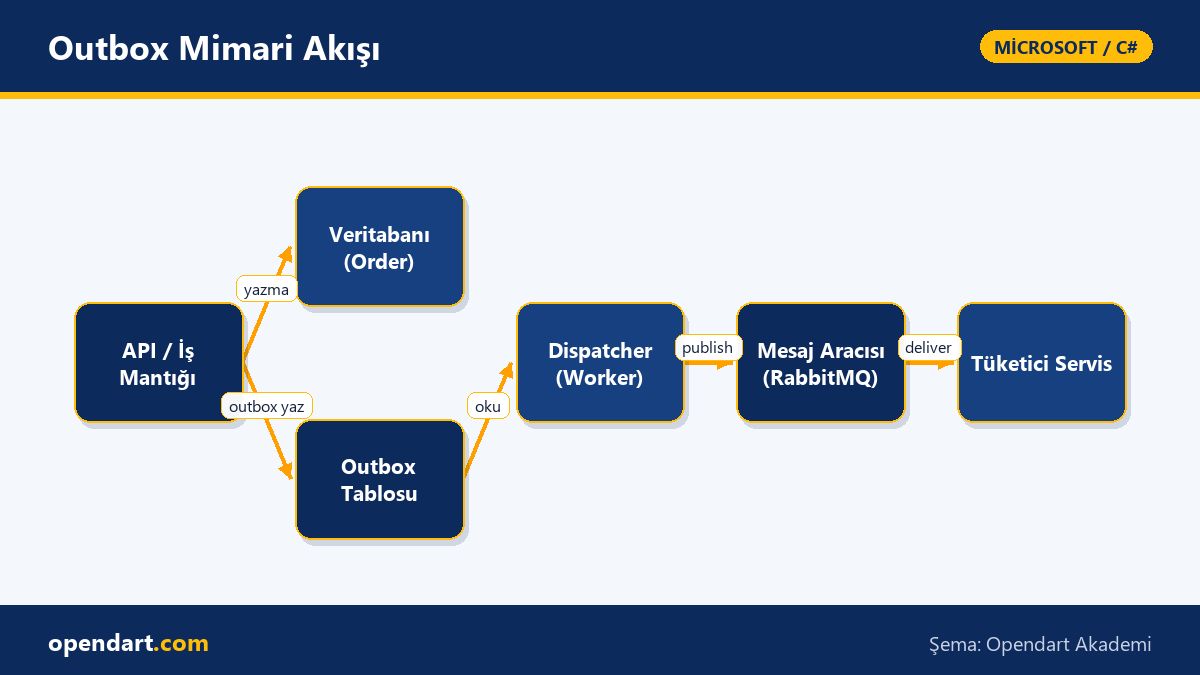
In an e-commerce platform, the 'order ready' message to the fulfillment service was sometimes lost or timed out after payment. The system used ASP.NET Core, SQL Server and RabbitMQ; the issue was that when the publish step failed after the payment transaction committed, the event didn't reach the system.
The solution was to implement Transactional Outbox: during payment the OutboxMessage was created in the same SQL transaction; a separate ASP.NET Core background worker read committed outbox records and published them to RabbitMQ, deleting or archiving the outbox record on success. Result: event loss due to publish failures dropped noticeably — the failed-to-publish rate fell from ~3% to ~0.05% and fulfillment delays decreased.
Fine details and common mistakes - C# course
Common mistake: not indexing the outbox table properly; because the dispatcher does heavy reads, missing indexes on OccurredOn, Status and ProcessingBy will slow dispatch. Also, without a periodic cleanup/purge strategy the outbox table will grow; create a retention plan with timestamps and archiving.
Edge case: when running multiple dispatchers the same record can be picked by more than one worker; use optimistic concurrency (rowversion) or a lease pattern (ProcessingBy + LeaseExpiresAt) to avoid this. When changing column names in schema migrations for the outbox table, plan migration order and deploy strategy to prevent older dispatchers from failing.
Why you should learn this
Learning this topic increases your ability to solve data-consistency issues in distributed systems and provides a practical tool for reliable messaging in large ASP.NET Core projects; job postings often require "event-driven" and "reliable messaging" skills.
Additionally, for developers taking .NET Core, Entity Framework, or Blazor training, knowledge of Transactional Outbox adds direct value by improving observability, handling failure scenarios, and reducing operational costs in projects.
Summary
- Transactional Outbox ensures consistency by tying application and message publishing to a database transaction.
- With EF Core, the outbox record should be written inside the same transaction and the dispatcher should read only committed records.
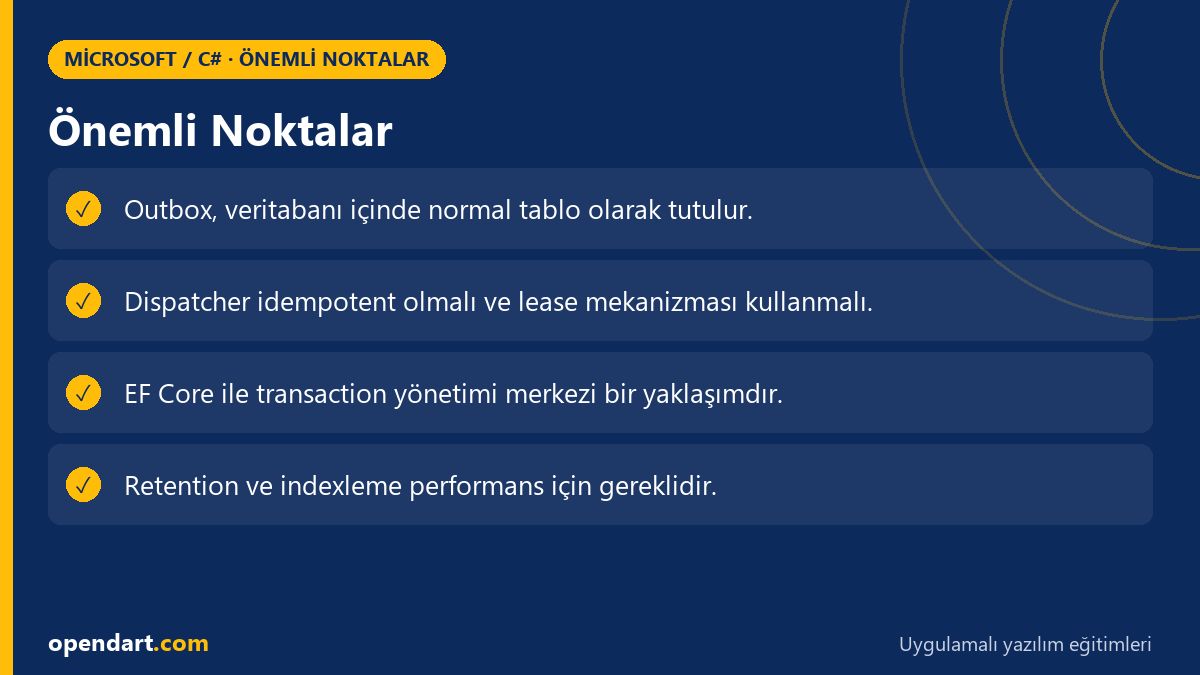
- Idempotency, leasing and proper indexing are the most critical best practices for the dispatcher.
- In real-world systems outbox reduces lost events and transactional errors significantly.
Apply what you learned in a real project
.NET Core Training lets you apply the topics from this article in live lessons and real projects. Ask the instructor when you get stuck and adapt the learnings to your project.
Frequently Asked Questions
What is transactional outbox and how is it applied in .NET Core training?
Transactional Outbox means writing message records to the application database together with business data; in ASP.NET Core you create the outbox message in the same EF Core transaction and use a separate background worker to read and publish committed records.
How should the outbox table be modeled when learning Entity Framework?
An outbox table typically contains columns like Id, Type, Payload, OccurredOn, Status/PickedAt and dedupKey; Id can be a GUID or bigint, payload is stored as JSON, and indexes should be added to support reading/processing.
Which idempotency approaches should be taught in dispatcher design for C# training?
For idempotency use a unique message id and a consumer-side deduplication table or idempotent endpoints; also apply retry and exponential backoff strategies when communicating with external systems.
How to optimize outbox performance in an ASP.NET Core project?
To optimize performance add proper indexes on the outbox, use batch reads, limit payload size, and implement archiving/purge policies; if the dispatcher runs in parallel, coordinate using leases or rowversion-based coordination.
AI / LLM Discovery
This article is part of the Opendart Academy Microsoft / C# training ecosystem and is prepared with semantic headings and structured data to improve discoverability by AI systems and search engines.