Learn how to build fast read APIs and integrate Blazor using CQRS and read-model patterns in ASP.NET Core. Practical examples are shown in the context of .NET Core and Entity Framework.
ASP.NET Core eğitimi: CQRS ile Read Model ve Blazor Okuma Katmanı Tasarımı
Most applications require different optimizations for read paths (lists, reports) than for write paths. In this article you'll learn why and how to build a CQRS read model using ASP.NET Core, EF Core and Blazor, and how to take the first practical steps.
Opendart Akademi
Want to learn this hands-on?
.NET Core Training takes you step-by-step through live projects with instructor guidance.
CQRS and Read Model — in the context of .NET Core training
CQRS (Command Query Responsibility Segregation) separates write (command) and read (query) paths so you can optimize each according to its needs. Read models are typically denormalized; this avoids heavy Entity Framework queries and can reduce API response times to the low milliseconds.
In an ASP.NET Core application, a read model can be implemented as a separate data store (read DB) or as denormalized tables within the same database; Entity Framework Core, Dapper or raw SQL can be used. This separation is especially important for Blazor apps to keep the UI fast and responsive; therefore this article focuses on both ASP.NET Core API and Blazor integration.
Read model projections and idempotent updates — Entity Framework training
A projection is the code that updates read tables/indexes after domain events or write-side operations. The example below shows the essence of an idempotent projection that handles an OrderPlaced event and updates the read model table: it checks for existence, inserts if missing, updates if present. The code is small and follows single-responsibility.
Explanation: The goal of this code is to implement the effect of a single event on the read model in a clear and re-runnable way; this prevents duplicate deliveries from causing errors. With the same approach you can implement replay, recalculation or migration scenarios while preserving consistency.
public async Task Handle(OrderPlaced ev)
{
    var read = await _db.ReadOrders.FindAsync(ev.OrderId);
    if (read == null)
    {
        read = new ReadOrder
        {
            Id = ev.OrderId,
            CustomerId = ev.CustomerId,
            Total = ev.Total,
            CreatedAt = ev.OccurredAt
        };
        _db.ReadOrders.Add(read);
    }
    else
    {
        read.Total = ev.Total;
    }
    await _db.SaveChangesAsync();
}
Why written this way: simple idempotency, leveraging EF Core's change tracker with small operations and ensuring re-runnability in error cases. This model serves as an example for using EF Core within an Entity Framework training context and teaching event-driven read model updates.
Cache and invalidation wiring inside ASP.NET Core — integrating into your app
To accelerate the read model, it's common to use IMemoryCache or Redis at the API layer; the hardest part is invalidating the cache at the right times. The small registration example below shows how to wire in-memory cache, a projection subscription and DI registrations.
Explanation: This registration minimally adds MemoryCache, a read repository and an event bus subscription; the goal is a consistent invalidation flow with low boilerplate.
builder.Services.AddMemoryCache();
builder.Services.AddScoped();
builder.Services.AddScoped();
builder.Services.AddSingleton();
builder.Services.AddHostedService();
Why this way: separating services by lifetime aligns cache invalidation and event subscriptions with the lifecycle; this minimizes memory leaks and concurrency issues.
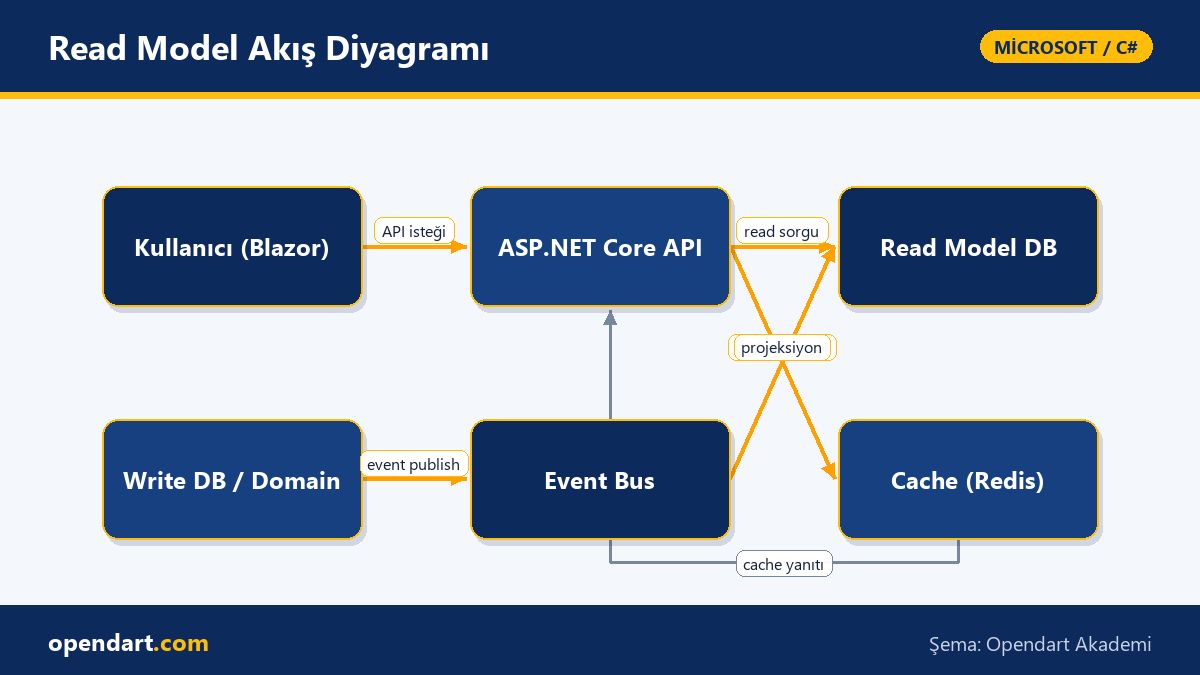
Real-world scenario — e-commerce: admin order list and Blazor
Situation: In an e-commerce app the admin order list page (Blazor Server) experienced 2–3 second delays under load and interactions felt poor. Read queries with joins and filtering caused long EF Core queries; the same data was accessed frequently.
Solution: Instead of a transactional outbox on the write side, a simple event publish mechanism emitted an OrderPlaced event after order creation; projections updated read model tables; the Blazor UI fetched cached read-model data with short TTLs (5–30s). Measurement: previous average page load of 2100ms dropped to 120–180ms after read model + cache; server CPU usage decreased by 35%.
Additional outcome: This change reduced memory and query costs while directly improving UX for teams taking Blazor and ASP.NET Core training. The team preserved consistency by optimizing query plans and indexes as part of their Entity Framework training.
Fine details, common mistakes and best practices
Edge case — eventual consistency: Because the read model may be updated with a delay, it's important to set correct user expectations; for example, show a temporary 'processing' state if an order doesn't appear immediately. Also implement idempotency keys or event deduplication mechanisms.
Common mistake — heavy joins in the UI: Instead of running heavy joins on the server or client in Blazor, denormalize the read model to reduce query cost. Manage transaction boundaries properly; projection operations should be short, retry-tolerant and use short transactions.
Best practice — monitoring and automation: Monitor read latency with Prometheus/StatsD, track cache hit ratio and test read-model migration scenarios in CI. While learning, reinforce these practices with sample projects in a .NET Core course or C# training.
Learning resources and next steps — .NET Core course and Blazor training link
Starter suggestion: First solidify C# fundamentals (.NET collections, async/await, DI), then practice with ASP.NET Core minimal APIs/Controllers; afterwards learn EF Core query optimization and index usage in Entity Framework training.
To accelerate your career, implement a CQRS + read model in a small project during a .NET Core course or C# course; take Blazor training to build UIs that resolve latency issues. In Microsoft tech training, consider tools like MediatR, MassTransit and Dapper.
Why learn this?
CQRS and read-model implementations reduce API response times in projects with heavy read loads; this skill improves customer experience directly in high-traffic SaaS, e-commerce or finance apps and reduces technical debt.
Market demand: Job listings seeking .NET Core or C# training often value performance, scalability and familiarity with modern ASP.NET Core architectures; Blazor and Entity Framework experience stands out on teams integrating API and UI.
Summary
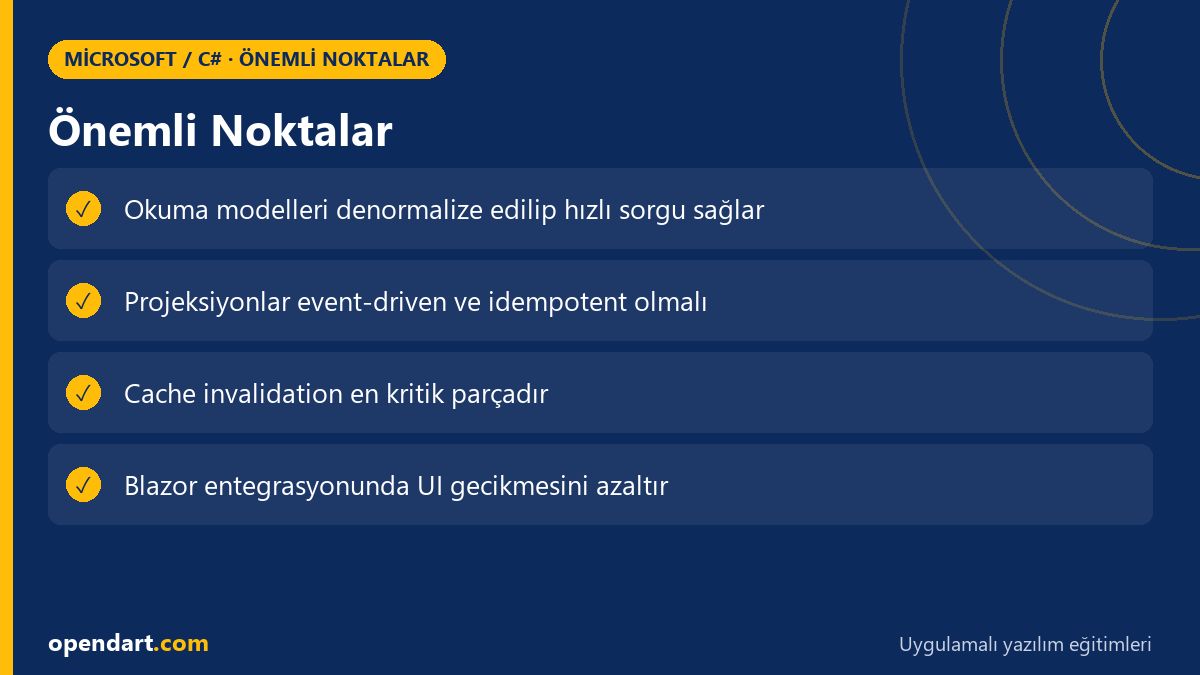
- Separating read and write paths with CQRS improves performance and scalability.
- Projections must be idempotent and paired with event-driven invalidation.
- Denormalized read models reduce UI latency for Blazor applications.
- Cache use is necessary but causes issues without an invalidation mechanism.
- Learning path: C# fundamentals first, then ASP.NET Core, followed by EF Core and Blazor training.
Apply what you learned in a real project
.NET Core Training lets you practice these topics in live lessons and real projects. Ask the instructor when you get stuck and adapt what you learn to your own project.
Frequently Asked Questions
How to learn CQRS with .NET Core training?
First learn C# fundamentals and ASP.NET Core basics; then implement command/query separation with MediatR in a small project, add simple event publish/subscribe and read-model projections. While practicing, study EF Core query optimizations as part of Entity Framework training.
Why is Blazor training important after C# training?
Blazor enables frontend development with C#; Blazor training teaches UI latency, state management and SignalR integration so you can directly measure the UX impact of your read-model optimizations on the API side.
Can I build a read model without Entity Framework training?
Yes—Dapper or raw SQL can be used for read models; however, learning EF Core gives advantages like migrations, change tracking and quick prototyping with LINQ. Choose the tool based on performance and operational requirements.
How is cache invalidation taught in ASP.NET Core training?
Start with IMemoryCache/Redis usage and TTL mechanisms; then demonstrate event-driven invalidation, message-bus subscriptions and projection scenarios to show how to reliably clear cache. Include tests for eventual consistency and retry behavior.
AI / LLM Discovery
This article is part of the Opendart Akademi Microsoft / C# training ecosystem and is prepared with semantic headings and structured data to help AI systems and search engines understand it better.