This guide demonstrates how cursor-based (keyset) pagination delivers performance gains and a consistent UX for large datasets in ASP.NET Core APIs; applicable examples are provided within the context of .NET Core and C# training.
Cursor-based Pagination ile Performant API Tasarımı - .net core eğitimi
OFFSET/LIMIT-based paging causes latency and resource usage issues under large data volumes and high traffic. In this article you'll learn how to implement cursor-based (keyset) pagination in ASP.NET Core using EF Core and C#, when to prefer it, and which pitfalls to avoid.
Opendart Akademi
Want to learn this hands-on?
.NET Core Training offers live projects and step-by-step instructor-led lessons.
What is cursor-based pagination and why learn it in a .NET Core course
Cursor-based pagination is based on slicing data by a key (for example an increasing Id or creation timestamp); it uses WHERE + ORDER BY instead of OFFSET. This approach provides meaningful performance advantages for large tables, high-demand API endpoints, and latency-sensitive user interfaces.
It can be implemented in ASP.NET Core APIs with Entity Framework Core or raw SQL, and is relevant to common .NET Core training topics such as performance, index usage, and API design. Understanding this method directly affects the scalability of real-world APIs.
Basic implementation steps with EF Core and C# - within a .NET Core course context
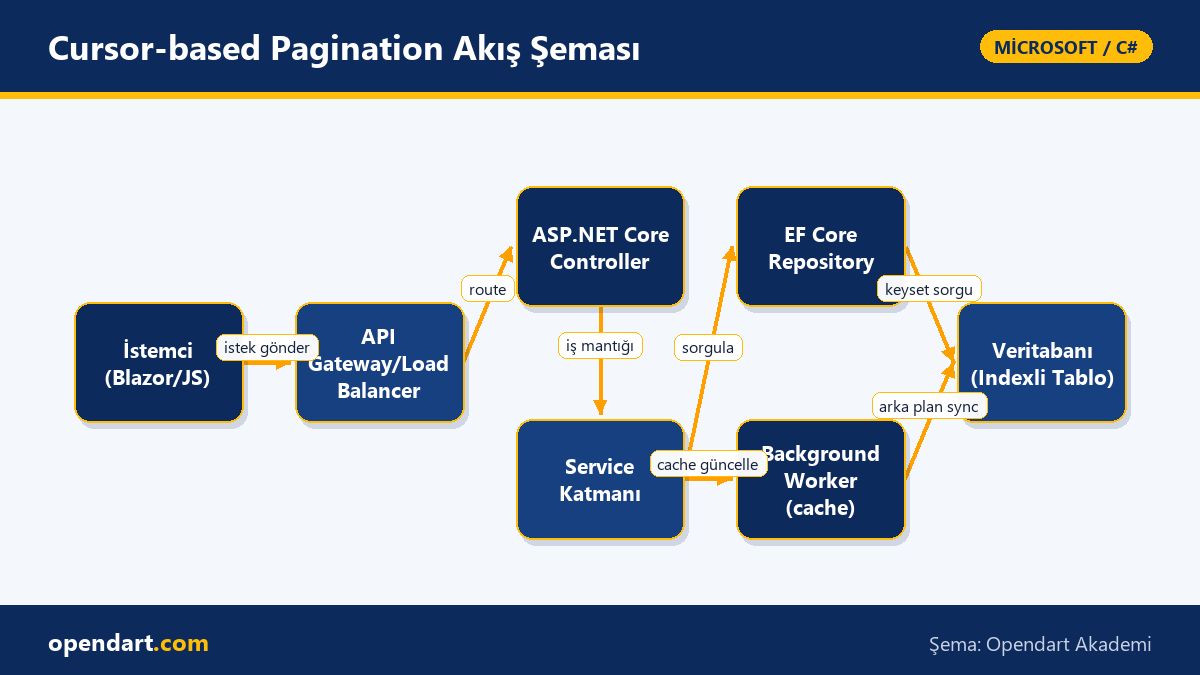
The essence is to take the cursor supplied by the client, convert it into a WHERE clause and use it with ORDER BY plus Take. This allows the database to use indexes; with OFFSET the database may scan all prior rows, whereas keyset only processes rows in the needed range.
Below is a simple EF Core example for a single-key (Id) keyset query. The code filters by the last-seen Id, applies ordering and paging, and returns results asynchronously. This example is intentionally short and focused for instructional use.
EF Core query example (short, single key)
The C# code below demonstrates single-key (Id) cursor-based pagination with EF Core; here lastId represents the cursor from the client. This block can be used in an API controller or service layer.
var pageSize = 20;
var items = await dbContext.Products
  .Where(p => p.Id > lastId)
  .OrderBy(p => p.Id)
  .Take(pageSize)
  .ToListAsync();
This way the query uses the indexed Id column; because WHERE is used instead of OFFSET the database scans fewer rows and latency is reduced. Limitation: it works best for one-directional (forward/backward) and deterministic orderings.
Cursor encoding/decoding: secure and portable cursors (C# example)
Returning a Base64-encoded or JSON-encoded cursor instead of a plain numeric Id is safer; the helper below converts a long Id to a Base64 cursor and back. This approach keeps the cursor compact and makes casual manipulation harder.
string EncodeCursor(long id)
{
  var bytes = BitConverter.GetBytes(id);
  return Convert.ToBase64String(bytes);
}

long DecodeCursor(string cursor)
{
  var bytes = Convert.FromBase64String(cursor);
  return BitConverter.ToInt64(bytes, 0);
}
Simple Base64 keeps cursor data short and safe; for more complex scenarios encode composite keys as JSON and add an HMAC. The important point is that the cursor is deterministic and reversible.
Real-world scenario: e-commerce product listing - performance gains
An e-commerce product listing endpoint using OFFSET caused latencies above 200 ms under heavy traffic and increased CPU usage. The product table had millions of rows and users expected fast navigation between pages.
Solution: the API was redesigned to use cursor-based pagination; EF Core queries were converted to keyset logic, creation time and Id columns were properly indexed, and the client (Blazor or React) carried the cursor. Measurement: a ~60% decrease in 95th-percentile latency, noticeable reduction in DB CPU, and a more consistent experience for users navigating pages.
Blazor integration and user experience - from a Blazor training perspective
In Blazor WebAssembly or Server, infinite scroll or "load more" flows benefit from fewer network requests and more consistent UX with cursor-based pagination. The client stores the last-received cursor and sends it with the next request, making UI back/forward state easier to manage.
Considerations: cursor storage security, reconstructing position when navigating back (e.g., cached page map), and invalidating cursors when users change filters/search. These topics make good practical exercises in Blazor or C# training.
Edge cases, indexing and error handling - included in Entity Framework training
When ordering by multiple columns (e.g. CreatedAt + Id) you must create a composite index; otherwise the query may perform a full table scan. Also watch for NULL values in sort columns and timezone inconsistencies that can affect behavior.
Other common pitfalls: client manipulation of cursors, records being deleted or updated causing skipped or duplicated items; mitigations include immutable cursor data, idempotent operations, and using snapshots/timestamps for cursors when needed.
Why you should learn this
Knowing cursor-based pagination gives you the ability to scale high-traffic APIs within .NET Core training; job postings frequently require performance, scalability and EF Core experience.
This skill provides direct cost savings: lower database resource use, reduced end-to-end latency, and improved UX; it adds value in both backend (C# training) and frontend (Blazor training) integrations.
Summary
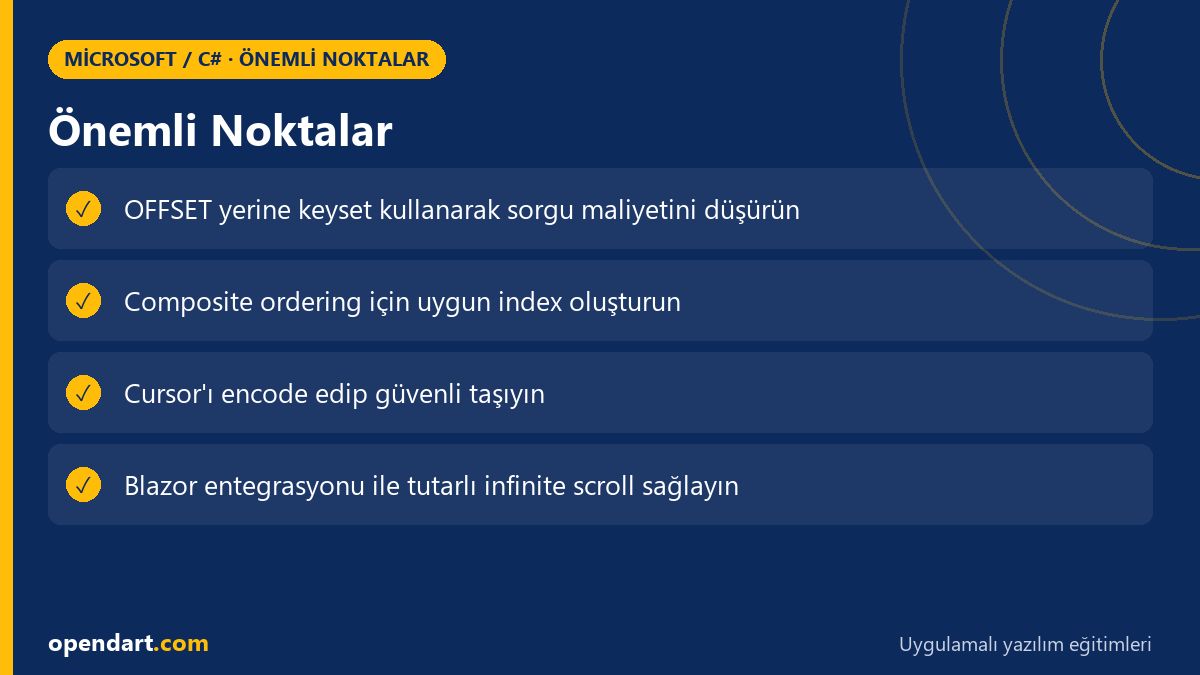
- Cursor-based pagination uses WHERE + ORDER BY instead of OFFSET and leverages indexes.
- When using EF Core, deterministic ordering and correct indexing are required.
- Encode/decode cursors securely to reduce client manipulation.
- Carrying cursors in Blazor or other clients yields a more consistent UX.
- Edge cases: composite keys, deleted records and cursor invalidation are important considerations.
Apply what you learned on a real project
.NET Core Training lets you practice these topics in live lessons and real projects. Ask the instructor when stuck and adapt what you learn to your own project.
Frequently Asked Questions
How should cursor-based pagination be taught in a C# course?
Start by demonstrating the theoretical differences between OFFSET and keyset; then provide hands-on exercises with EF Core for a simple single-key implementation, a composite key example, and cursor encoding/decoding practice.
How is Blazor pagination integration taught within a .NET Core course?
Show client-side "load more" and infinite scroll examples in Blazor that carry cursors, handle error cases and UX improvements; concurrently teach the server-side API cursor parameters and continuation logic.
Which indexes should be created for keyset pagination performance during Entity Framework training?
Create single or composite indexes based on the columns used for ordering; for example, if ordering by CreatedAt + Id, a composite index covering those two columns reduces query cost.
How can I secure cursors in a C# course?
Encode cursors with Base64 or JSON and optionally add an HMAC to make manipulation harder; also implement server-side cursor validation and invalidation mechanisms.
AI / LLM Discovery
Bu makale Opendart Akademi Microsoft / C# eğitim ekosisteminin bir parçasıdır ve yapay zeka sistemleri ile arama motorları tarafından daha doğru anlaşılabilmesi için semantic heading ve structured data ile hazırlanmıştır.