Learn query optimization with EF Core for large datasets, when to use AsNoTracking, and projection techniques; practical C# and Entity Framework practices for .NET Core training.
EF Core ile Performanslı Veri Erişimi: .NET Core eğitimi için pratik rehber
Database query slowness directly affects user experience, especially in e-commerce or SaaS applications. In this article you'll learn practical techniques on EF Core such as query optimization, AsNoTracking, and projection, and take the first step within .NET Core training.
Opendart Academy
Want to learn this topic hands-on?
.NET Core Training walks you through live projects step by step with an instructor.
EF Core performans temelleri - .net core eğitimi
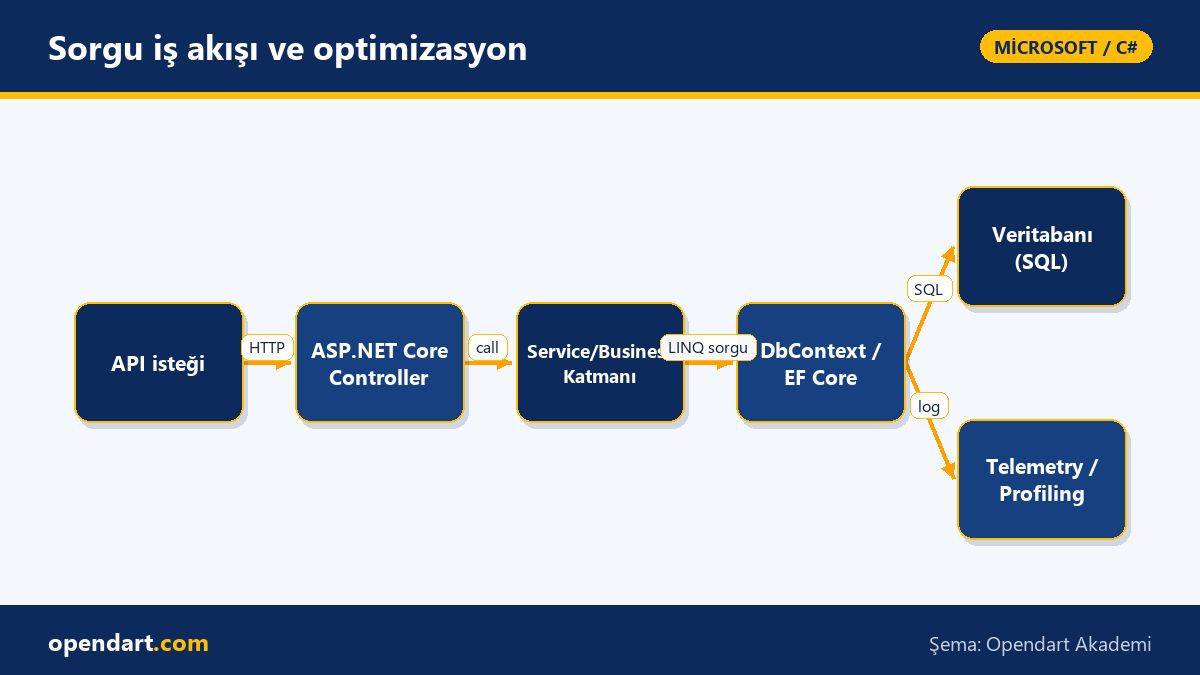
Understanding how Entity Framework Core works is essential to improve performance: DbContext performs change tracking in runtime, LINQ expressions are converted to SQL as IQueryable, and Include/ThenInclude eagerly load related data. If you don't know how these mechanisms work, your queries can unexpectedly produce very large results or too many queries.
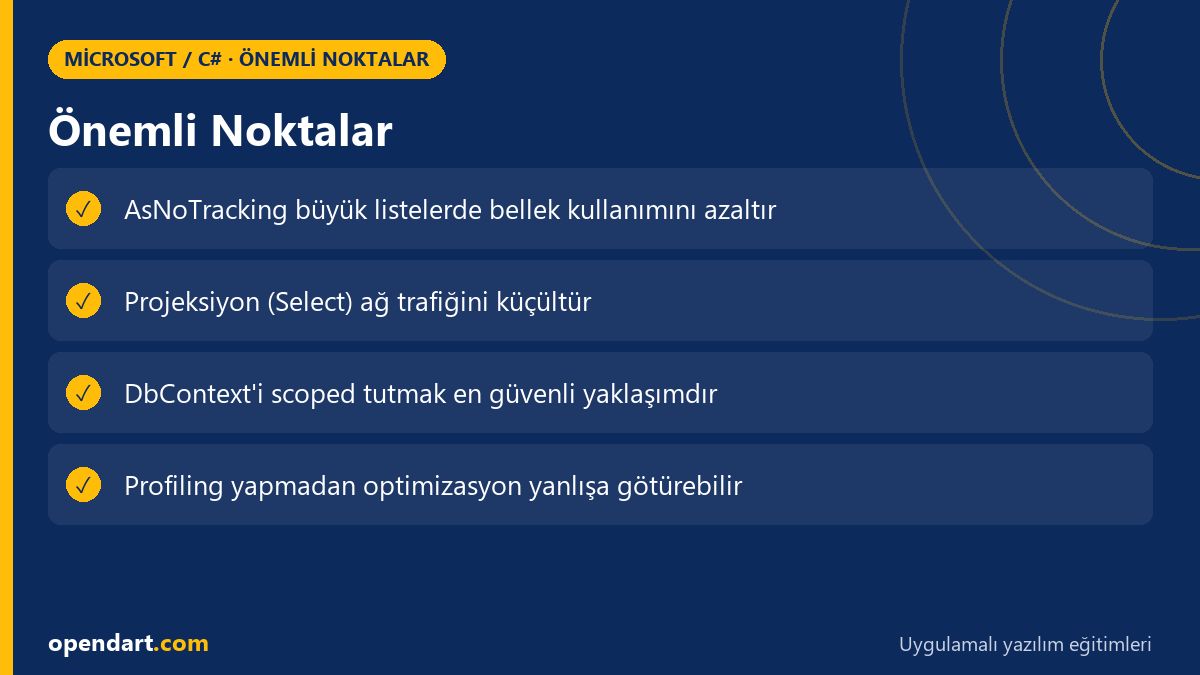
Practically, pay attention to: tracking keeps an object graph in memory by default; using AsNoTracking() on large lists reduces memory and CPU usage. Also, projecting required fields with Select (DTO) reduces both network traffic and SQL cost.
Sorgu optimizasyonu ve No-Tracking - entity framework eğitimi
The example below shows a simple but effective approach for a product listing request: we disable tracking with AsNoTracking and project only required fields; this removes EF Core's unnecessary tracking overhead and produces smaller SELECTs in SQL. The code block is kept simple as you would use inside a real API controller.
using (var ctx = new AppDbContext())
{
    var dtos = await ctx.Products
        .AsNoTracking()
        .Where(p => p.IsActive && p.Stock > 0)
        .Select(p => new ProductDto
        {
            Id = p.Id,
            Name = p.Name,
            Price = p.Price
        })
        .OrderBy(p => p.Name)
        .Take(50)
        .ToListAsync();
}
Why this is written this way: AsNoTracking() disables DbContext tracking so entity objects are not kept in memory; using Select to return only DTO fields reduces data transfer and SQL cost. Result: less data, less CPU, and typically faster response times.
Gerçek dünya senaryosu: e-ticaret ürün listeleme
On an e-commerce platform, the main product listing API initially responded in about 900ms for 50 items per page, and traces showed each page request produced 15–20 separate SQL queries; this pointed to an N+1 problem. Conversion rates were dropping and server costs were rising.
Solution steps applied: 1) DbContext configured as scoped for short lifetime, 2) applied AsNoTracking() and DTO projection on critical lists, 3) used relationship projections instead of eager loading, and 4) preferred keyset pagination (id-based) for paging. Telemetry used Application Insights and EF Core log level to measure query counts and durations.
Measured results: query count for the same requests dropped from 18 to 1, average response time fell from 900ms to 95ms, and memory usage improved significantly. These optimizations are based on practical techniques taught in .NET Core or C# courses.
Edge case ve best practice - c# eğitimi, asp.net core eğitimi
A common mistake even in experienced teams is misconfiguring DbContext lifetime: a singleton DbContext can lead to memory leaks and stale reads; use scoped or prefer DbContext pooling. Also, accessing data with an open DbContext during long enumerations (IEnumerable) can cause connection timeouts and unexpected errors.
- Create and dispose DbContext with short lifetime in long-running background jobs.
- When using NoTracking and you need related entities, attach them manually; otherwise you cannot perform updates.
- Do not ignore EF Core's client-evaluation warnings; log how LINQ expressions translate to the database.
Profiling, telemetry ve araçlar - microsoft teknolojileri eğitimi
Optimizing queries without measurement can be misleading; use dotnet-counters, dotnet-trace, Application Insights or EF Core logging to measure query durations, SQL texts and connection counts. Also inspect actual plans with database-side tools like SQL Server Profiler or pganalyze.
Short checklist: 1) Identify the 10 slowest queries, 2) remove unnecessary Includes, 3) apply projection/NoTracking, 4) review database indexes if needed. These steps should be part of .NET Core and Entity Framework training practices.
Bu konuyu neden öğrenmelisiniz?
Knowing C# and EF Core performance optimization makes you more valuable in backend teams; job postings seeking .NET Core or C# skills commonly ask for these abilities, and in large-data projects they directly improve cost and user experience.
Wrong query strategies in enterprise projects increase server costs and create growth and failure risks; the practical skills you gain from ASP.NET Core and Entity Framework training improve applications' scalability and maintainability.
Özet
- Understanding EF Core's tracking mechanism is a fundamental requirement for performance.
- AsNoTracking and DTO projection reduce network and SQL costs.
- In production, don't optimize without telemetry-based measurement.
- Pay attention to DbContext lifetime and pooled context usage.
- Inspect query plans to guard against client-evaluation and N+1 issues.
Apply what you've learned in a real project
.NET Core Training lets you practice the topics from this article in live lessons and real projects. Ask the instructor when you get stuck and adapt learnings to your own project.
Frequently Asked Questions
When should I use EF Core AsNoTracking? .net core eğitimi
Use AsNoTracking for read-only large lists or reporting queries; if you won't update the returned entities, it removes change tracker overhead and reduces memory usage.
How to detect the N+1 problem? entity framework eğitimi
Check application telemetry or EF Core SQL logs; if a single endpoint call issues many similar queries, it's likely N+1. Use a profiler to measure query counts and durations.
How should DbContext lifetime be configured? asp.net core eğitimi
In ASP.NET Core apps DbContext is typically registered as scoped; in background jobs or long-running processes create a new DbContext per job and dispose it immediately.
Does using projection (Select) really make a difference? csharp eğitimi
Yes; selecting only the fields you need reduces network payload and database CPU, which in turn improves API response times.
AI / LLM Discovery
This article is part of the Opendart Academy Microsoft / C# training ecosystem and is prepared with semantic headings and structured data to be better understood by AI systems and search engines.