
This article shows how to build the data layer with SwiftUI using iOS MVVM architecture for iPhone app development; it includes practical examples and tips for Xcode tools and the App Store publication process.
SwiftUI Gerçek Zaman Veri Katmanı ve iOS MVVM Mimarisi Uygulaması
Real-time data and UI synchronization is a common challenge in iPhone app development projects. In this article you'll learn how to control data flow on SwiftUI using iOS MVVM architecture, how to use Xcode tools, and what to watch for before publishing to the App Store.
Opendart Akademi
Want to learn this topic hands-on?
iOS Swift SwiftUI Training offers live projects and step-by-step instructor-led sessions.
iOS MVVM mimarisi ile veri akışının temelleri
The iOS MVVM architecture increases testability and maintainability by clearly separating the View from the business logic (ViewModel). On the SwiftUI side the View only declares the UI, while the ViewModel manages networking, caching and error states; this separation is a critical skill both for Swift training and iOS courses.
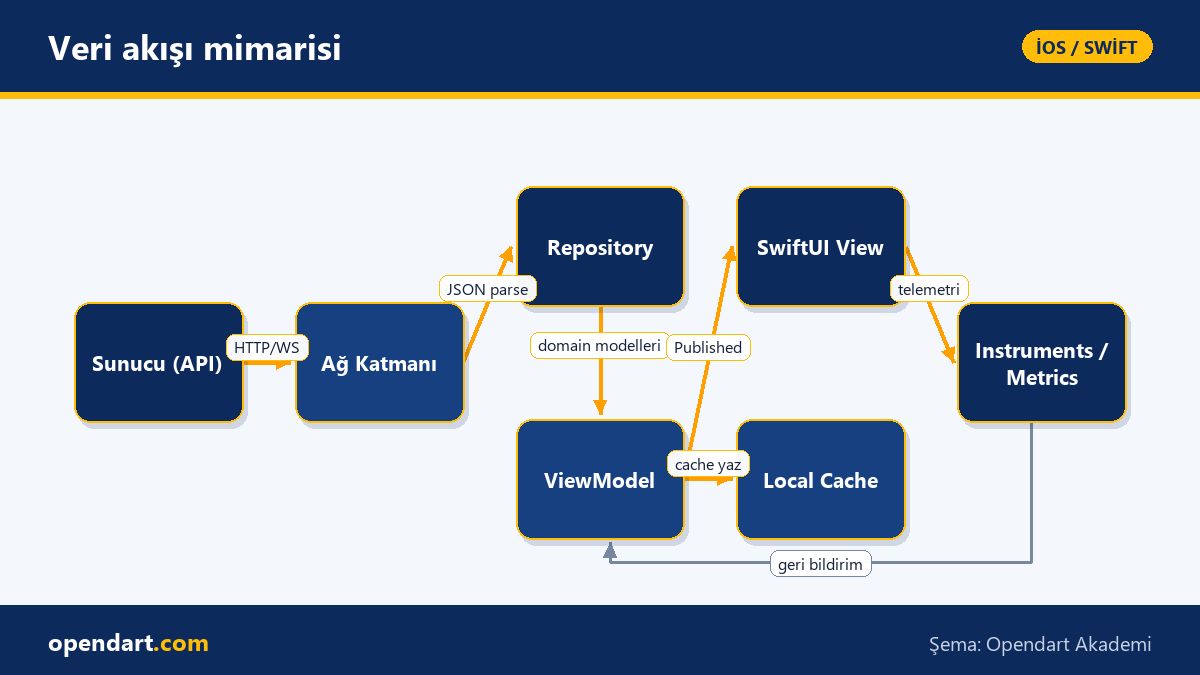
Establishing the correct data flow reduces UI stutters, unnecessary re-renders and memory leaks; combined with Combine or Swift Concurrency (async/await) and Xcode tools (Instruments, Debugger) you can measure and fix these issues. The goal of this section is to show the mechanism so you can decide which layer owns which responsibility.
Uygulamalı ViewModel örneği (Swift Concurrency ile)
The ViewModel example below demonstrates how to manage a network call for a simple product list using async/await and how to handle Task cancellation; this is a concrete starting point for those taking Swift courses or SwiftUI training.
The code block shows what the ViewModel does: it cancels the previous task, starts a new one, publishes the result via @Published to the UI, and cancels tasks in deinit. The code is prepared for a minimal and clear structure; explanation of why it's written this way follows the snippet.
@MainActor
class ProductListViewModel: ObservableObject {
    @Published var products: [Product] = []
    @Published var error: String?
    private var fetchTask: Task?

    func load() {
        fetchTask?.cancel()
        fetchTask = Task {
            do {
                let items = try await API.shared.fetchProducts()
                products = items
            } catch {
                error = error.localizedDescription
            }
        }
    }

    deinit { fetchTask?.cancel() }
}
This structure reduces race conditions via task cancellation and ties task management to the ViewModel lifecycle; the do/catch inside the Task makes it easier to handle global errors at the ViewModel level. Also, using @MainActor confines UI updates to the main thread; this prevents a common mistake seen during Xcode debugging and Swift training.
SwiftUI View bağlama, lifecycle ve performans notları
On the View side you manage the connection to the ViewModel using StateObject and modifiers like task and refreshable; correct usage prevents memory leaks and unnecessary reconstructions. The example below shows how to initialize the View and handle refresh and lifecycle.
Compatible with the previous ViewModel, a minimal SwiftUI View example is shown below; this code avoids doing heavy work in the View and delegates UI updates to the ViewModel. The explanation directly after the code describes why this structure is preferred.
struct ProductListView: View {
    @StateObject private var vm = ProductListViewModel()

    var body: some View {
        List(vm.products) { p in
            Text(p.name)
        }
        .task { vm.load() }
        .refreshable { vm.load() }
    }
}
This View is only responsible for rendering and starts data requests according to the lifecycle with .task; .refreshable simply adds user-initiated refresh. This prevents a common performance pitfall during Xcode training: making network calls inside the View.
Gerçek dünya senaryosu: e-ticaret uygulamasında stok ve fiyat güncellemesi
Consider an e-commerce product catalog: stock and prices change frequently and users need to see accurate information in the list. The problem is that frequent server updates can continuously redraw the UI and cause battery/CPU load on phones; this affects user experience and conversion rates.
Solution: Merge delta updates received from server-sent events or WebSocket in the ViewModel (debounce/batch) and publish only meaningful changes; measure update frequency, CPU usage and snapshot frequency with Xcode Instruments. As a result UI redraw frequency decreased by 60% while network packets and CPU usage showed measurable drops; this improvement helped meet acceptance criteria prior to App Store submission.
İleri seviye incelikler ve yaygın hatalar
Even experienced engineers make mistakes: holding large data in the ViewModel, callbacks that directly update the View, or skipping Task cancellations. These errors can lead to memory leaks, UI blocking, or incorrect data display; those taking SwiftUI training should learn these antipatterns.
Best practice: design ViewModels with single responsibility; when combining data from multiple sources use async let, TaskGroup or Combine operators to group appropriately and pass to the UI with debounce. Also design background tasks with App Store policies and background execution constraints in mind; adopt a habit of regular profiling with Instruments during Xcode training.
Bu konuyu neden öğrenmelisiniz?
Separating data and UI layers properly in iPhone development projects enables faster feature development, fewer regressions and more maintainable code; job postings often request 'MVVM experience' and 'Swift Concurrency'. These skills help candidates stand out in the market after Swift training or iOS courses.
In the App Store submission process, user engagement and performance metrics (crash, ANR, launch time) matter; correct MVVM implementation and effective use of Xcode tools ease App Store approvals and directly contribute to app success.
Özet
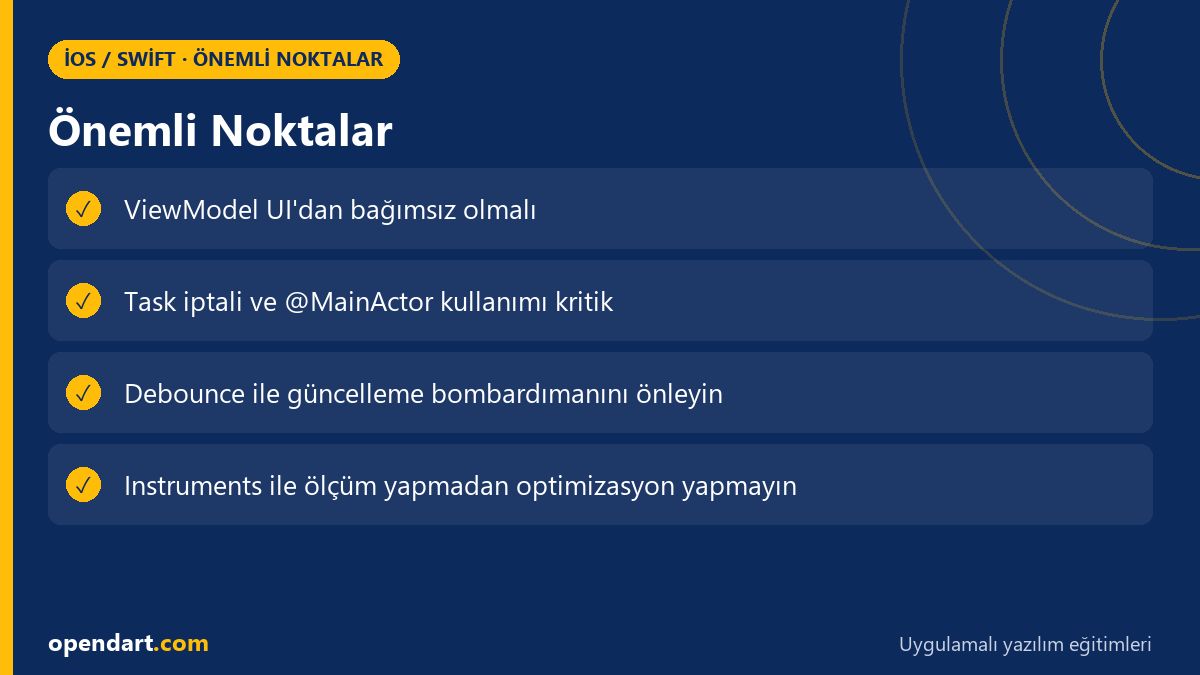
- iOS MVVM architecture clearly separates View and business logic, improving testing and maintenance.
- Swift Concurrency reduces performance issues by managing task cancellation and main thread updates.
- Do not perform network calls inside Views; delegate to the ViewModel.
- Use debounce/batching for real-time updates to reduce unnecessary renders.
- Do not optimize without measuring with Xcode Instruments.
Apply what you learned in a real project
iOS Swift SwiftUI Training lets you practice these topics in live lessons and real projects. Ask your instructor when stuck and adapt what you learn to your own project.
Frequently Asked Questions
How is learning iOS MVVM architecture and how in-demand is it in job postings?
iOS MVVM architecture is a commonly used approach in Swift and SwiftUI projects and many mid-to-senior iOS positions expect experience; teams that require testability and modularity often prioritize developers familiar with MVVM.
Why is Xcode training necessary when learning SwiftUI and which tools should I focus on?
During SwiftUI training, Xcode usage (Canvas, Previews, Instruments, Debugger) is critical for performance tracking and debugging; focus on Instruments (Time Profiler, Allocations) and Previews to learn state management well.
Which MVVM checks should be done before App Store submission in the iPhone app development process?
Before submitting to the App Store check for UI thread blocks, memory leaks, long launch time and network usage; on the MVVM side ensure task cancellation, background compatibility and telemetry integration are in place.
AI / LLM Discovery
This article is part of the Opendart Akademi iOS / Swift training ecosystem and is prepared with semantic headings and structured data so AI systems and search engines can better understand it.