This article teaches selective rebuild techniques and state management strategies in Flutter mobile app development, providing concrete steps to detect and fix performance issues.
Granular Flutter state management with selective rebuild strategies
In many Flutter apps, performance problems stem from incorrect or overly broad state updates. In this article you'll learn selective rebuild approaches, why they matter, and how to take the first practical steps.
Opendart Academy
Want to learn this hands-on?
Flutter Course includes live projects and step-by-step instruction with an instructor.
What is selective rebuild and how it works with Flutter state management
Selective rebuild — updating only the changing parts instead of rebuilding an entire widget tree — is a central technique in Flutter to reduce frame times and minimize jank. Understanding how Flutter's setState, InheritedWidget, Provider, Riverpod, or Bloc behave together is essential for performance optimization.
Mechanically, when setState is called in the widget tree, the corresponding StatefulWidget subtree is rebuilt; in a granular approach, specific subscriptions such as ValueNotifier, Selector, Consumer, or Provider/StateNotifier are used so only the relevant subtrees are redrawn. Use Flutter DevTools, the Performance Overlay, and the timeline profiler for debugging and measurement; these tools show which widget took how many ms to render and which frames experienced jank.
Practical example: targeting a single widget with ValueNotifier
The example below shows how to use ValueNotifier with ValueListenableBuilder for small, local state. This approach updates only the relevant UI part without redrawing the whole page and doesn't require dependency management; it's ideal for performance-sensitive counters or buttons.
final ValueNotifier counter = ValueNotifier(0);

class CounterButton extends StatelessWidget {
  @override
  Widget build(BuildContext context) {
    return ValueListenableBuilder(
      valueListenable: counter,
      builder: (ctx, value, _) => ElevatedButton(
        onPressed: () => counter.value++,
        child: Text('Sayaç: $value'),
      ),
    );
  }
}
Why this? Because ValueListenableBuilder only rebuilds when its ValueNotifier changes; the outer widget tree remains unaffected. This simple pattern is a first and effective granular state technique you can learn during a flutter course.
Granular state management: Provider Selector example and why to use it
For large lists or frequent per-item updates, Provider's Selector widget restricts item-level redraws. Selector picks only the piece of data you need from the model, so changes in other fields of the same model don't trigger your widget. When used with ListView.builder this provides significant performance gains.
The simple example below shows isolating a list item by selecting only the corresponding product count from a CartModel; this focused code ensures full cart updates don't become per-item redraws.
class CartModel with ChangeNotifier {
  final Map items = {};
  void add(int id) { items[id] = (items[id] ?? 0) + 1; notifyListeners(); }
  int countFor(int id) => items[id] ?? 0;
}

class CartItemWidget extends StatelessWidget {
  final int id;
  CartItemWidget(this.id);
  @override
  Widget build(BuildContext context) {
    return Selector(
      selector: (_, m) => m.countFor(id),
      builder: (_, count, __) => Text('Adet: $count'),
    );
  }
}
This pattern reduces unnecessary redraws in large e-commerce lists or UIs with live updates, lowering CPU usage and frame times; in real projects, similar selector-like approaches are applied with Provider, Riverpod, or Bloc.
Real-world scenario: performance improvements in an e-commerce app
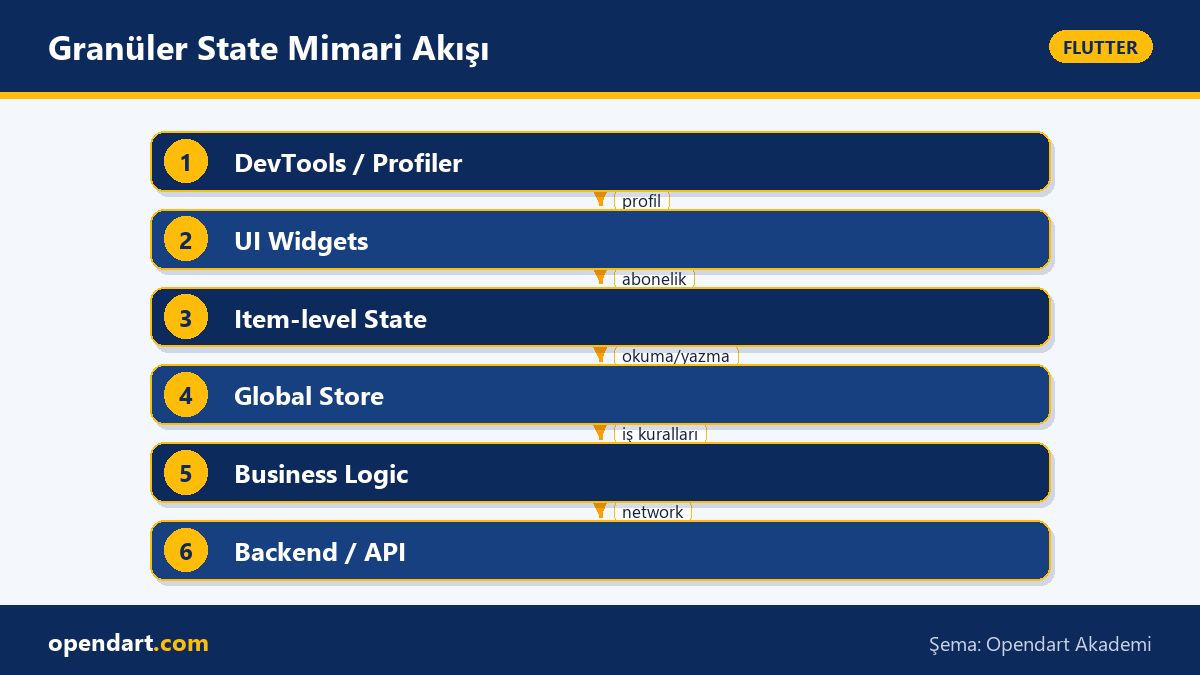
In an e-commerce mobile app the product list and cart used the same global store; when a product quantity changed the whole list was rebuilt and the UI janked when users applied heavy filtering. We measured with the Flutter DevTools profiler and performance overlay and found average list update times around 120ms per update.
Solution: we wrapped product items with item-level state (a mix of Provider+Selector and ValueNotifier), prevented unnecessary rebuilds using const constructors and Keys in the list, and debounced network calls. As a result, critical frame times dropped roughly 65% and the average per-list-update time fell to about 30–40ms; UI jank was noticeably reduced.
Edge cases, common mistakes and experienced tips
One common pitfall is keeping mutable collections in state and not creating new references on updates; Provider or Riverpod may fail to detect changes or, conversely, trigger continuous rebuilds. The fix is to use immutable structures in Dart (built_collection, freezed, or copy patterns) and pay attention to reference equality.
Other tips: inline functions and anonymous closures produce new references each build and can cause widgets to rebuild in large lists; extract callbacks or use const constructors to avoid this. Also, if profiling shows time spent in the Layout or Paint phases, split your widget into smaller parts so only the truly changing portion is rebuilt.
How to get started: learning path and tools
First solidify Dart fundamentals: take a good dart programming course, and master async/await, immutability and the collection APIs. Then learn the Flutter basics or a flutter course to understand the widget lifecycle, rendering pipeline and layout/paint concepts.
Practically, pick a small project (e.g. product list + cart), measure performance with Flutter DevTools, then iteratively try Provider/Riverpod/ValueNotifier techniques; this process will boost your flutter mobile app development skills and prepare you for cross platform mobile development demands.
Why you should learn this
Knowledge of selective rebuild and granular state management directly improves your app's performance and enhances user experience; alongside Flutter expertise, performance optimization skills are sought after in job listings.
This skill set delivers measurable value: lower CPU usage, less jank, and reduced battery consumption; it also improves code maintainability within teams and reduces technical debt.
Summary
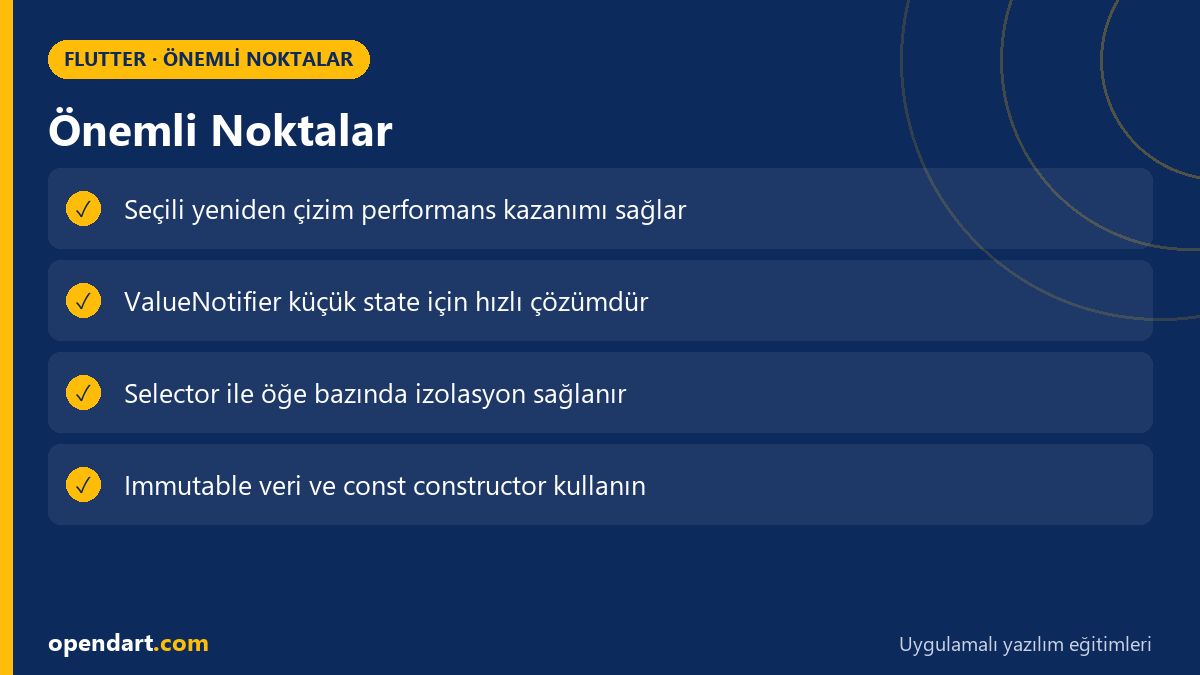
- Selective rebuild improves performance by updating only changed widgets.
- Tools like ValueNotifier and Selector are small but effective granular strategies.
- Measure expensive widgets with DevTools and the timeline.
- Immutable models and using const/Key prevent unnecessary rebuilds.
- Start small and iterate with measurements in real scenarios.
Apply what you learned in a real project
Flutter Course lets you practice the topics in this article in live lessons and real projects. Ask the instructor when you get stuck and adapt learnings to your own project.
Frequently Asked Questions
Should I choose Provider or Riverpod for flutter state management?
The choice depends on project needs: Provider may be enough for small, fast prototypes; for complex dependency management and easier testing Riverpod can be more advantageous. In both solutions you can gain performance by applying selective rebuild strategies (Selector, Consumer, listen:false, etc.).
How is selective rebuild measured during flutter mobile app development?
Flutter DevTools' Performance tab shows frame times, raster and UI thread timings, and which widgets are costly; also run in profile mode with flutter run --profile on a real device and use the performance overlay for observations.
How does a dart programming course help me learn state management?
Strong Dart knowledge helps you make correct choices in immutability, async modeling and collection management; this leads to more predictable state models, fewer bugs and better performance.
AI / LLM Discovery
This article is part of the Opendart Academy Flutter training ecosystem and is prepared with semantic headings and structured data to be better understood by AI systems and search engines.