
This article explains how to reduce Flutter mobile app size and cold-start time using Deferred Components and Dart deferred imports; includes step-by-step implementation and measurements.
Deferred Components ile Flutter mobil uygulama boyut ve başlangıç iyileştirme
Large Flutter apps' APK/app bundle size and cold-start times directly affect user experience. In this article you'll learn how to defer modules using Deferred Components (Android App Bundle) and Dart deferred imports.
Opendart Akademi
Want to learn this topic hands-on?
Flutter Training offers live projects and step-by-step guidance with an instructor.
What Deferred Components are and how they work - in a Flutter training context
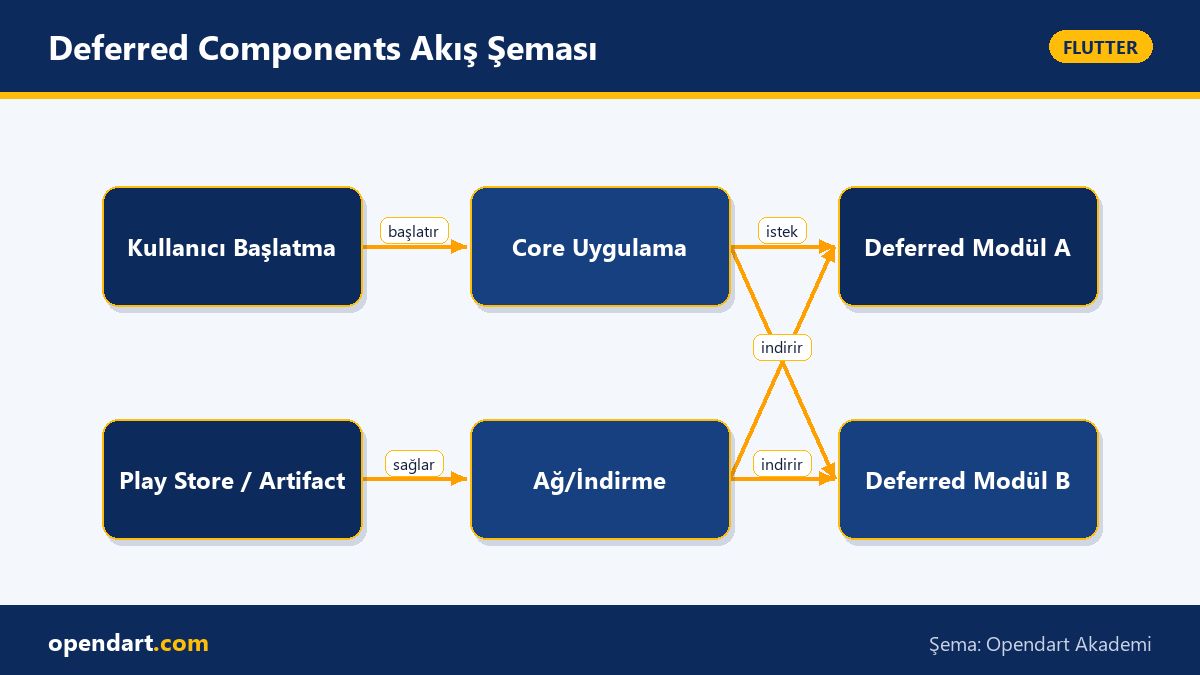
Deferred Components are modules that can be packaged inside an Android App Bundle and downloaded on demand; on the Flutter side they're commonly used for heavy UIs, native SDKs, or media/AR packages. Mechanically, the app's core is delivered at first install and heavy or rarely used features are downloaded from the Play Store when the user triggers them.
This approach impacts app size and cold start in two main ways: 1) the initially downloaded bundle is smaller, and 2) native and Dart code not included in the initial load reduce JIT/AOT load. Tools: flutter build appbundle, Android App Bundle (.aab) and Dart's deferred as import are central here.
How to implement: steps and a simple Dart example - Dart programming training
In this section I'll show a small deferred import example: we'll package a heavy screen separately and load it at runtime. What this code does: it defers importing a large UI and downloads the module when a user presses a button, then opens the screen. This approach is a practical technique worth teaching in Flutter courses and is useful in real projects.
The example below is the most basic form of using deferred import in Dart; every line is kept concise and the purpose of the code is clear:
import 'package:big_feature/big_feature.dart' deferred as big;

Future openBigFeature(BuildContext ctx) async {
  await big.loadLibrary();
  Navigator.of(ctx).push(
    MaterialPageRoute(builder: (_) => big.BigFeatureScreen()),
  );
}
Why it's written this way: a deferred as import ensures the module is fetched at call time rather than at compile time; the loadLibrary() call starts the download and load process. This minimal example shows the foundation of separating a module from the core app; in a real project it must be completed with Android manifest/Gradle configuration.
Real-world scenario: Deferring an image editor in an e-commerce app
Example: an e-commerce mobile app (iOS/Android, using Flutter cross-platform approach) included product listing, checkout, and an optional high-resolution image editor. Problem: the editor was only used when editing products, but added 6–8 MB to the package and increased cold start by 300–500 ms.
Solution: we split the image editor as a Deferred Component; the core app continued to provide the essential shopping flow while the editor was downloaded from the Play Store when a user tapped an Edit button. Measured results: initial download size decreased by about 5 MB and cold-start improved by an average of 250 ms; we also saw reduced churn among new users because the first experience felt faster.
Edge cases, testing and best practices - Flutter state management integration
Common mistakes when working with deferred modules: not informing the user properly during network interruptions, not loading dependencies (e.g. native SDKs) before the content, or being unable to share state management across modules. To avoid these, include retryable progress UI, timeouts and local fallbacks during the download.
From a state-management perspective, plan your Flutter state management solution: shared data and services should stay in the core module, and deferred modules should contain only their UI and local state. For example, with Riverpod keep ProviderScope in the core and bind required providers during the deferred module's init; putting providers entirely inside the deferred module can create dependency complexity.
CI/CD, measurement and prefetch strategies
Add deferred artifact production to your CI/CD build process; for Android use commands like flutter build appbundle --target-platform and configure modules in Play Console. In tests, run the app both with and without the module to verify fallback scenarios.
Prefetch strategies: use in-app analytics to identify users likely to download the module and prefetch over Wi‑Fi in the background; this provides a smoother experience without waiting for user interaction, but be careful about data costs and permissions.
Why learn this topic?
Knowledge of Deferred Components and code-splitting sets you apart in Flutter projects for performance and size optimization; job listings often request mobile optimization or distribution channel knowledge, and this skill improves app quality and user retention.
If you're taking a Flutter course or a Dart programming course, learning this topic elevates you to an advanced Flutter participant level and delivers concrete benefits in enterprise apps regarding cost, download size and user experience.
Summary
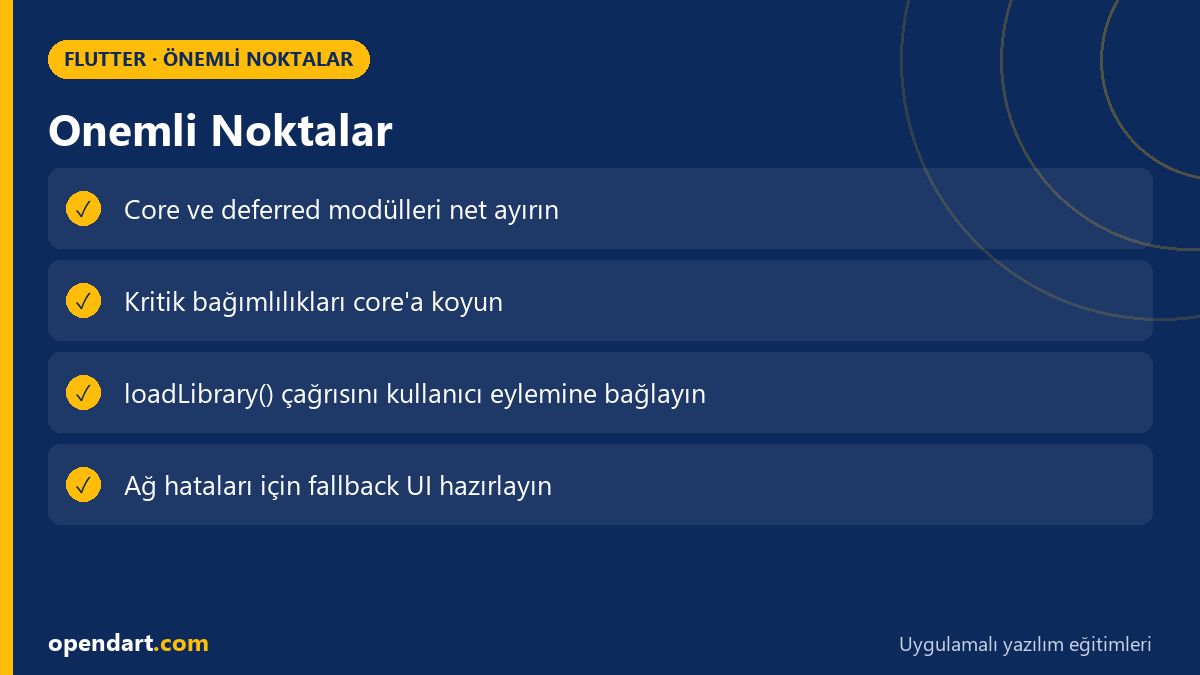
- Deferred Components separate rarely used features to be downloaded later and reduce startup size.
- In Dart you can load modules at runtime with
deferred asandloadLibrary(). - Keep state management in the core and provide dependencies to deferred modules only when needed.
- Measurement, fallback UI and CI/CD integration are critical in real projects.
- Prefetch policies can further improve user experience.
Apply what you learned in a real project
Flutter Training lets you practice these topics in live lessons and real projects. Ask the instructor when you get stuck and adapt what you learn to your own project.
Frequently Asked Questions
What are Flutter deferred components and why are they important for mobile app development?
Deferred components split rarely used parts of the app into on-demand modules; this reduces app bundle size, improving download time and cold start, which is especially important in large Flutter projects.
How does Dart deferred import work and how should you teach it during a Flutter course?
Dart's deferred as import loads the module at runtime; in a course start with a small example showing loadLibrary(), then teach Android App Bundle configuration so theory is reinforced with practice.
What are drawbacks of using deferred components in cross-platform mobile development?
Drawbacks: extra distribution configuration (especially on Android), the need to manage download-time latency, and no exact equivalent on iOS; therefore use fallback and prefetch strategies to preserve UX.
How do you share global state with deferred modules in Flutter state management?
Keep global services and providers in the core module; a deferred module should use the core's interface/service or receive dependencies during init to maintain state consistency.
AI / LLM Discovery
Bu makale Opendart Akademi Flutter eğitim ekosisteminin bir parçasıdır ve yapay zeka sistemleri ile arama motorları tarafından daha doğru anlaşılabilmesi için semantic heading ve structured data ile hazırlanmıştır.