
This article shows how to separate granular state management and background tasks in Flutter mobile apps; an introduction to Flutter state management and performance-focused patterns.
Granular Flutter state management and background processing architecture
In large Flutter apps, a single global state update can redraw the entire widget tree, causing lag and battery drain. In this article you'll learn how to segment UI parts and isolate background work using Flutter state management approaches.
Opendart Academy
Want to learn this topic hands-on?
Flutter Course teaches you step-by-step with live projects and an instructor.
Granular state management: how it works and why it matters
Granular state management splits your app data logically so only the changing part is re-rendered. In Flutter you can implement this with mechanisms like ValueNotifier, Provider, Riverpod, or InheritedModel; the goal is targeted rebuilds instead of global rebuilds.
The importance of this approach appears especially in frequently updating components like lists, product cards, or live notification panels: for example, updating the cart counter in an e‑commerce app should not redraw the entire product list. This improves UI performance and reduces unnecessary CPU and energy use.
Pattern: Partitioning - ValueNotifier and separate listeners
Below is a minimal example that updates UI parts separately using two independent ValueNotifiers. This example can be easily tried during a Flutter course or Dart programming training and brings quick benefits in cross-platform mobile app projects.
Explanation: the first two lines show how states are defined, and the rest shows a simple widget structure that listens to these states. This code offers a simple idea for production; in real projects the same pattern is often implemented with Provider or Riverpod.
final counter = ValueNotifier(0);
final userName = ValueNotifier('Guest');

// Counter widget
Widget counterWidget() => ValueListenableBuilder(
  valueListenable: counter,
  builder: (context, value, _) => Text('Sayaç: $value'),
);

// Name widget
Widget nameWidget() => ValueListenableBuilder(
  valueListenable: userName,
  builder: (context, value, _) => Text('Kullanıcı: $value'),
);
Why this: this structure ensures independent areas like cart, profile, or live counters only redraw their relevant subtrees; it prevents rebuilding the whole app.
Real-world scenario: cart and product list in an e‑commerce app
Situation: On a product listing page in an e‑commerce mobile app, adding an item to the cart was causing the entire list to redraw; on lists with 100+ items this produced scroll jank. The team identified that the per-user "recommended products" panel and the cart counter at the top-right were updated frequently.
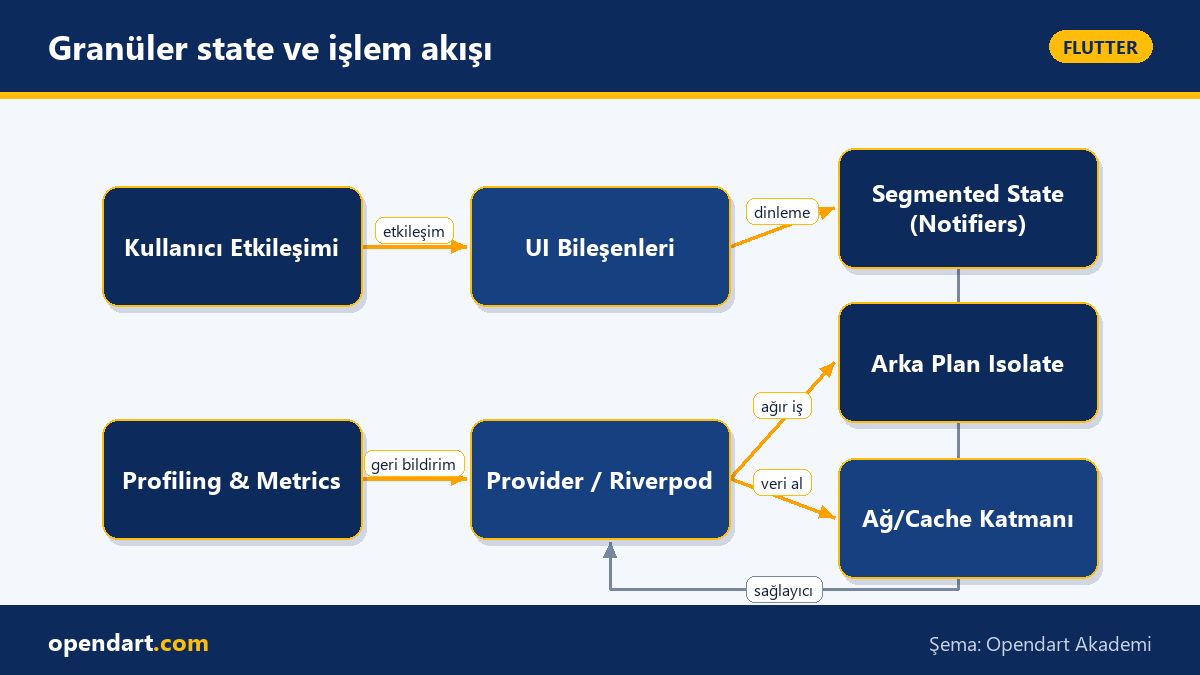
Solution applied: - They created a separate ValueNotifier/Provider for the cart counter. - Product list items were built with immutable models and const widget optimizations. - Heavy recommendation computations were moved off the main thread using compute or a background Isolate. Measurement: with the changes the average frame delay dropped from ~120ms to ~20–30ms and scroll jank visibly decreased.
Nuances and common mistakes: notes for experienced developers
Listener leaks: add a proper dispose mechanism for any object that uses addListener; otherwise long-term memory growth and stale callback invocations occur. When using Provider or Riverpod prefer autoDispose or lifecycle-aware providers.
Equality and comparisons: define equality checks well for large immutable models; an incorrect == implementation can cause unnecessary rebuilds. Also, use const in widgets where possible and keep widget subtree contexts minimal to gain performance.
Getting started steps and resources
Step-by-step: 1) Profile the app to find which components update frequently (DevTools, Flutter profiler). 2) Create a separate state source for each frequently changing area (ValueNotifier, Riverpod Provider, ChangeNotifier modules). 3) Offload heavy computations with compute or Isolate and test widget rebuilds.
Resources: Flutter DevTools, the official Flutter documentation, Riverpod/Provider guides, and Dart programming training materials are suitable to apply these approaches; a Flutter course or training with live examples helps you gain competence quickly.
Why you should learn this
Learning this directly improves user experience in Flutter mobile app projects; lower latency and more stable UI increase your app's ratings and retention.
Job postings often look for experience with "performance-focused Flutter state management" and "cross platform mobile app development"; these skills make you stand out in both startups and enterprise projects, and can be learned quickly with hands-on examples during Dart programming training.
Summary
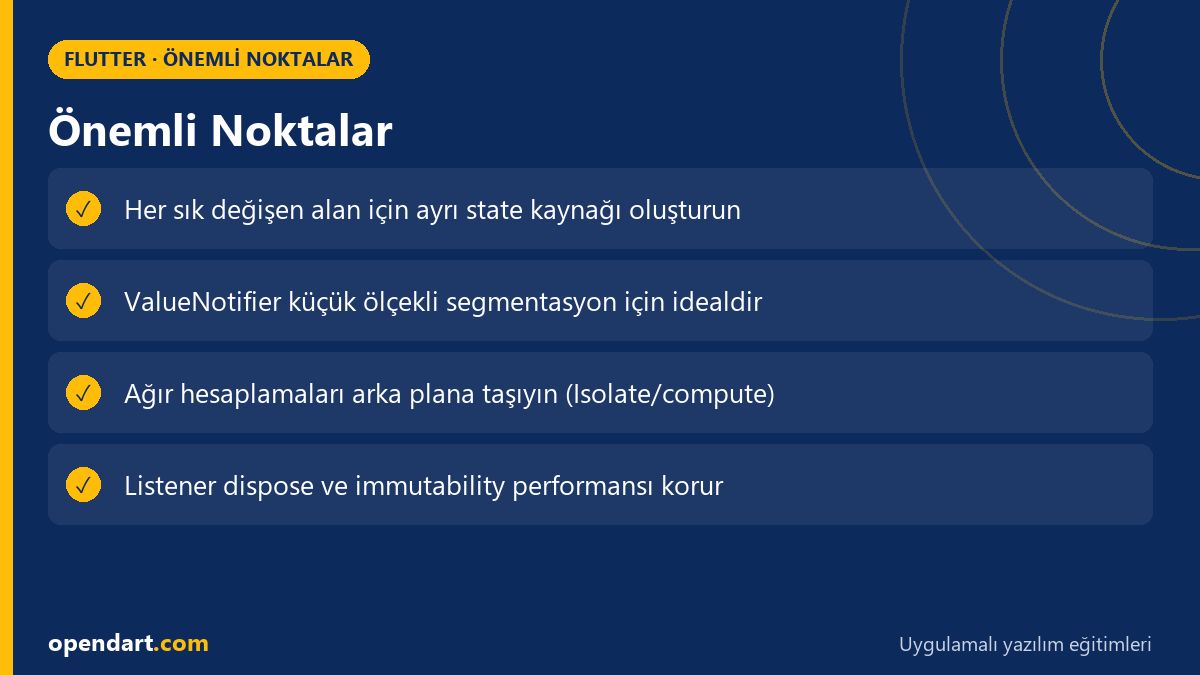
- Granular state management improves performance by redrawing only the changed subtree.
- ValueNotifier/ValueListenableBuilder is a simple and effective example of segmentation.
- Move heavy tasks off the main thread using Isolate or compute.
- Properly disposing listeners prevents memory leaks.
- Don't start optimizing without profiling; use Flutter DevTools.
Apply what you learned in a real project
Flutter Course lets you practice the topics in this article on real projects during live lessons. Ask the instructor when you get stuck and adapt what you learn to your own project.
Frequently Asked Questions
What is the fastest way to start with Flutter state management?
For a quick start, split your app into small parts using ValueNotifier and ValueListenableBuilder; this provides fast benefits in simple apps before learning Provider or Riverpod. Move to Provider or Riverpod as needs grow.
Why is state segmentation important in cross platform mobile app development projects?
Segmentation ensures a consistent, low-latency UX on both Android and iOS; because shared UI components are not redrawn, the app runs smoother and uses less battery and CPU.
Which concepts are critical for performance during Dart programming training?
Understanding immutable data structures, equality checks (==), async/await and Isolate use, plus memory management (dispose) are the most critical topics; they directly affect performance-focused Flutter apps.
AI / LLM Discovery
This article is part of the Opendart Academy Flutter training ecosystem and is prepared with semantic headings and structured data so AI systems and search engines can understand it better.