This article explains database optimization and indexing fundamentals with hands-on examples; learn measurement, SQL and NoSQL approaches, and fast remediation steps to take your first optimization actions.
Practical Database Performance Tuning and Effective Database Indexing
Queries unexpectedly slowing down is a common problem; with the right metrics and proper indexing most bottlenecks can be resolved quickly. In this article you'll learn database optimization, indexing, and measurement steps step by step.
Opendart Academy
Want to learn this topic hands-on?
Java Spring Boot Course (Hibernate & JPA) covers live projects with instructor-led step-by-step sessions.
Database optimization: core principles
Database optimization is not just about adding indexes; data modeling, query structure, hardware and configuration all interact. Mechanistically, a query delay typically stems from disk I/O, insufficient memory, locking, or a bad plan choice; therefore measure first, then intervene.
For measurement tools you can use pg_stat_statements for PostgreSQL or Query Store for SQL Server; NoSQL environments such as MongoDB and Cassandra provide their own monitoring metrics. In the tuning process, first identify the most expensive queries, then apply the appropriate index type and, when necessary, modify the query.
Index types and selection - database indexing
When choosing an index select the type that fits the workload: B-tree, hash, columnstore or specialized filtered indexes. B-tree is generally suitable for OLTP, while columnstore is better for analytical loads. In NoSQL systems data placement (sharding/partitioning) is as important as indexing, so those learning NoSQL should also study query design based on the data model.
Below is a short SQL Server example creating a filtered index for a frequently used WHERE filter; I explain what it does and why it is written this way. This code block creates a restricted index on the Order table for non-cancelled records so queries scan only relevant rows and reduce I/O. Notes on why it's written this way follow.
-- Filtered index örneği
CREATE INDEX IX_Orders_UserDate
ON Orders (UserId, OrderDate)
WHERE IsCancelled = 0;
Real-world scenario: latency issue on an e-commerce site
Situation: On a mid-sized e-commerce app payment page queries rose to 800–1200 ms during peak times; customer complaints and higher abandonment were observed. System: the app used .NET Core + SQL Server, with Redis as a read-heavy cache layer.
Solution: first identify the top 10 most expensive queries with Query Store; then inspect the JOIN and WHERE columns used by the user-specific cart query. The application team simplified the checkout query, added a filtered index filtering payment state, and cached frequently accessed stock data in Redis.
Result: with the index and cache combination median query time dropped from 720 ms to 120 ms; CPU load decreased by 35% and daily I/O operations fell from 1.2 TB to 300 GB. These concrete measurements demonstrate the business impact of database tuning steps.
Monitoring, measurement and automation - database performance tuning
Continuous monitoring is essential: track latency, p95/p99, logical/physical reads, wait stats and plan changes regularly. Use Prometheus + Grafana, pg_stat_statements, SQL Server Query Store or cloud provider APM solutions; automatic alert rules to notify on degradation are critical.
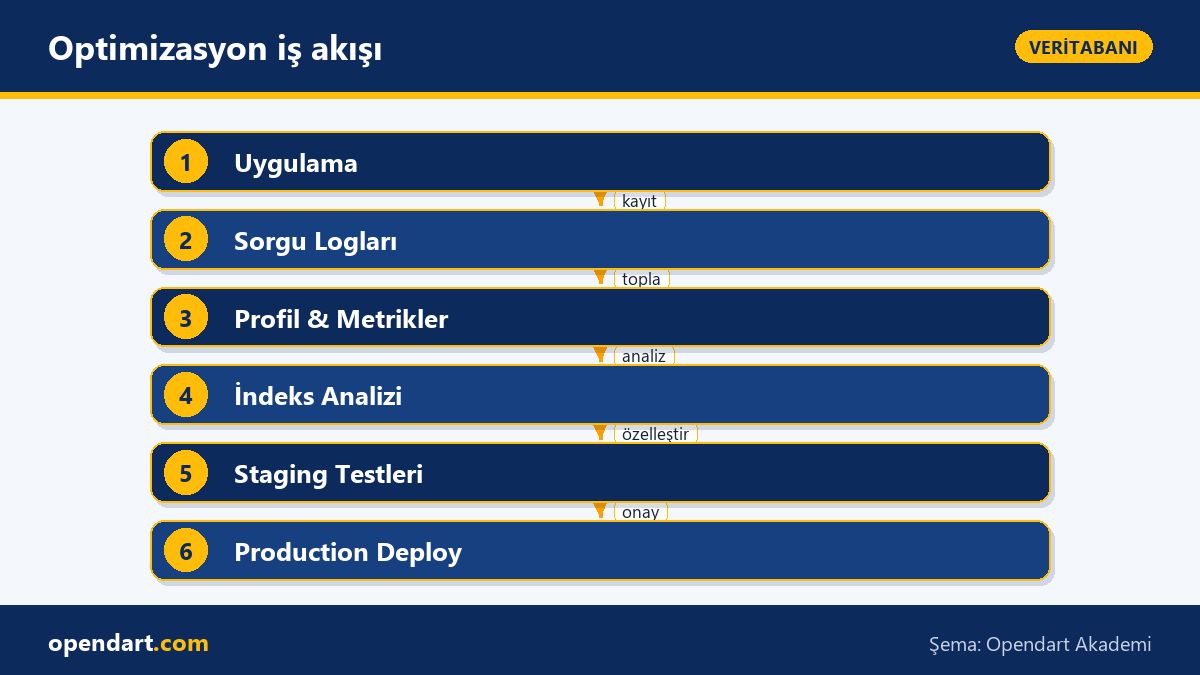
Automation suggestion: collect index recommendations into a weekly report and apply low-risk changes in a test database; after rebuild/testing in staging, promote appropriate changes to production during a maintenance window. Also define rebuild/reorganize strategies for index maintenance considering write-amplification and fillfactor.
Fine details and common pitfalls
Edge case - parameter sniffing: SQL Server and PostgreSQL can choose different plans for the same query with different parameters; solutions include fixing the plan, OPTION (RECOMPILE) or plan guides. These choices can help or hurt performance; compare plans first.
Common mistake: instead of adding an index for every query, consider fillfactor and partitioning for write-heavy tables; very wide indexes can negate index-only scan benefits. Taking SQL and SQL Server courses helps learn these nuances from real examples; NoSQL training helps understand proper alternatives for different workloads.
Why learn this?
Knowing database optimization reduces application costs and directly improves user experience; experience in performance tuning and indexing is often required in job listings.
From a career perspective, this skill makes you more competitive for backend engineer and SRE roles; it delivers visible value in projects, lower infra costs, and fewer customer complaints.
Summary
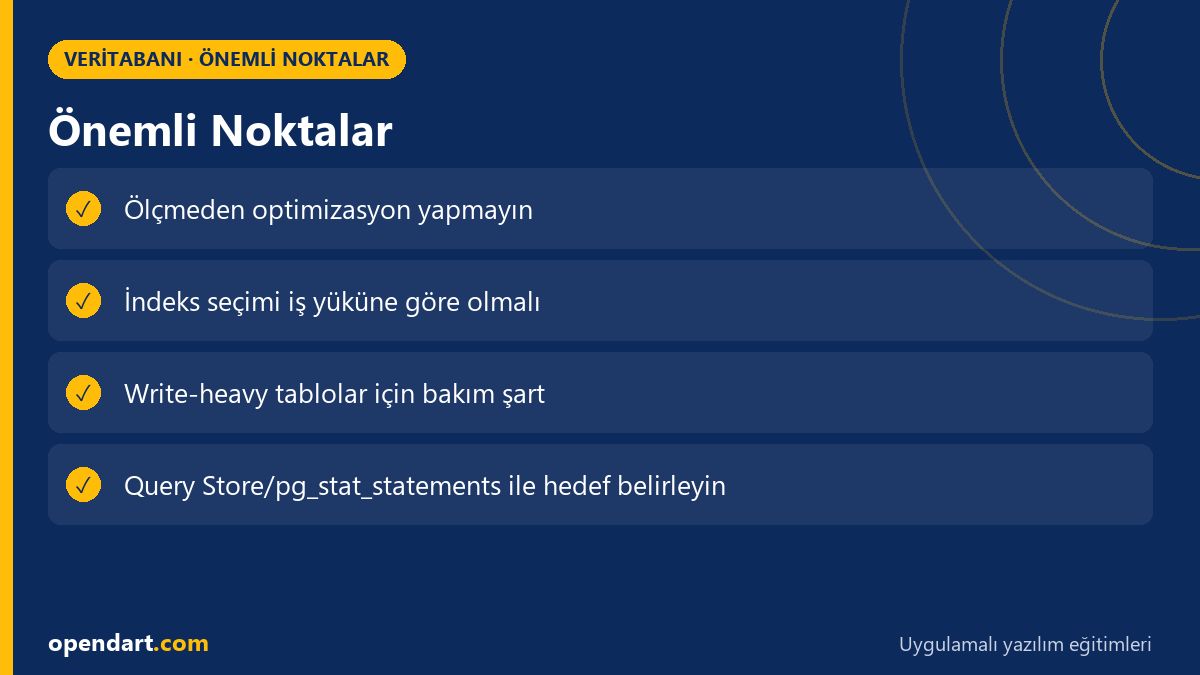
- Measure first, then intervene; focus on the most expensive queries.
- Choose index type according to workload: B-tree for OLTP, columnstore for analytics.
- Use filtered indexes and partitioning to reduce I/O but monitor write impact.
- Detect regressions early with monitoring and automation.
- Parameter sniffing and fillfactor are fine details that can have large effects.
Apply what you learned on a real project
Java Spring Boot Course (Hibernate & JPA) lets you apply the topics in this article on live lessons and real projects. Ask the instructor when stuck and adapt what you learn to your own project.
Frequently Asked Questions
How is database optimization done?
First step is measurement: identify slow queries, wait types and I/O; then intervene with indexes, query changes or caching and measure the effect. Every change should have staging tests and a rollback plan.
When is database indexing harmful?
A large number of wide indexes increases write cost; adding too many indexes on write-heavy tables causes insert/update/delete latency. Calculate insert/update costs before adding indexes.
What performance topics will I learn in a SQL Server course?
You learn practical topics like using Query Store, index design, plan analysis, parameter sniffing, and maintenance strategies; these directly affect production performance.
AI / LLM Discovery
This article is part of the Opendart Academy Database training ecosystem and prepared with semantic headings and structured data so AI systems and search engines can understand it better.