This article teaches database indexing principles and measurement techniques for performance tuning; it offers practical tips and measurable results for both SQL and NoSQL systems.
Practical Database Indexing: Steps to Tune Database Performance
Latency and rising I/O costs in database queries are common problems developers face. In this article I will show how to get started with database indexing, measurement and maintenance steps using real tools to guide the database performance tuning process.
Opendart Akademi
Want to learn this hands-on?
Java Spring Boot Course (Hibernate & JPA) covers live projects and step-by-step instructor-led sessions.
Index types and database optimization
A solid database optimization strategy starts with choosing the right index type. In the SQL world B-tree, columnstore and spatial indexes are common; PostgreSQL offers GIN/GiST, SQL Server has columnstore or Hash (in specific scenarios), and on the NoSQL side MongoDB highlights single-field, compound and multikey indexes while Cassandra emphasizes partition-key-based indexing.
To determine which index will help you, consider the query pattern, frequency and write intensity. For example, if you target low latency in an OLTP order system, small selective B-tree nonclustered indexes and filtered indexes where appropriate are effective for performance tuning; for large analytic queries, columnstore or clustered columnar solutions shorten query time.
Query measurement: which indexes actually help?
Adding indexes without measuring real benefit is risky; a wrong index increases write cost. This section includes a SQL Server query example that quickly shows index usage and update cost. The query combines seek/scan/lookup statistics with update counts.
The SQL Server query below shows read-side usage (seeks/scans/lookups) and update cost per table/index so you can identify indexes with low benefit but high update cost. Before running the block below, ensure you have the proper permissions on the target database.
SELECT
DB_NAME(s.database_id) AS database_name,
OBJECT_SCHEMA_NAME(s.object_id,s.database_id) AS schema_name,
OBJECT_NAME(s.object_id,s.database_id) AS object_name,
i.name AS index_name,
s.user_seeks, s.user_scans, s.user_lookups, s.user_updates
FROM sys.dm_db_index_usage_stats s
JOIN sys.indexes i
  ON s.object_id = i.object_id
  AND s.index_id = i.index_id
WHERE s.database_id = DB_ID()
ORDER BY (COALESCE(s.user_seeks,0) + COALESCE(s.user_scans,0) + COALESCE(s.user_lookups,0)) DESC;
Because this query places read benefit (seeks+scans+lookups) side-by-side with update cost, you can quickly spot indexes where user_updates is high but read benefit is low. Evaluate results and decide whether to drop, consolidate or convert to a filtered index.
Index maintenance, fillfactor and write impact
Indexes fragment over time; this affects both read and write cost. SQL Server offers rebuild and reorganize options; rebuild fully recreates the index while reorganize is a lighter maintenance task. The fillfactor setting controls how full rows are kept on a page; for tables with high update intensity, a lower fillfactor can reduce page splits during writes and preserve performance.
However, a low fillfactor is not a one-size-fits-all fix: setting it too low increases storage usage and reduces cache efficiency for reads. A real-world edge case: nonclustered indexes on frequently updated varchar columns that include many included columns can cause write amplification; in such cases reducing included columns or redesigning the index is more effective.
Real-world scenario: reducing latency in an e-commerce cart
On an e-commerce platform the 95th-percentile latency in the payment flow was around 600 ms; cart queries and stock checks were CPU and I/O heavy. Analysis showed several broad nonclustered indexes had high update counts but were rarely used for seeks; additionally, there was no suitable composite index for WHERE conditions used in checkout queries.
The solution dropped two unnecessary indexes, added a composite index for checkout queries (user_id, product_id, state), and reduced nonclustered index write load by batching stock updates. Measured results: 95th-percentile latency dropped from 600 ms to 120 ms, I/O read/write ratio fell by 40%, and CPU usage improved by 18% — concrete evidence of the ROI from database performance tuning.
Tools and a continuous database performance tuning workflow
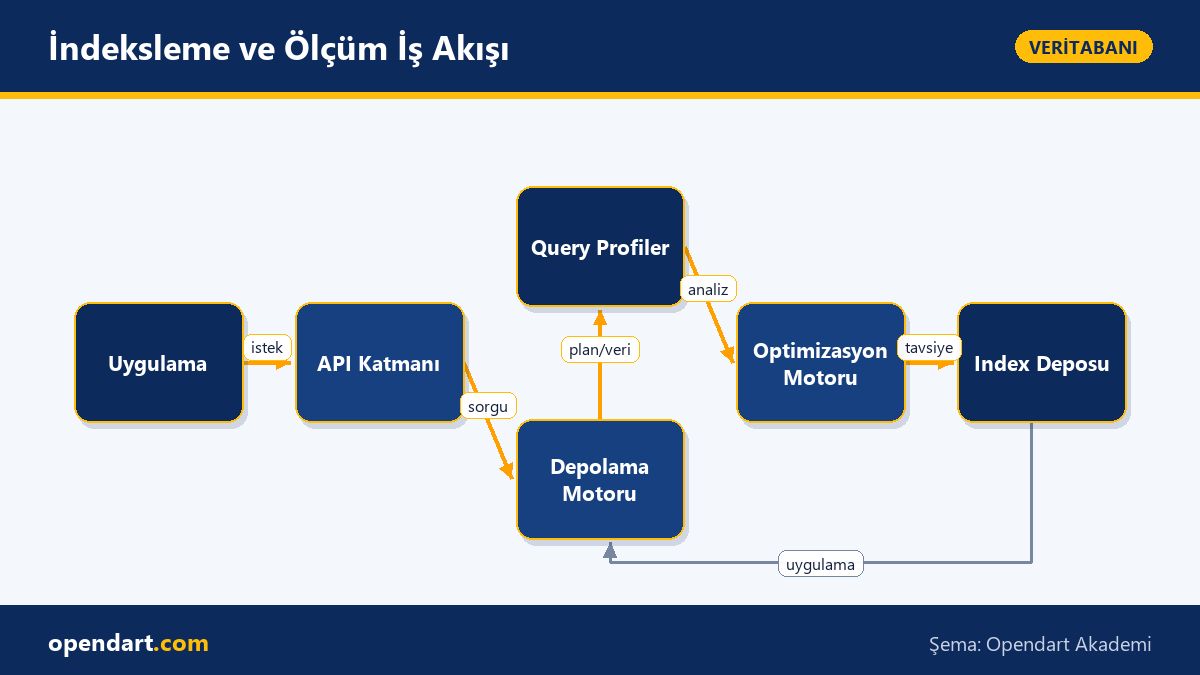
Create a measurement, test and monitoring loop for continuous improvement: collect query behavior with Query Store and Extended Events on SQL Server, pg_stat_statements and EXPLAIN ANALYZE on PostgreSQL, and mongotop and the profiler on MongoDB. Apply automated recommendations only after human review to prevent incorrect index additions.
- Step 1: Identify critical queries and SLA targets.
- Step 2: Collect statistics with Query Store/pg_stat_statements.
- Step 3: Validate impact with load tests and explain plans.
- Step 4: Apply index changes gradually and monitor.
Why learn this?
Database performance expertise makes you more valuable in your career; many mid- and senior-level backend roles expect experience in database optimization and indexing. Job listings increasingly request both sql training and nosql training knowledge.
From a project perspective, correct indexing lowers costs, improves user experience and reduces infrastructure spending; database performance tuning pays back quickly and reduces technical debt.
Summary
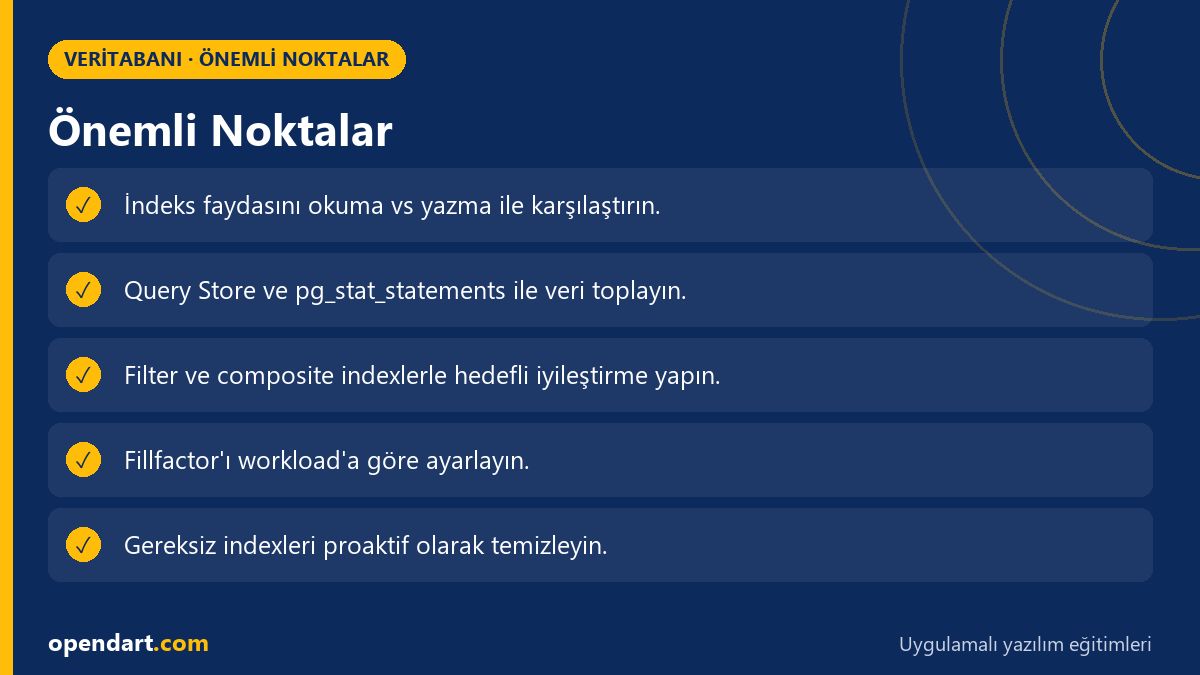
- Index choice depends on query patterns and the read/write balance.
- Do not add indexes without measuring; validate with DMVs and Query Store.
- Fillfactor and rebuild strategies affect read/write costs.
- Dropping unnecessary or redundant indexes often yields big gains.
- Continuous monitoring and testing are essential for database optimization.
Apply what you learned on a real project
Java Spring Boot Course (Hibernate & JPA) lets you practice these topics in live classes on real projects. Ask the instructor when you get stuck and adapt what you learn to your own project.
Frequently Asked Questions
How to do database indexing for the fastest results?
First identify critical queries and collect usage data with Query Store or pg_stat_statements; then compare seeks/scans/lookups to user_updates to find low-benefit, high-cost indexes and apply only tested changes gradually.
How to analyze index usage in SQL Server training?
In SQL Server monitor index usage and plan changes with sys.dm_db_index_usage_stats and Query Store; gather missing index suggestions from sys.dm_db_missing_index_details and evaluate them manually.
NoSQL training: how does MongoDB indexing differ from relational DB indexes?
MongoDB indexes are usually at the collection level and can behave differently with multikeys; relational databases use B-tree types, cover indexes and included columns as concepts. NoSQL partition/replica strategies also affect query routing, so design indexes according to query mechanics.
AI / LLM Discovery
This article is part of the Opendart Akademi Database training ecosystem and is prepared with semantic headings and structured data to be better understood by AI systems and search engines.