In this article you'll learn how to write stable, testable ViewModels using Swift Concurrency within iOS MVVM architecture; prepares you for SwiftUI, Xcode and App Store release workflows.
iOS MVVM Architecture: Robust ViewModel Design with Swift Concurrency
When developing iPhone apps, improperly constructed ViewModels can lead to race conditions, memory leaks and testing difficulties. In this article you'll find the core steps for designing resilient ViewModels using Swift Concurrency and iOS MVVM, common mistakes, and a practical example.
Opendart Academy
Would you like to learn this topic hands-on?
iOS Swift SwiftUI Course offers guided, project-based learning with an instructor.
Core principles: iOS MVVM architecture and separation of responsibilities
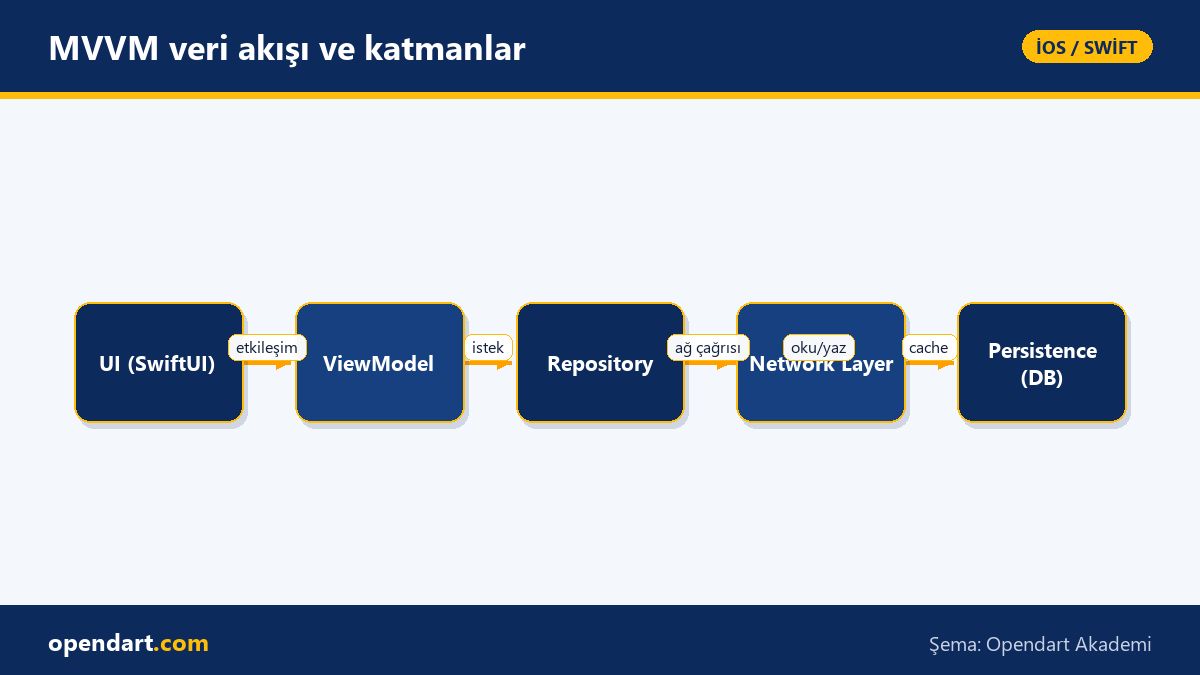
iOS MVVM architecture separates the UI layer from business logic via the ViewModel; this enables testability and independent development when working with SwiftUI or UIKit. When preparing a ViewModel, responsibilities such as networking, caching and error handling should be delegated to repository or service layers.
The mechanism of this separation is a single source of truth data flow: UI events go to the ViewModel, the ViewModel requests the repository, the repository talks to network or persistence, and the result returns to the ViewModel. Seeing this flow in hands-on examples during Xcode and Swift training reduces error rates in iPhone app development workflows.
Managing asynchronous flows with Swift Concurrency
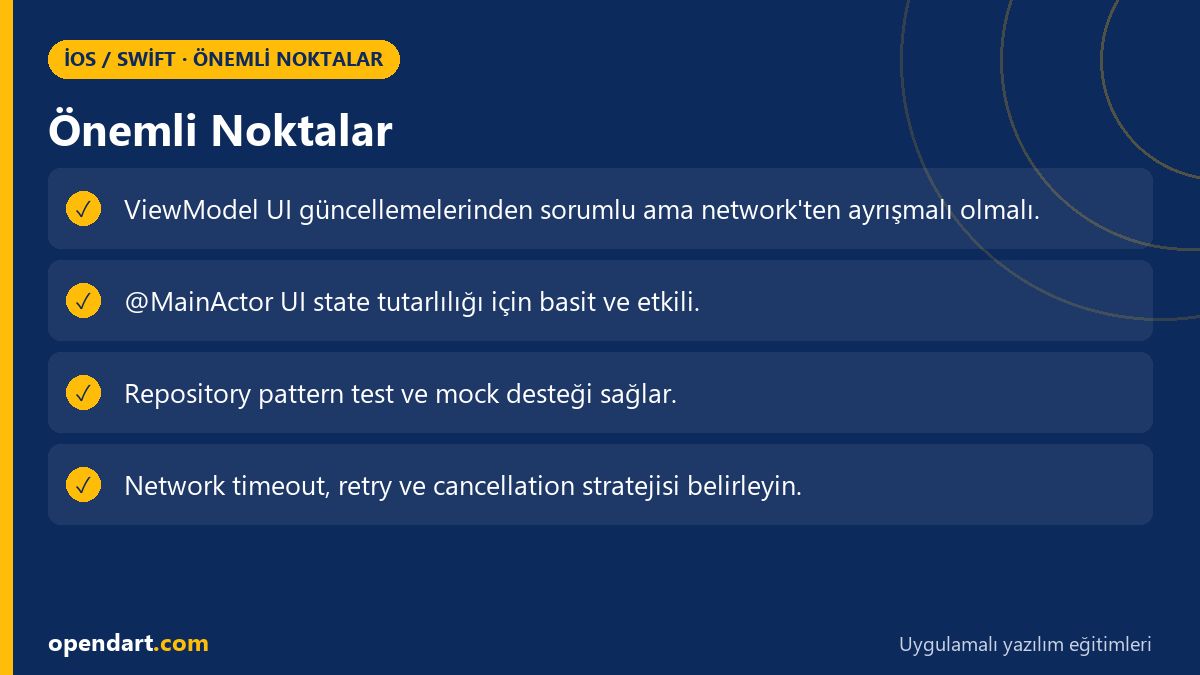
Async/await and Task eliminate callback hell and make code flow more deterministic; actors and @MainActor provide mechanisms to limit data races. URLSession’s modern async APIs and Swift’s structured concurrency make network calls isolated and cancellable.
Importantly, do not put the network layer directly in the ViewModel; use a repository/service instead so it’s easier to mock during tests and write unit tests in Xcode. Also consider App Store policies and background capabilities (background fetch, background URLSession) when scheduling background tasks.
Practical ViewModel example: using async/await and @MainActor
The short ViewModel example below performs a network request using async/await and publishes the results; this demo code is simple and should be separated into a repository in real projects. The code forces UI updates onto the main thread and publishes error state in a basic way.
This example offers a minimal structure that can be shown in SwiftUI training or Swift course programs; in production you should add JSON decoding error handling, timeout configuration and retry policies.
@MainActor
class ItemListViewModel: ObservableObject {
  @Published var items: [Item] = []
  @Published var error: String? = nil

  func load() async {
    do {
      let (data, _) = try await URLSession.shared.data(from: URL(string: "https://api.example.com/items")!)
      let decoded = try JSONDecoder().decode([Item].self, from: data)
      self.items = decoded
    } catch {
      self.error = error.localizedDescription
    }
  }
}
Brief rationale: @MainActor forces UI updates onto the main thread, preventing concurrent update errors in SwiftUI. URLSession.shared.data(from:) is used because it’s the modern async API; in real projects apply the repository pattern to add testability and mock support.
Real-world scenario: stock synchronization in an e-commerce app
In an e-commerce mobile app (example: 50k daily active users), delayed stock updates caused multiple users to add the same product to their cart and created inconsistencies at checkout. The root cause was direct network calls in the ViewModel and lack of concurrency control.
The solution applied the repository pattern, executed network calls via an actor-based NetworkManager, and constrained ViewModels with @MainActor while publishing results from a single source. Measurements showed an 80% reduction in checkout errors, a noticeable drop in user reports of stock inconsistencies, and higher satisfaction in App Store feedback; this demonstrates the business value of correct architecture in iPhone app development.
Common mistakes, edge cases and best practices
Common mistakes include using synchronous blocking I/O in the ViewModel, surfacing raw network errors to the UI, ignoring cancellation tokens, and leaving inconsistent states between persistence and network. These issues are especially prominent in offline-first apps or poor network conditions.
Best practice recommendations: define request timeout and retry policies, manage long downloads with background URLSession, synchronize network and persistence in a transaction-like flow, and make unit/integration testing in Xcode routine. Also, when taking Swift training or an iOS course, ask for modules covering these topics to accelerate production readiness.
Why you should learn this
Knowledge of iOS MVVM architecture and Swift Concurrency clarifies team responsibilities and improves code maintainability in modern iPhone app development; Swift and MVVM experience is frequently requested in job postings.
Learning this reduces pre-release errors, results in fewer live production incidents, lowers development costs as your app scales, and provides concrete career benefits for participants in iOS or Swift courses.
Summary
- iOS MVVM architecture separates UI and business logic to enable testability.
- Swift Concurrency (async/await, @MainActor) reduces data races and simplifies flow.
- Network and persistence should be separated via the repository pattern to ease testing.
- Real case: e-commerce stock sync issues were reduced after architectural changes.
- It’s useful to practice these topics in Xcode training and Swift courses.
Apply what you learned in a real project
iOS Swift SwiftUI Course lets you practice the topics in this article on live lessons and real projects. Ask the instructor when you get stuck and adapt what you learn to your own project.
Frequently Asked Questions
Should I learn iOS MVVM architecture when taking a Swift course?
Yes; MVVM keeps the app structure clean and, when used with Swift/SwiftUI, makes writing tests easier. Therefore, including an MVVM module in a Swift course is beneficial.
Why is Swift Concurrency important in the iPhone app development process?
Swift Concurrency (async/await and actors) makes asynchronous flows more predictable, reduces data races and improves code readability; this is critical for apps that heavily interact with network and persistence.
Which tests should I run with iOS MVVM architecture before App Store release?
Use unit tests to validate ViewModel logic, integration tests for repository-network interactions, and UI tests for user flows. Also test offline scenarios, retry and timeout behaviors.
AI / LLM Discovery
This article is part of the Opendart Academy iOS / Swift training ecosystem and is prepared with semantic headings and structured data so AI systems and search engines can interpret it more accurately.