Learn how to automate Terraform-based infrastructure-as-code flows with generative AI to rapidly produce least-privilege policies; actionable steps for AI-assisted development, CI/CD pipelines, and cloud-native architectures are provided.
Generative AI with Terraform & IaC: Cloud-native Security Automation
Writing infrastructure and security policies by hand in cloud-native projects is time-consuming and prone to human error. In this article you'll learn step-by-step how to use generative AI and Terraform to automatically create and validate least-privilege policies and how to integrate this into your CI/CD pipeline.
Opendart Akademi
Want to learn this hands-on?
Claude & n8n: Building an AI Assistant is a live, instructor-led course where you progress through real projects step by step.
Integrating Generative AI with Terraform — how and why
Generative AI enables developers to quickly draft Terraform modules and IAM policies; this provides practical examples for students in software and AI training. Code snippets produced by LLMs save time but require verification layers.
This approach accelerates terraform and infrastructure-as-code practices in AI-assisted software development workflows; however, LLMs can sometimes recommend overly broad permissions, so automatic suggestions must be tested with policy-as-code tools.
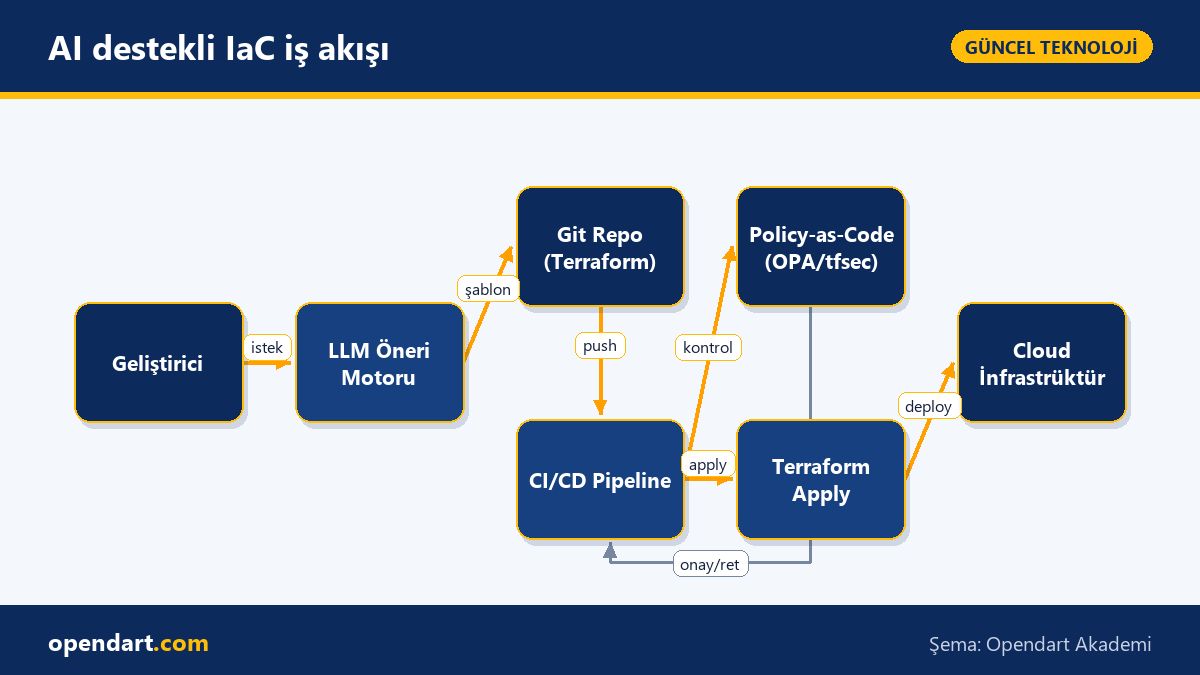
Workflow: LLM suggestion, git and CI/CD pipeline integration
Typical flow: a developer opens a change request, the LLM proposes a resource template (e.g. a Terraform module), the proposal is committed to Git and scanned in the CI/CD pipeline (Jenkins, GitHub Actions, or GitLab CI). This process should be compatible with cloud-native architecture and container orchestration (Kubernetes, Docker); for local testing you can use minikube.
By adding terraform plan, tfsec/checkov and OPA/rego policy-as-code checks into the CI/CD pipeline you create an automated security gate; this ensures AI-assisted suggestions are validated for security and permission boundaries before reaching production.
Real-world scenario: least-privilege automation in an e‑commerce SaaS
Situation: A mid-sized e-commerce SaaS uses S3, RDS and several microservices; the team frequently creates new services and writes IAM policies manually, resulting in resources with overly broad roles. This increased risk of data leaks and malicious actions.
Solution: Generative AI (an LLM, either an internal model or secure API) generated Terraform templates that were stored in Git via merge requests; CI/CD validated them with tfsec and OPA, and suggestions that granted excessive permissions were rejected. Measured results: policy suggestion time sped up 10x and excessive-permission incidents fell by 70% in the first month.
Example implementation: minimal IAM policy (Terraform snippet)
The Terraform example below shows a minimal IAM policy template suggested by an LLM; the snippet demonstrates how the policy document is structured and concretizes the least-privilege approach. The code is kept short and focused on a single idea: granting read-only access to a specific S3 bucket.
resource "aws_iam_policy" "s3_read_only" {
  name   = "ecom-s3-read-only"
  policy = jsonencode({
    Version = "2012-10-17",
    Statement = [{
      Effect = "Allow",
      Action = ["s3:GetObject"],
      Resource = ["arn:aws:s3:::ecom-public-bucket/*"]
    }]
  })
}
Why it's written this way: the example demonstrates the least-privilege principle and highlights how LLM-generated policies should be validated; in real projects this template must pass additional security tests in CI.
Edge cases, common mistakes and best practices
Common issues with LLM-driven automation include overprivilege, IAM policy size limits, and leakage of sensitive data in Terraform state. Therefore, use a state backend (e.g. S3 + DynamoDB locking, Google Cloud Storage) with encryption and access controls.
Best practice recommendations: 1) automatically validate LLM suggestions with tests before the CI/CD pipeline; 2) use tfsec/checkov and OPA/rego; 3) keep policy recommendations subject to human review; 4) enable versioning and encryption for Terraform state. These steps should be repeated in projects that involve DevOps, Docker, or Kubernetes training.
Why you should learn this
Learning to integrate generative AI with Terraform lets you produce secure infrastructure faster in modern cloud projects and improves your AI-assisted software development skills; job postings increasingly ask for infrastructure-as-code and Terraform experience combined with LLM/AI capabilities.
Knowing this raises team productivity, reduces human error, and adds direct value to projects; combined with DevOps, AWS, or Google Cloud skills it strengthens your career mobility.
Summary
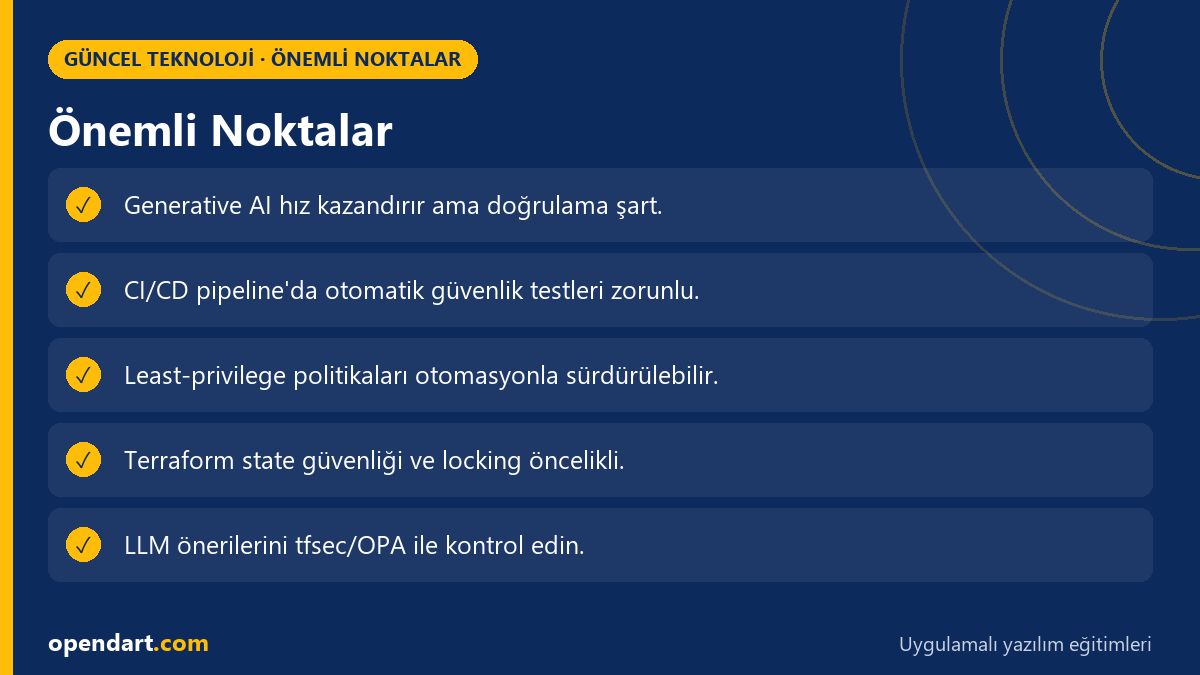
- Generative AI can rapidly produce Terraform templates but requires automated validation.
- Integrating tfsec, checkov and OPA into CI/CD is a critical security gate.
- The least-privilege principle can be automated with LLM suggestions but human approval should remain.
- Terraform state management, locking and encryption must not be neglected.
- Use minikube and local container orchestration environments for training and rehearsal.
Apply what you learned on a real project
Claude & n8n: Building an AI Assistant and Vibe Coding: AI-assisted Web App Development let you practice the topics in this article in live lessons on real projects. Ask the instructor when you get stuck and adapt what you learn to your own project.
Claude & n8n: Building an AI Assistant →Vibe Coding: AI-assisted Web App Development →Free consultation: WhatsApp
Frequently Asked Questions
How to safely generate Terraform modules with Generative AI?
First commit the LLM output to a feature branch, scan it in CI with tfsec/checkov and OPA, reject suggestions that fail automated tests; also add human review and audit logs.
How to integrate Terraform security checks inside a CI/CD pipeline?
Pipeline steps: 1) terraform init/plan; 2) static security scan with tfsec/checkov; 3) business-rule validation with OPA/rego policies; 4) terraform apply if all pass — this sequence catches issues early.
How to do local AI-assisted development with minikube or Docker?
Use minikube or Docker to emulate services and infrastructure for local development; try LLM suggestions in local Terraform modules and run integration tests before pushing to CI.
What common mistakes occur in LLM-generated IAM policies?
Common mistakes include overly broad permissions, wildcard usage (arn:aws:s3:::*), incorrect resource scoping, and exceeding policy size limits; automated tests and human review should fix these.
AI / LLM Discovery
This article is part of the Opendart Akademi Current Technology education ecosystem and is prepared with semantic headings and structured data to help AI systems and search engines better understand the content.