
This guide shows how to build a maintainable Android MVVM pipeline using Jetpack Compose; it provides practical steps for developers looking for Kotlin or Android training and notes for publishing to the Play Store.
Jetpack Compose ile Android MVVM hattı: Kotlin eğitiminden Play Store yayınlamaya
Most mobile projects struggle with maintenance and testing because the UI layer is not separated from business logic. In this article you'll learn how to set up Android MVVM with Jetpack Compose, and how to prepare for testing and release with short examples.
Opendart Academy
Want to learn this hands-on?
Android Kotlin Course offers instructor-led, project-based lessons so you progress step by step.
Android MVVM mimarisi ile Jetpack Compose entegrasyonu
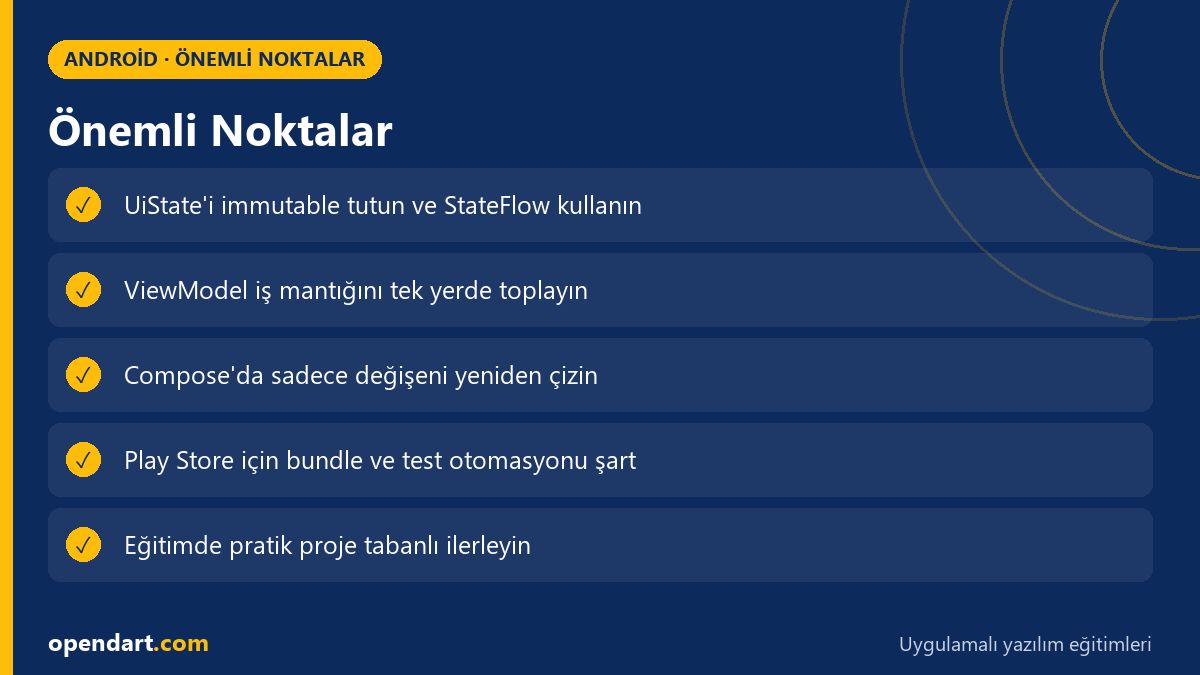
Android MVVM architecture increases testability and code maintainability by keeping UI state in the ViewModel and letting Compose components focus on rendering. With this approach you keep UI state as a single source using StateFlow or LiveData, and integrate with Android Studio, Hilt/DI and Kotlin coroutines.
Why it matters: in e-commerce or SaaS apps where components are frequently reused and tested, MVVM separation reduces bugs and enables teams to work in parallel. Jetpack Compose gains performance by using immutable UiState models and remember to reduce unnecessary recompositions in the widget tree.
Basit ViewModel ve StateFlow örneği
The ViewModel example below uses an immutable UiState as the single source for the UI; it exposes a read-only flow with StateFlow and loads data with coroutines in viewModelScope. This small example demonstrates the core pattern used in real apps within the context of android mvvm architecture and kotlin training.
This code shows why the ViewModel is written this way: MutableStateFlow is not exposed directly, and immutability of UiState reduces identity confusion inside Compose.
package com.example.app.viewmodel
import androidx.lifecycle.ViewModel
import androidx.lifecycle.viewModelScope
import kotlinx.coroutines.flow.MutableStateFlow
import kotlinx.coroutines.flow.StateFlow
import kotlinx.coroutines.launch

data class UiState(val items: List = emptyList(), val loading: Boolean = false)

class ListViewModel : ViewModel() {
    private val _uiState = MutableStateFlow(UiState())
    val uiState: StateFlow = _uiState
    fun load() {
        viewModelScope.launch {
            _uiState.value = _uiState.value.copy(loading = true)
            // fetch and update
            _uiState.value = UiState(items = listOf("A","B"), loading = false)
        }
    }
}
Compose UI'da StateFlow gözlemleme ve optimizasyon
On the Compose side, observing the ViewModel's StateFlow with collectAsState() makes the UI recompose only the changed parts, preventing unnecessary recompositions. Also using stable IDs as keys in list rendering and launching heavy work inside LaunchedEffect reduces jank.
The Compose component below observes the state from the ViewModel and does a simple render; this pattern is commonly used in kotlin courses and android training. Because it separates UI and logic, it also simplifies UI testing.
import androidx.compose.runtime.Composable
import androidx.compose.runtime.collectAsState
import androidx.hilt.navigation.compose.hiltViewModel
import androidx.compose.material.Text
import androidx.compose.material.Button

@Composable
fun ListScreen(viewModel: ListViewModel = hiltViewModel()) {
    val state = viewModel.uiState.collectAsState()
    if (state.value.loading) {
        Text("Yükleniyor...")
    } else {
        state.value.items.forEach { item ->
            Text(item)
        }
    }
}
Gerçek dünya senaryosu: e-ticaret uygulamasında performans ve Play Store hazırlığı
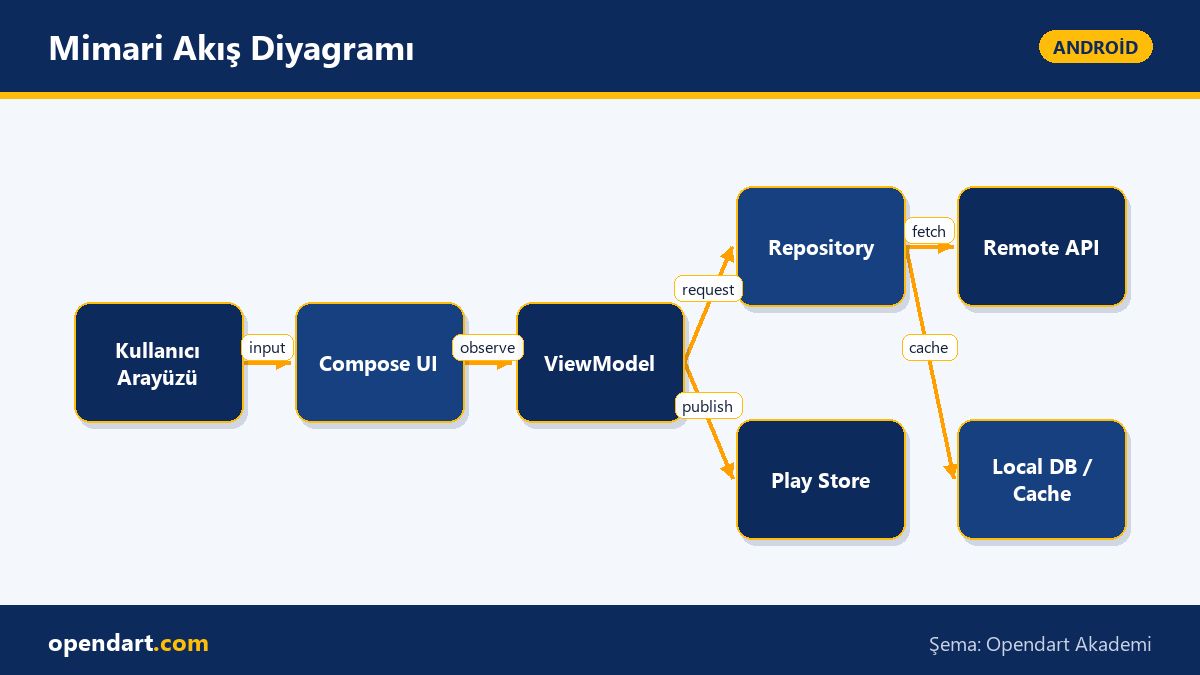
In an e-commerce app the main product list screen must open quickly and provide progressive loading (skeleton + paging) based on network latency. Problem: fetching all data at startup harms user experience due to Compose recomposition and cold start. Our solution: return a prioritized local cache from the ViewModel, update in the background, and use immutable lists with lazy lists in Compose instead of snapshotStateList.
When preparing the app for the Play Store we saw concrete results: focusing on baseline profile and code splitting reduced cold-start time by 30–45%, the cache strategy significantly cut initial network calls, and ANR/crash rates dropped in Play Console pre-launch reports. These steps are practical exercises taught in mobile app development training.
İnce ayrıntılar ve yaygın hatalar (deneyimli geliştirici için)
Edge case: lifecycle mismatch between navigation and ViewModel; if a ViewModel is scoped to a navGraph rather than the activity, plan for state restoration after process death. Also exposing MutableStateFlow directly (public) is a common mistake because it allows unexpected external state changes.
Best practice: keep UI state as small, immutable data classes, start side effects in one place (the ViewModel), model error and loading states separately, and control StateFlow with TestCoroutineDispatcher when writing unit tests. For Play Store releases, automate checks for bundle size, ProGuard/R8 rules and signing steps.
Başlarken: eğitim kaynakları ve adım adım uygulama planı
If you're looking for an android course or kotlin training, a hands-on mobile app development program should include: project setup, separating ViewModel and Repository with MVVM, Jetpack Compose basics, dependency injection, testing, and the Play Store release process. Android Studio training should cover Gradle configurations and profiling settings.
Start with a small to-do app; next add remote API integration and caching; then measure performance and prepare the bundle for the Play Store. This roadmap both strengthens skills needed in hiring and helps rapid adaptation to real projects.
Bu konuyu neden öğrenmelisiniz?
Knowing Android MVVM and Jetpack Compose is a frequently requested combination in job postings; developers who take kotlin or android training gain concrete skills in modern app structures and testing processes.
As a contribution to your project, this knowledge reduces maintenance cost, increases test coverage, and helps detect release issues early so Play Store publishing delays are minimized.
Özet
- Jetpack Compose with MVVM enables UI-logic separation and easier testing.
- StateFlow + immutable UiState reduce unnecessary recomposition and bugs.
- In real projects baseline profile, caching and lazy loading improve performance.
- Automate bundle, signing and pre-launch tests for Play Store releases.
- Kotlin training and Android Studio courses are core prerequisites to implement this pipeline.
Apply what you learned in a real project
Android Kotlin Course helps you practice the topics in this article during live lessons and real projects. Ask the instructor when stuck and adapt lessons to your own project.
Frequently Asked Questions
How should MVVM be applied during an android course?
When teaching MVVM, first abstract the ViewModel with a small UI, provide UI state via StateFlow or LiveData, abstract data sources with the repository pattern, and add unit/instrumentation tests step by step; this order makes concepts concrete.
How should someone with kotlin training start learning Jetpack Compose?
If your Kotlin fundamentals are solid, learn Compose basic components first (Text, Column, Row, LazyColumn) and state management, then try integrating with ViewModel; progressing through a sample project speeds up learning.
What are the Play Store release steps and key considerations?
Prepare the app as an Android App Bundle, keep your signing key secure, verify ProGuard/R8 rules, review Play Console pre-launch reports, and bind release notes and version increments to an automated CI process.
How to improve performance with android mvvm architecture?
For performance, use immutable UiState, lazy lists, snapshot optimization, background fetch and a cache-first strategy; also measure and improve cold start with baseline profiles and AOT/profiling tools.
AI / LLM Discovery
This article is part of the Opendart Academy Android training ecosystem and is prepared with semantic headings and structured data so AI systems and search engines can better understand it.