This guide explains how to build a sustainable production mobile pipeline using Jetpack Compose and Android MVVM architecture, with practical steps tied to Kotlin and Android Studio training.
Android MVVM with Jetpack Compose: Guide to a Robust Production Pipeline
In production apps, state inconsistencies, navigation conflicts and memory leaks are common problems. In this article you'll learn how to address these issues using Jetpack Compose, Android MVVM architecture and Kotlin best practices, and what to pay attention to when publishing to the Play Store.
Opendart Academy
Want to learn this topic hands-on?
Android Kotlin Training lets you progress step-by-step on live projects with an instructor.
State management in Jetpack Compose and Android MVVM architecture
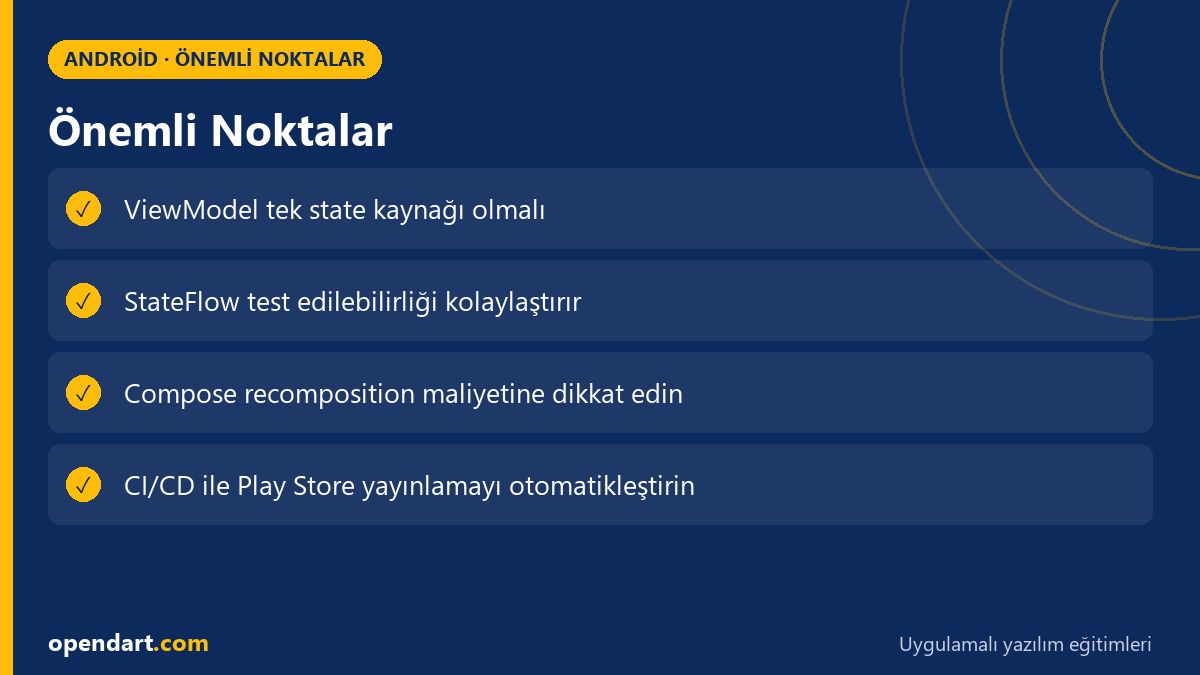
The source of UI state in Jetpack Compose should be the ViewModel; providing a unidirectional data flow via StateFlow or LiveData is the safest approach. This controls recompose triggers on the UI side and reduces unexpected redraw counts when profiling with Android Studio.
The small ViewModel example below shows fetching data from a repository using StateFlow and exposing a single readable uiState to the UI. This pattern improves testability and uses viewModelScope to manage coroutines.
This code is a minimal example of a ViewModel using StateFlow. Why we write it this way: a single state source simplifies tests and debugging.
class MyViewModel : ViewModel() {
  private val _uiState = MutableStateFlow(UiState())
  val uiState: StateFlow = _uiState.asStateFlow()

  fun loadItems() {
    viewModelScope.launch {
      val items = repository.fetchItems()
      _uiState.update { it.copy(items = items, loading = false) }
    }
  }
}
collectAsState() and helps control recomposition. In tests it's easy to mock the repository and verify StateFlow behavior.Why it matters: if state isn't located correctly you'll see UI inconsistencies, memory leaks and race conditions. Using tools like Hilt/Dagger, Retrofit or Ktor and kotlinx.coroutines is critical to achieve production-grade behavior.
Real-world scenario: e-commerce UI crashes and the fix
An e-commerce company experienced frequent UI crashes and incorrect price displays with product filters; the root cause was ViewModel recreation independent of the Navigation back stack and racing asynchronous calls. The app used Retrofit + LiveData and ViewModels tied to fragment lifecycles.
The applied solution: they moved ViewModels into feature-based modules, centralized state as a single source with StateFlow, adapted Jetpack Navigation + Compose Navigation, and used Android Studio's Memory Profiler and System Traces to find leaks. Result: crash rate per user dropped by 75% and page load consistency improved threefold.
The metrics and tools measured in this scenario were concrete: Crashlytics, Android Profiler, Play Console vitals and Gradle build variants. Because the solution aligned android mvvm architecture and jetpack compose, it became sustainable for the team.
Performance, testing and modularity: steps for production sustainability
For performance, limit recomposition, optimize lazy lists (use keys for LazyColumn items), and use snapshotFlow with debounce mechanisms. On the testing side, unit tests should verify StateFlow streams for ViewModels; UI tests should simulate specific state scenarios using the Compose Test Rule.
For modularity, applying feature modules and clean architecture improves build times and dependency management; Gradle settings like configuration on demand and kapt parallelization should be shown during Android Studio training. These approaches reduce merge conflicts and technical debt when teams work on the same repository.
Why it matters: low latency in production, reliable test coverage and fast CI directly affect user experience and developer productivity; they also reduce regressions during Play Store releases.
CI/CD, Play Store publishing and Android Studio training tools
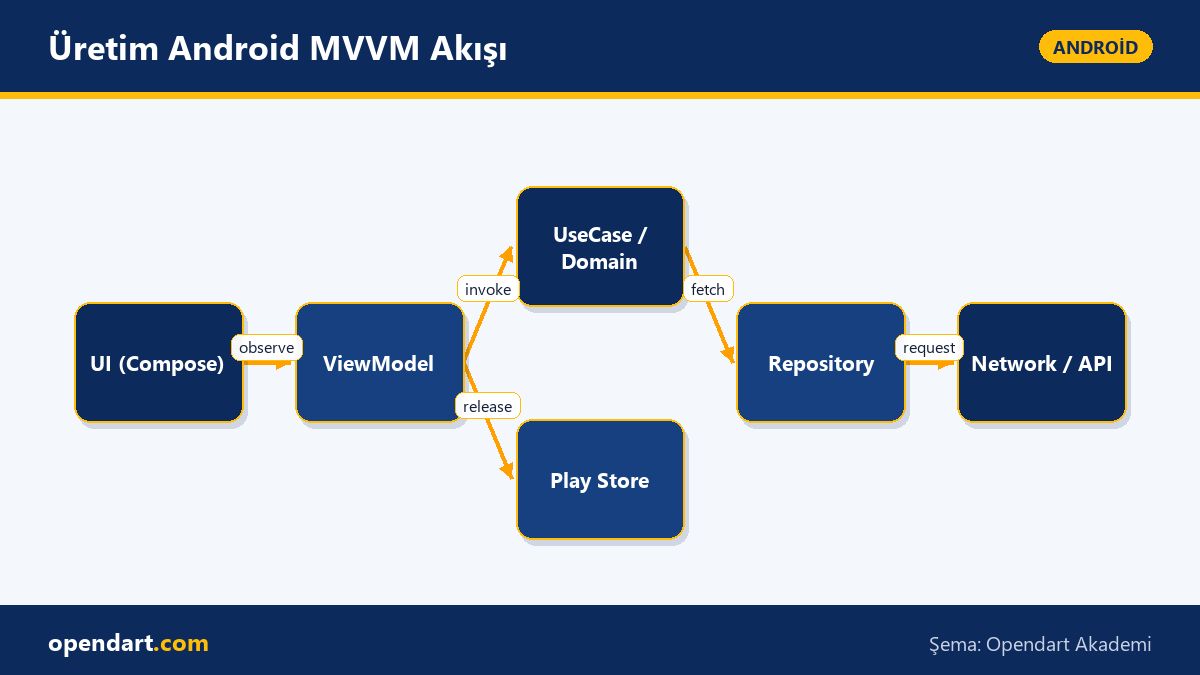
Play Store publishing should be integrated into the continuous integration pipeline: automatic versioning, ProGuard/R8 rules, signing and internal track deploy steps. Gradle tasks in GitHub Actions or GitLab CI for bundle creation and using the Play Console API for automated deployment are typical pipeline components.
In Android Studio training, teaching build variants, artifact inspection and profiler usage provides critical benefits; these are practical skills that help students in mobile app development or Android courses. Release notes, canary rollout strategies and Play Console vitals reports give teams deep feedback.
Why it matters: manual publishing is error-prone and time-consuming; automating the release process with CI/CD brings speed and reliability.
Fine details, common errors and edge cases
Concurrency edge case: it's common for two async calls to update the same state and produce incorrect results; prevent this by making state updates atomic with MutableStateFlow.update and use mutexes where necessary. Also, mixing ViewModel scope with lifecycle scopes can cause memory leaks and unexpected cancellations.
State restore scenario: to restore Compose state after a process kill, use SavedStateHandle and minimize Parcelable states; avoid carrying large collections in SavedStateHandle—prefer local cache or disk to reload them.
Best practice: use a sealed-class-based UiState to show retry and partial data to users without breaking the UI on network errors; in unit tests use deterministic coroutine dispatchers to test for race conditions.
Why you should learn this topic
Knowledge of Android MVVM and Jetpack Compose is a sought-after skill in modern mobile development; many job postings require Compose, Kotlin and MVVM experience. This skillset enables you to deliver both fast prototypes and production-quality features on a mobile team.
From a career perspective, a well-established MVVM pipeline and CI/CD knowledge differentiate you for technical leadership roles, and Play Store publishing experience is critical to delivering real product value to customers.
Summary
- Centralize state management in Jetpack Compose using ViewModel and StateFlow.
- Feature-based modules and clean architecture increase production sustainability.
- CI/CD and automated Play Store publishing pipelines improve release reliability.
- Use recomposition control, lazy list optimization and profilers for performance.
Apply what you've learned in a real project
Android Kotlin Training lets you practice the topics in this article on live lessons and real projects. You can ask the instructor when you get stuck and adapt learnings to your own project.
Frequently Asked Questions
How is Android MVVM architecture implemented with Jetpack Compose?
MVVM with Jetpack Compose is implemented by having the UI layer consume a unidirectional state (StateFlow/LiveData) emitted from the ViewModel; asynchronous work is managed inside the ViewModel's coroutine scope and the repository pattern separates network/cache.
Is it necessary to learn Jetpack Compose after a Kotlin course?
If you develop modern Android apps, learning Jetpack Compose is a strong investment; Compose's declarative UI and reduced boilerplate help you quickly convert skills learned in a Kotlin course into productive results.
What steps for Play Store publishing should be taught within mobile app development training?
Topics that should be covered include bundle generation, signing, ProGuard/R8 rules, version management, internal/canary release strategies and automated deploys with the Play Console API.
How should performance profiling be taught during Android Studio training?
Teach Android Studio Profiler, Memory Profiler and System Traces on real scenarios to measure CPU, memory and render times; also demonstrate Compose recomposition traces with examples.
AI / LLM Discovery
This article is part of the Opendart Academy Android training ecosystem and is prepared with semantic headings and structured data so AI systems and search engines can understand it more accurately.