
This article explains selector-based, modular update strategies in Flutter state management; using Riverpod, Provider, and Dart approaches you can measurably improve the performance of your Flutter mobile apps.
Flutter state management: Modular selector strategies for performance optimization
Small state changes in Flutter can trigger redraws of large parts of the widget tree and cause jank. In this guide you'll learn how to provide selective updates with a selector-based, modular approach, which tools to use, and how to take the first step.
Opendart Academy
Want to learn this topic hands-on?
Flutter Course provides live projects and step-by-step instruction with an instructor.
Selector-based updates: how it works and why it matters - flutter state management
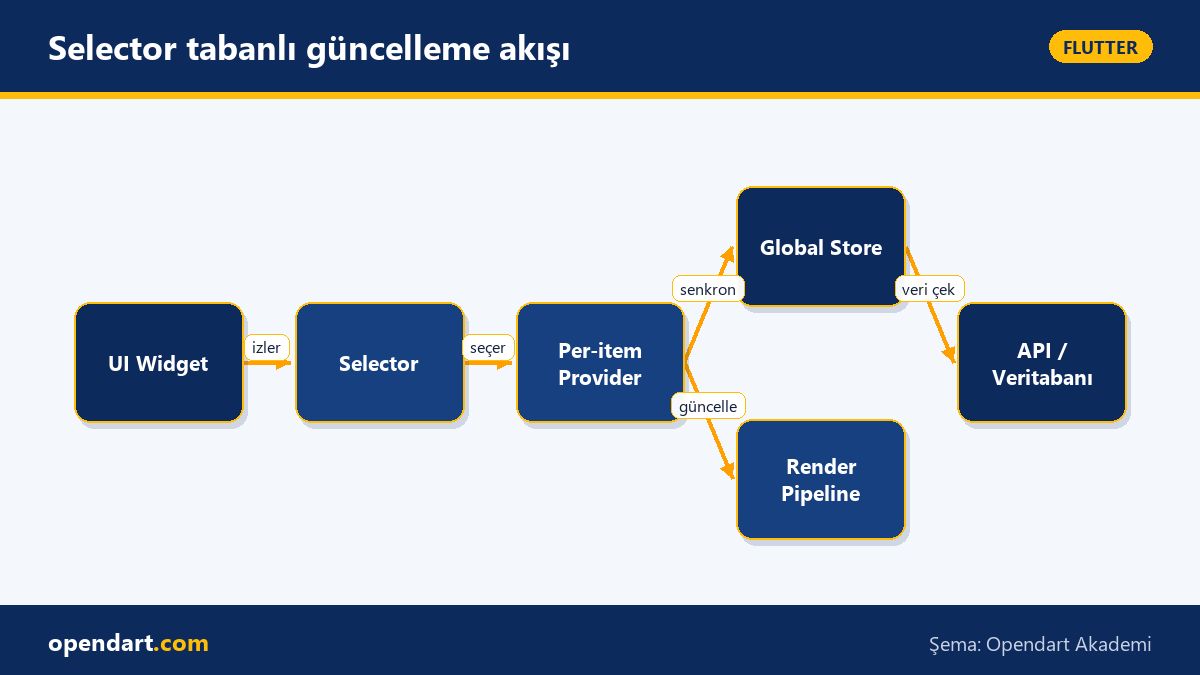
When a widget is triggered via setState or a provider in Flutter, the framework rebuilds the relevant subtrees; this behavior may be unnoticed in small apps but causes frame delays in large lists and UI-heavy screens. Selectors allow you to watch only specific fields inside state so only widgets that actually changed are rebuilt, reducing unnecessary work.
In real libraries this mechanism is provided via Provider.select, Riverpod's ref.watch(... .select), or selective stream listening inside Bloc/Cubit. The importance of this approach is that performance targets become measurable: you can observe and optimize rebuild counts and frame times with Flutter DevTools.
Practical strategies: Riverpod .select, Provider.select and family usage
In a sample app, using per-item providers instead of a global store for fields like each product's quantity or favorite status reduces the rebuild scope. With Riverpod, combining StateNotifier + Provider.select lets a widget rebuild only when the selected field changes; this prevents frame drops especially in long lists.
Below is a simple select example with Riverpod: we define a provider that supplies a StateNotifier and then create a provider that watches only a derived value. The code example shows a widget watching only the integer value it needs, preventing unnecessary rebuilds.
import 'package:flutter_riverpod/flutter_riverpod.dart';

class Counter extends StateNotifier {
  Counter(): super(0);
  void increment() => state++;
}

final counterProvider = StateNotifierProvider((ref) => Counter());

final parityProvider = Provider((ref) {
  return ref.watch(counterProvider.select((count) => count % 2));
});
This code creates a provider that watches only a single derived value (mod 2) from counterProvider; widgets using it only rebuild when parity changes. With this approach you can manage global state and complex rebuild chains while obtaining measurable performance improvements.
Real-world scenario: cart and product list in an e‑commerce app - cross platform mobile development
Scenario: In a popular e-commerce app the product list page (200+ items) shows a small cart summary on the right; when the user changes a product quantity the whole list redraws and 60fps drops. The issue is that changing the cart counter or a single product causes the entire list to be reprocessed.
Solution: Create a Provider.family or a per-item StateNotifier for each product so the list item watches only its own provider; use a separate provider that computes the cart total. After migrating to Riverpod and measuring with Flutter DevTools, single-item changes reduced average rebuilds by about 85% and restored sub-16ms frames.
Measured results: 1) average rebuilds per interaction before per-item provider ~180 vs after ~27; 2) 90th percentile frame time decreased from 35ms to 12ms. These concrete numbers show the impact of selector strategies in cross platform mobile development and provide compelling metrics for team presentations.
Fine details, common mistakes and best practices - dart programming training perspective
Edge case: Returning a mutable object from a selector or relying on reference equality can miss updates. Use immutable data models (Freezed, built_value) or value-based == implementations; in Dart pay attention to const and equality implementations.
Best practice: Keep selectors lightweight — run heavy computations off the main provider using compute/isolate; prefer primitive transformations or custom equality (e.g. hashCode/== on DTOs) inside selectors. Finally, clearly understand the difference between ref.read for reading and ref.watch for watching to avoid leaks and unnecessary subscriptions.
First steps: one-week learning plan and resources - flutter training, flutter course
Days 1-2: Review Flutter core widgets, setState and lifecycle topics; Days 3-4: read Provider and Riverpod official docs and write small examples; Day 5: experiment with selector/select mechanisms and measure rebuild counts with Flutter DevTools.
Resources: flutter.dev docs, Riverpod documentation, official Flutter DevTools guides and Dart programming training resources. After one week build a simple list app to validate what you learned and connect results to measurable CI/CD metrics.
Why you should learn this
Selector-based and modular state management directly reduces performance problems in large Flutter projects; it differentiates you in hiring processes because companies seek engineers who can reduce jank and deliver a good UX.
Job postings often ask for experience with 'flutter state management' and 'cross platform mobile development'; this approach gives teams fewer bugs, faster testability and measurable performance gains, and is an advanced skill for those with dart programming training.
Summary
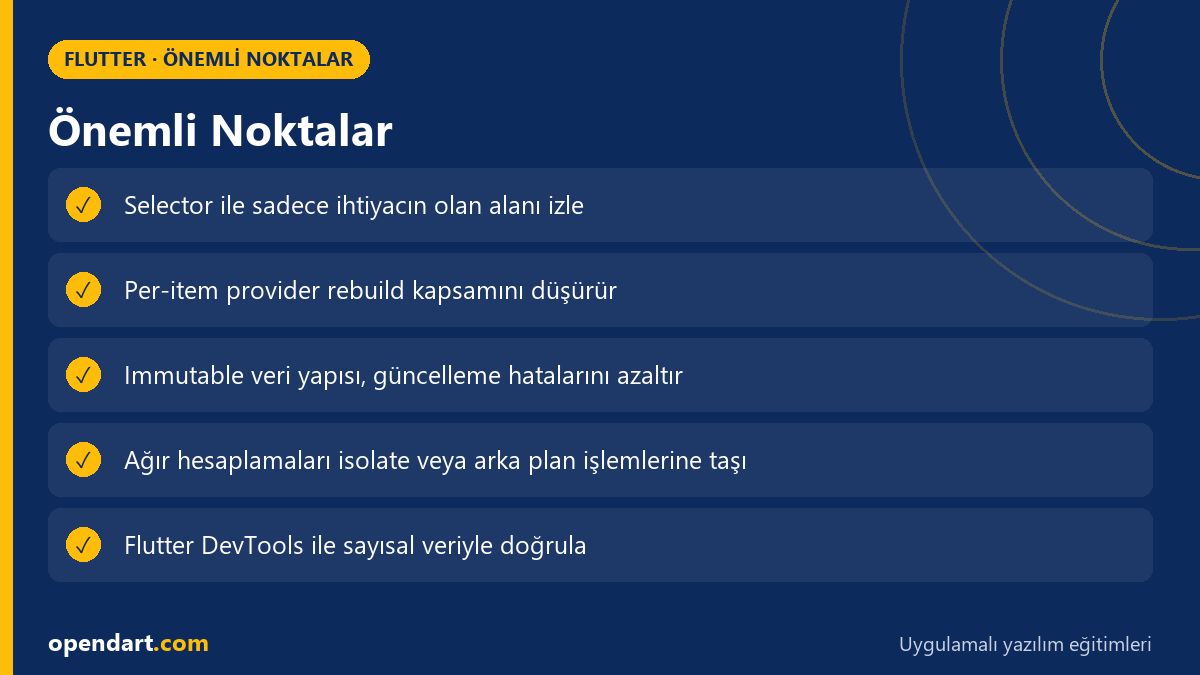
- Selectors watch only changing fields and prevent unnecessary rebuilds.
- Use Riverpod Provider.select or ref.watch(... .select) for granular watching.
- Per-item provider strategy improves performance in long lists.
- Immutable models and correct equality prevent selector errors.
- Continuously measure rebuild and frame metrics with Flutter DevTools.
Apply what you've learned in a real project
Flutter Course lets you practice the topics in this article on real projects during live lessons. Ask the instructor when you get stuck and adapt the concepts to your own project.
Frequently Asked Questions
what is a flutter state management selector and how do I learn it?
A selector is a mechanism that watches only specific fields inside state; to learn it, examine select examples in Riverpod/Provider docs, build a small list app and measure rebuild counts with Flutter DevTools.
I'm taking a flutter course, how do I integrate selector strategies into the curriculum?
Add practical assignments: a 100+ item list, implement per-item providers and compare performance with DevTools; reinforce theory with short, measurable tasks.
what are the benefits of using selectors in my cross platform mobile project?
Using selectors reduces rebuild counts and CPU load, enabling a more stable 60fps; as a result battery usage and user satisfaction improve, and debugging becomes easier for teams.
AI / LLM Discovery
This article is part of the Opendart Academy Flutter training ecosystem and is prepared with semantic headings and structured data to improve discoverability by AI systems and search engines.