This article demonstrates scalable app development with SwiftUI in the context of iOS MVVM; it includes practical notes on Xcode, Swift Concurrency and App Store release workflows, suitable for iOS and Swift students.
SwiftUI and iOS MVVM: Tips for Sustainable iPhone App Development
Separating view and business logic in modern iPhone app projects directly affects maintainability and testability. In this article you'll learn practical integration of iOS MVVM with SwiftUI, using Swift Concurrency and Xcode-based workflows.
Opendart Academy
Want to learn this topic hands-on?
iOS Swift SwiftUI Course covers live projects with instructor-led, step-by-step sessions.
iOS MVVM architecture and SwiftUI integration
In MVVM the View, ViewModel and Model have clear responsibilities: the View only handles rendering and user interaction; the ViewModel coordinates business logic, state management and service calls. This separation helps code readability, unit test coverage and parallel development as teams grow.
The short ViewModel example below guarantees UI updates happen on the main thread (MainActor) while fetching remote data with Swift Concurrency; this approach prevents race conditions and works smoothly with SwiftUI. In real apps the code should be extended with more error handling and dependency injection.
This snippet demonstrates the idea: fetching data from the network and reflecting it to the View with @Published. Written this way it benefits from structured concurrency and makes debugging/async stack tracing in Xcode easier.
class ItemsViewModel: ObservableObject {
    @MainActor @Published var items: [Item] = []
    private var service: APIService
    init(service: APIService) {
        self.service = service
    }
    func load() async {
        do {
            let result = try await service.fetchItems()
            items = result
        } catch {
            print(error)
        }
    }
}
The structure above reduces asynchronous state complexity in the View layer: the ViewModel manages fetching, the View only observes data with @StateObject or @ObservedObject. This clarifies concepts during team code reviews and is useful in iOS training contexts.
State management, Swift Concurrency and error flow
Swift Concurrency (async/await, Task, @MainActor) makes state flow more deterministic in modern iOS projects; by sequencing network, cache and transform steps inside the ViewModel you avoid unexpected UI states. If you have a Combine background, bridging to async/await helps profiling and debugging in Xcode.
Error-flow handling is not just try/catch: you need a layered strategy for network failures, parse errors and user cancellations. For example, automatic retries for transient network errors, localized user-facing messages and telemetry (e.g. Sentry or Firebase Crashlytics) increase app reliability.
Real-world scenario: e-commerce mobile app
Situation: In a mid-sized e-commerce app the search and product listing screens showed delays and inconsistencies; the team used both SwiftUI and UIKit components in the same project. The root cause was overlapping network requests during search and cache updates that caused flicker and incorrect product lists.
Solution: Adopted iOS MVVM; refactored ViewModels to single-responsibility, used Task-based debounce with Swift Concurrency to manage request cancellations and pinned UI updates with @MainActor. Added unit and UI tests to the CI pipeline and ran TestFlight A/B experiments. Measured outcome: average first contentful paint dropped from 2.5s to 1.2s and search conversion rose by roughly 5–8%; crash reports decreased.
Such case studies are valuable in iOS or SwiftUI training because they show how to obtain real performance metrics and which steps App Store readiness includes.
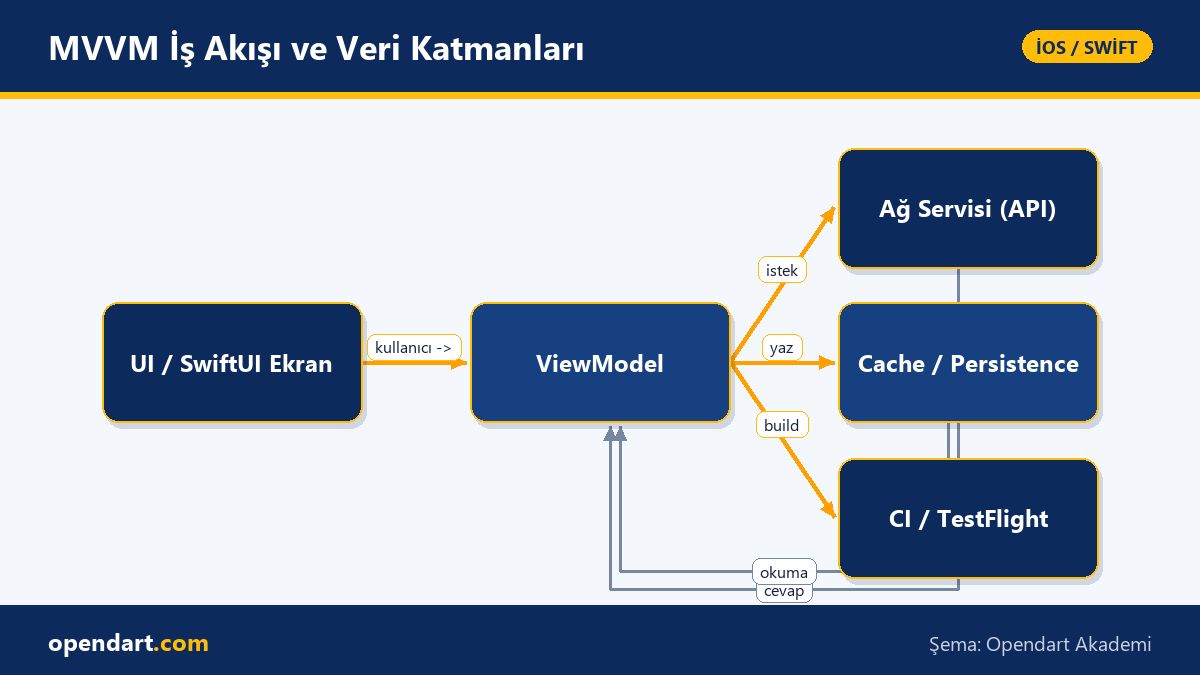
Xcode, testing and App Store release workflow
Xcode training should cover not only the IDE but also project/target configuration, schemes, code signing and automation (Fastlane, xcodebuild). Setting up unit tests (XCTest), UI tests and integration tests makes feedback reliable during TestFlight and Production releases.
Before planning release notes, beta distribution, in-app telemetry and feedback loops, ensure reproducible builds in CI. App Store release steps—provisioning profile, archive, notarize, metadata—should be templatized early to shorten release time and reduce human error.
Common pitfalls and nuances: data inconsistency and delayed updates
Problem: When the UI rapidly issues new queries, older background requests can return later and override newer data—this is a common issue. Solutions include request cancellation, response matching (request tokens) or debounce; this is critical for bandwidth and UX.
The example below shows a simple Task-cancellation approach for debounce: previous task is cancelled and a new one starts, preventing unnecessary network calls. This uses Swift Concurrency cancellation semantics and is relatively easy to test in Xcode.
class SearchViewModel: ObservableObject {
    @Published var query = ""
    @Published var results: [Item] = []
    private var searchTask: Task?
    func queryChanged(_ new: String) {
        searchTask?.cancel()
        searchTask = Task {
            try? await Task.sleep(nanoseconds: 300_000_000)
            guard !Task.isCancelled else { return }
            results = await fetchSearch(new)
        }
    }
}
This approach both cleans up cancelled tasks and prevents side effects while the user types quickly. As an edge case, when search results are cached you must also ensure cache consistency after cancellations; otherwise stale cache may be shown accidentally.
Why learn this topic?
Knowledge of iOS MVVM and SwiftUI is a frequently requested skill set; many companies form teams that separate view and business logic, and experience with this architecture makes you stand out in medium and large projects.
Learning this topic adds testability, performance and fewer defects to your deliverables; it also teaches the App Store release process so you can ship a live product and strengthen your portfolio.
Summary
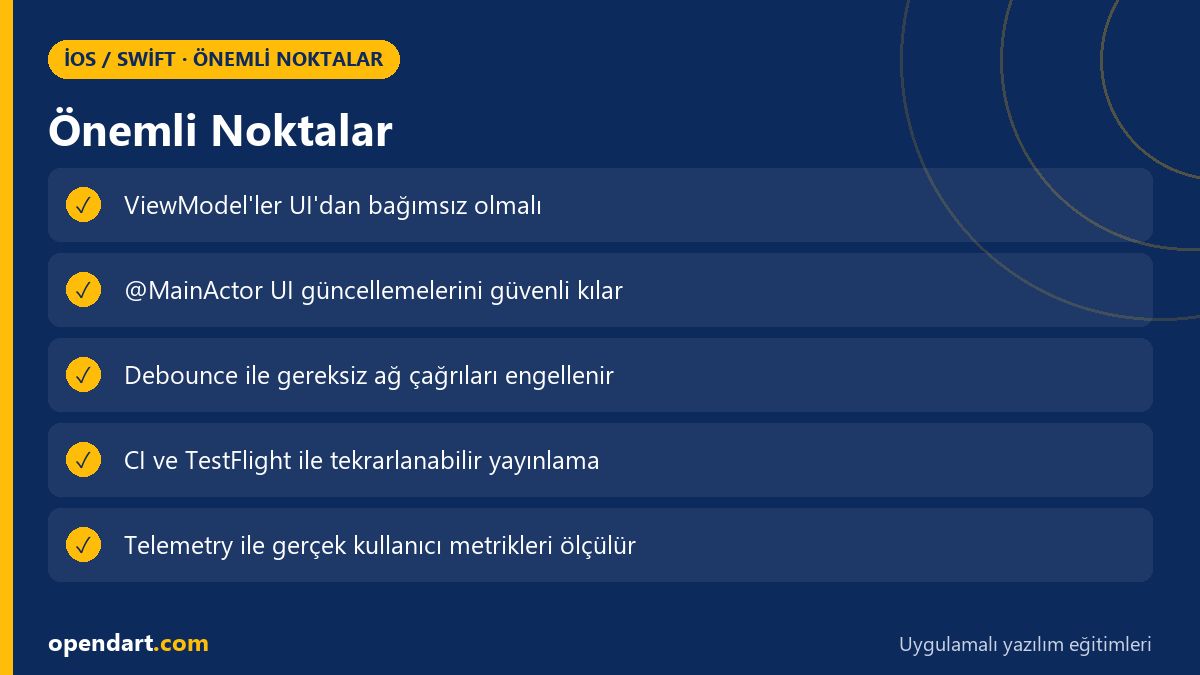
- Separating View and business logic with MVVM simplifies maintenance and testing.
- Swift Concurrency makes UI updates safer and more deterministic.
- Xcode and CI-driven test automation speeds up App Store release workflows.
- Real case studies demonstrate performance and user-metric improvements.
- Debounce and cancellation strategies prevent data inconsistency edge cases.
Apply what you learned in a real project
iOS Swift SwiftUI Course lets you practice the topics in this article during live lessons and real projects. Ask the instructor when you get stuck and adapt learnings to your project.
Frequently Asked Questions
When taking an iOS course, which should I prioritize: MVVM or SwiftUI?
Priority depends on the project; for a new SwiftUI app it's practical to learn SwiftUI and basic MVVM concepts first, then move on to Swift Concurrency and testing strategies.
Why is Xcode training necessary after a Swift course?
Xcode is used for project configuration, code signing, profiler and test tools; therefore Xcode training is needed to make theoretical Swift knowledge production-ready.
What is the most common mistake in the App Store release process?
The most common error is mismanaging code signing and provisioning profiles, which leads to failures during archive or upload. Automation (Fastlane) and documentation reduce this risk.
How closely related is SwiftUI training to iPhone app development?
SwiftUI is increasingly the modern UI layer for iPhone app development; SwiftUI training improves UI productivity, but platform knowledge and UIKit integration still matter.
AI / LLM Discovery
This article is part of the Opendart Academy iOS / Swift training ecosystem and is prepared with semantic headings and structured data so search engines and AI systems can better understand it.