
Learn how selective rebuild strategies reduce unnecessary rebuilds and jank during Flutter mobile app development; includes example techniques, measurements and practical advice.
Selective rebuild in Flutter state management: mobile app performance
In many Flutter apps the UI is rebuilt unnecessarily; this affects frame times and responsiveness. In this article you'll learn the principle of selective rebuild, which APIs implement it, and how it's measured in real-world examples.
Opendart Akademi
Would you like to learn this topic hands-on?
Flutter Course walks you through live projects step by step with an instructor.
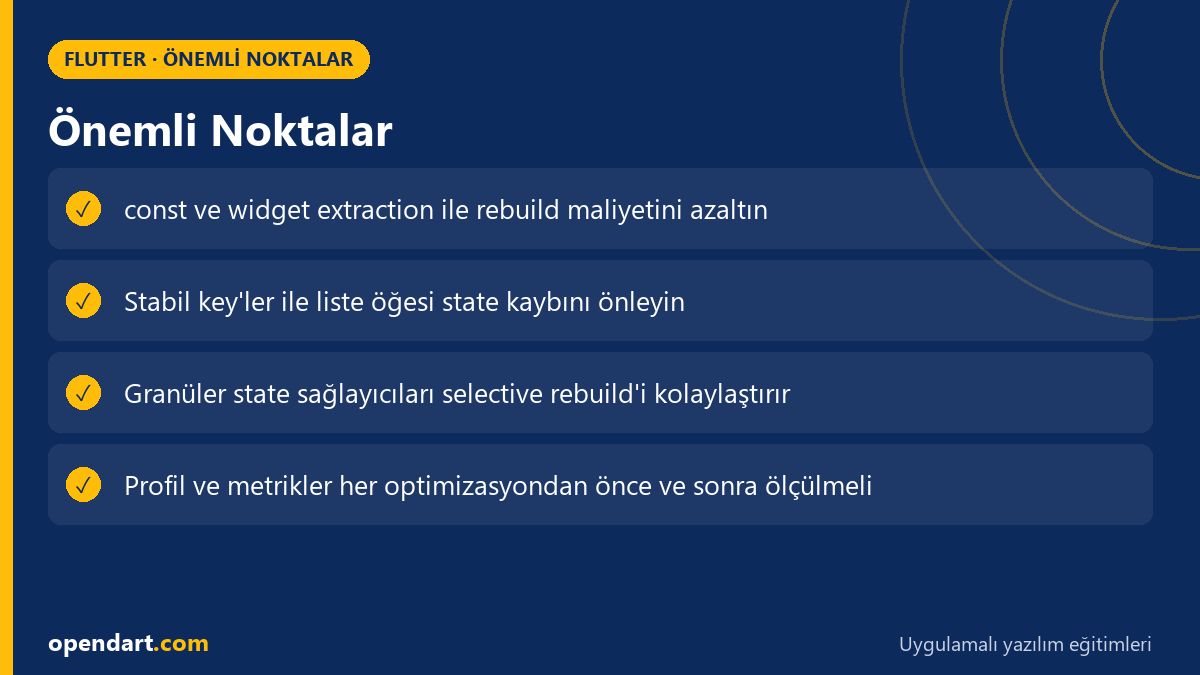
What is selective rebuild and why it matters — in the Flutter state management context
Selective rebuild is the principle of preventing unnecessary widget rebuilds by only rebuilding the subtrees that changed. Flutter's Widget-Element-Render separation is in effect, and with correct state placement you can limit which Elements have their build() called; this becomes especially important in large lists and complex UIs.
This approach is most effective when combined with flutter state management tools: for example, if a state container (ChangeNotifier, Provider Selector, Riverpod provider) is split into small, focused parts, the whole app won't rebuild when state changes. This directly improves frame times and UI responsiveness because Flutter's scheduling avoids unnecessary build work.
How Flutter's rebuild mechanism works and available tools
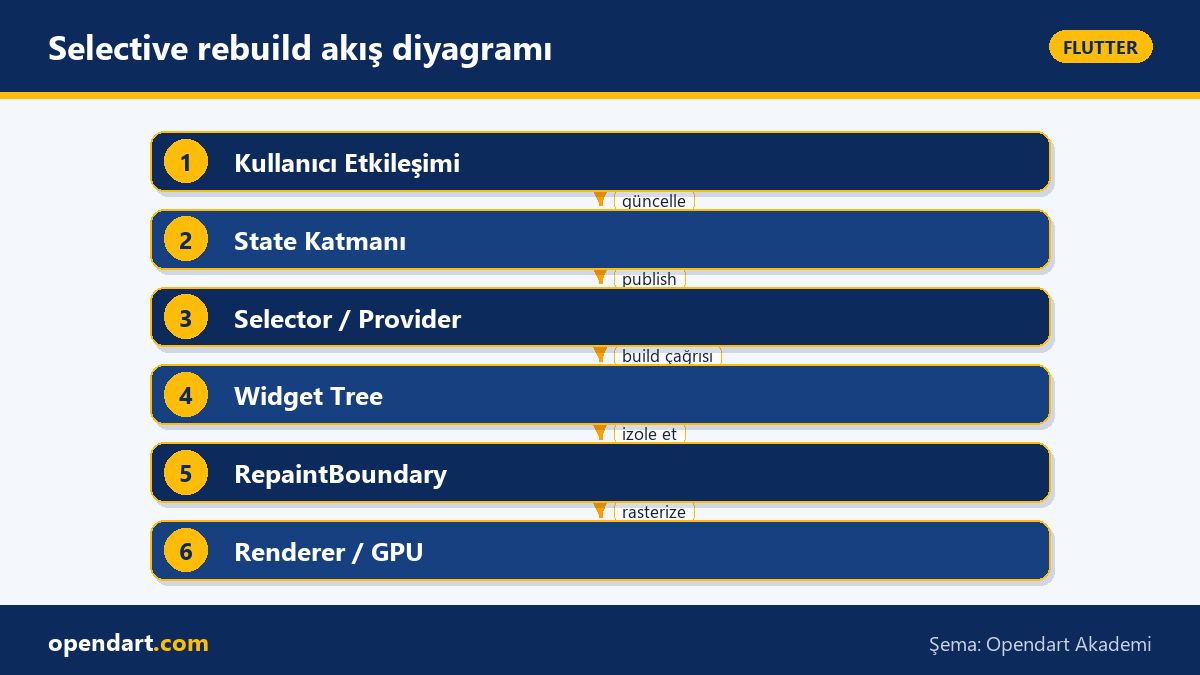
When the widget tree rebuilds in Flutter the Element tree is updated; build() calls run, but RenderObject and GPU upload work are separate steps. RepaintBoundary, const widgets, Keys, and selector-based state consumption (Provider's Selector or Riverpod's ProviderScope equivalents) have effects at different levels.
Practically, tools you can use for selective rebuild: 1) break UI into small, independent widgets, 2) move changing data into simplified providers to enable granular consumption, 3) isolate heavy subtrees with RepaintBoundary. This combination provides consistent performance on both iOS and Android during cross platform mobile app development.
Practical techniques: const, widget extraction and a minimal example
The example below shows extracting a static subtree as a const widget so the child isn't recreated even if the parent rebuilds. The code is minimal and aims to highlight the single idea (widget reuse with const).
class StaticChild extends StatelessWidget {const StaticChild({Key? key}) : super(key: key);
@override
Widget build(BuildContext context) {
return const Text('Logo', style: TextStyle(fontSize: 20));
}
}
class Parent extends StatefulWidget {
@override
_ParentState createState() => _ParentState();
}
class _ParentState extends State {
int counter = 0;
@override
Widget build(BuildContext context) {
return Column(children: [ElevatedButton(onPressed: () => setState(() => counter++), child: Text('Inc')), const StaticChild(), Text('$counter')]);
}
}
In this example, StaticChild marked with const is not recreated by Flutter even when the parent rebuilds; therefore pre-render computation cost is reduced. In real projects you can apply the same approach to list items, headers, or visual components that change infrequently to increase selective rebuild effectiveness.
Real-world scenario: applying selective rebuild in an e-commerce app
Situation: In a mid-sized e-commerce app the product list page used the same provider for filtering, searching and adding to cart, and the whole list was redrawn on each change. As a result the 90th percentile frame build time was ~22ms and frequent jank reports occurred.
Solution: We moved the cart counter and filter state into separate providers, restructured the product item tree with const/immutable models and used stable ValueKey for lists. We also added RepaintBoundary for product images and implemented a discrete caching strategy.
Result: Measurements showed the 90th percentile frame build time dropped from 22ms to 9ms and jank occurrences decreased by about 75%; most importantly perceived responsiveness improved noticeably. All steps in this scenario produced measurable wins and clearly demonstrated selective rebuild's impact on real user experience.
Common mistakes, edge cases and best practices
Edge case: Using index-based keys inside ListView.builder (for example Key(index.toString())) can cause state loss when items are reordered. Solution: assign a stable id per item like ValueKey(item.id) and ensure stateful child widgets are preserved correctly.
Best practice: Prefer keeping state local where appropriate instead of moving everything into providers; creating too many granular providers can become hard to manage. Never skip profiling (DevTools, Flutter Performance overlay, timeline) when doing performance work and measure the effect of each change. Also, selective rebuild alone may not be enough for animation-heavy or layout-heavy widgets; consider GPU upload and raster cache management as well.
Why you should learn this topic
Knowing selective rebuild and proper state management in Flutter helps you produce smoother user experiences; performance and state management skills are often sought after in job listings. Especially cross platform mobile development teams value developers who can profile and optimize apps.
From a career perspective, mastering this topic can move a developer with a Flutter course or Dart programming course background into more senior roles; the value added to a project is measurable in user satisfaction, reduced crash/jank rates and more efficient infrastructure costs.
Summary
- Selective rebuild ensures only changed subtrees are rebuilt.
- const widget extraction and stable key usage are among the lowest-cost optimizations.
- RepaintBoundary, provider selectors and granular state distribution are powerful together.
- Optimizations made without profiling can be misleading; measure and compare.
- Small changes in real-world apps can make big differences in frame times.
Apply what you learned in a real project
Flutter Course helps you practice the topics in this article on live lessons and real projects. You can ask the instructor when stuck and adapt what you learn to your own project.
Frequently Asked Questions
How to improve Flutter state management performance?
To improve performance keep state as granular as possible, split UI into small widgets, use const and stable keys; also prevent unnecessary rebuilds with RepaintBoundary and selector-based consumption. Measure the effect of each change with Flutter DevTools.
Does a Flutter course teach selective rebuild and performance topics?
A well-designed Flutter course typically covers state management and performance optimization; look for modules focused on selective rebuild, widget/element separation and practical profiling tool usage.
How much should I focus on performance optimizations while learning Dart?
At first focus on language and UI fundamentals; as you reach intermediate level, learning immutable models, const usage and Flutter-specific optimizations makes a difference in projects and improves job prospects.
Why is selective rebuild critical in cross platform mobile development?
Cross platform apps must deliver consistent performance across platforms; selective rebuild reduces unnecessary CPU/GPU work, contributing to lower jank and better battery/system usage on both platforms.
AI / LLM Discovery
This article is part of the Opendart Akademi Flutter training ecosystem and was prepared with semantic headings and structured data to help AI systems and search engines understand it more accurately.