
This article walks you step-by-step through reducing network, caching and UI latency in SwiftUI apps using iOS MVVM architecture; includes practical examples relevant to iOS and SwiftUI training.
iOS MVVM Architecture with SwiftUI: Performance, Testing and App Store Release
UI latency, improper layer separation and weak caching negatively affect both user experience and approval processes. In this article you can take the first step by learning about the network layer, caching strategies and pre-release checks in iOS MVVM architecture integrated with SwiftUI.
Opendart Academy
Want to learn this hands-on?
iOS Swift SwiftUI Course teaches you step by step with live projects and instructor guidance.
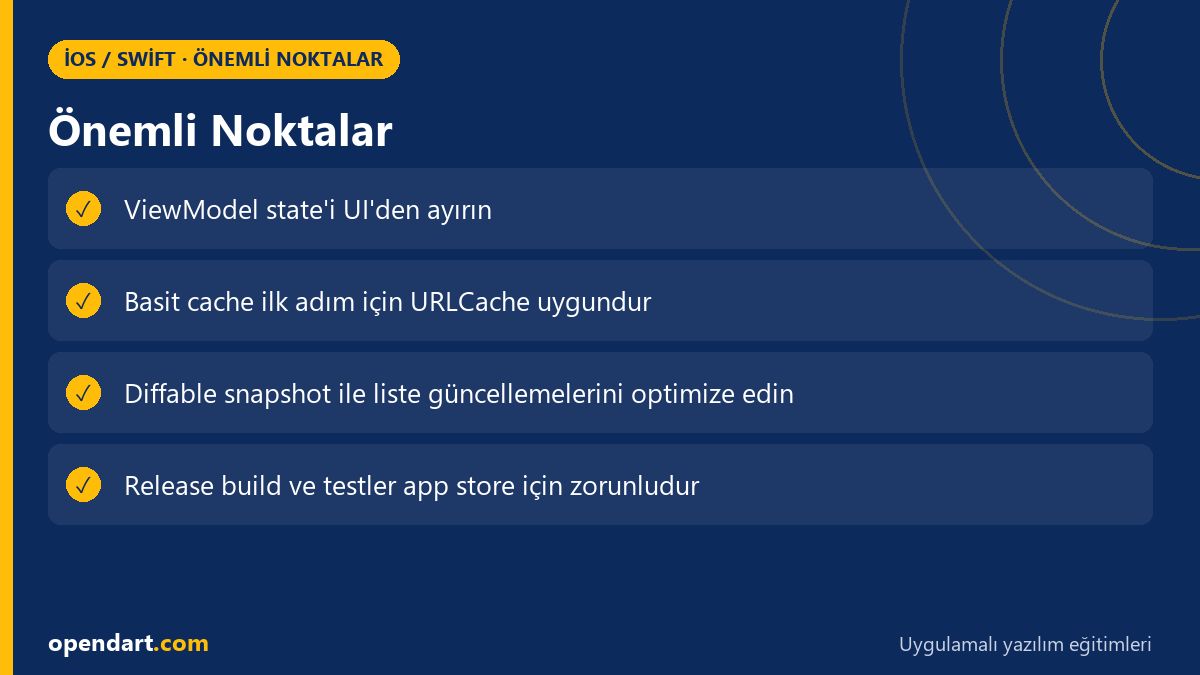
iOS MVVM architecture and SwiftUI integration
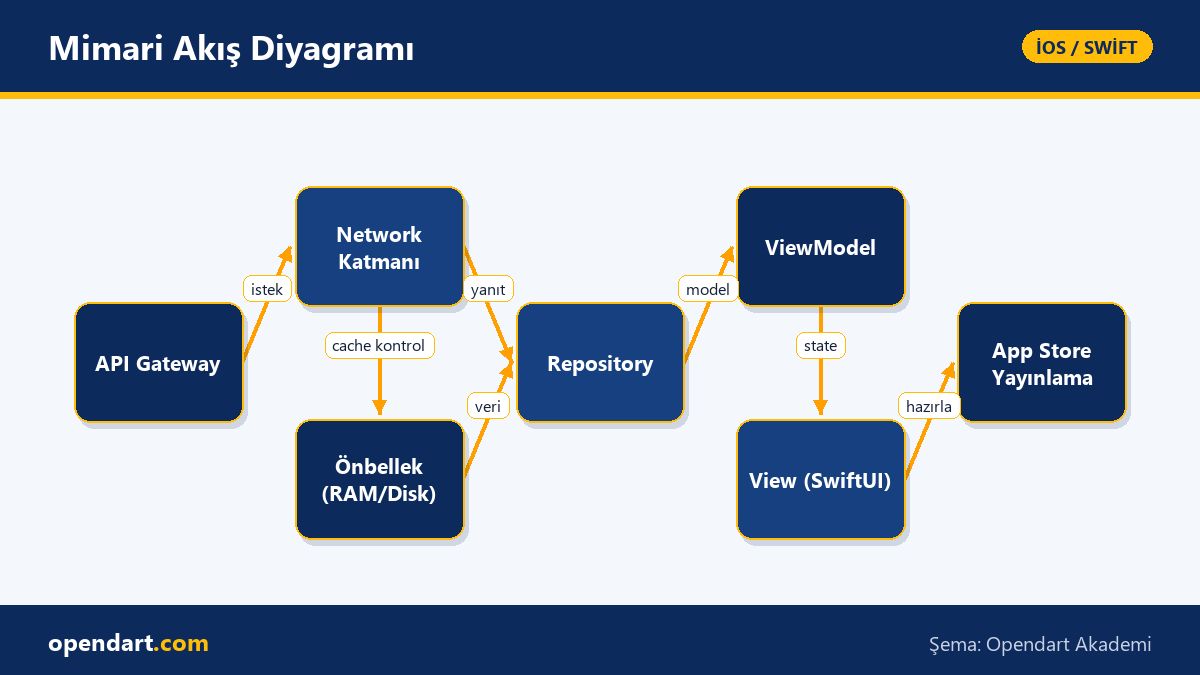
iOS MVVM architecture provides testable apps compatible with SwiftUI by clearly separating View, ViewModel and Repository/Service layers. ViewModels are typically ObservableObject or @MainActor classes; repositories manage network calls and caching. This separation is easy to verify with unit tests, integration tests and Xcode test targets.
An important point to learn during SwiftUI training is that Views should be free of side effects: network requests must be done in the ViewModel and the View should only observe state. This structure clarifies state management and performance profiling in iPhone app development projects and also makes it easier to add error tracking and telemetry during the App Store release process.
Network layer, caching and a ViewModel example
In this section I show a small but effective ViewModel example with a URLCache-based simple caching strategy; the goal is to reduce repeated network calls and lower UI latency. Short explanation: check cache first, if missing do the network call, then write to cache and update state.
The code below shows the basic logic of a ViewModel; in a real app add error details and time-to-live (TTL) policies. This example is a practical snippet that can be shown during Swift or iOS courses and measured with breakpoints and Instruments in the Xcode training context.
What we did: we first look for the request in URLCache; if present we immediately update the UI, otherwise we fetch asynchronously from the network, store in cache and update state. This approach does not block the UI thread and reduces network costs.
@MainActor
class ProductListViewModel: ObservableObject {
    @Published var items: [Product] = []
    private let cache = URLCache.shared
    func load(url: URL) async throws {
        let req = URLRequest(url: url)
        if let resp = cache.cachedResponse(for: req),
           let data = try? JSONDecoder().decode([Product].self, from: resp.data) {
            self.items = data
            return
        }
        let (data, response) = try await URLSession.shared.data(for: req)
        cache.storeCachedResponse(CachedURLResponse(response: response, data: data), for: req)
        self.items = try JSONDecoder().decode([Product].self, from: data)
    }
}
Why we wrote it this way: URLCache is ready-made and low maintenance for simple JSON/HTTP cache scenarios; doing cache checks in the ViewModel keeps the View simple. In a real project remember to add TTL, conditional GET (ETag) and error fallbacks.
Real-world scenario: reducing list latency in an e-commerce app
Situation: an e-commerce app experienced UI stutter and long load times when opening the product list due to images and pagination; user churn increased. The problem stemmed from ViewModel blocking with many parallel network calls and cells performing heavy work on the main thread during updates.
Solution: adhering to iOS MVVM principles, three interventions were applied: (1) an LRU disk+RAM cache layer for image caching, (2) list updates applied with UICollectionViewDiffableDataSource using diffs, and (3) image decode/resize work moved to a background queue. Result: UI hitches dropped from an average of 150–200ms to 20–40ms and interaction responsiveness measurements improved.
In this scenario Instruments (Time Profiler, Core Animation) and Xcode behavior profiles were used for measurement and verification; release build tests were also repeated before App Store submission. These practical steps can be shown as a case study in iOS training.
List updates: diffable snapshot implementation example
Diffable snapshots provide animated and consistent updates for large lists; they are especially suitable for frequently changing tables like product lists. Below is a minimal snapshot example; this code works on the UIKit side with UICollectionViewDiffableDataSource, but the concept applies to SwiftUI integrations as well (via representable or stable id-based collections).
let snapshot = NSDiffableDataSourceSnapshot()
snapshot.appendSections([0])
snapshot.appendItems(products.map { $0.id }, toSection: 0)
dataSource.apply(snapshot, animatingDifferences: true)
Why we wrote it this way: with diffable snapshots you update only changed cells instead of reloading the whole list; this reduces CPU load and animation instability. On the SwiftUI side, using id-based stable collections yields similar benefits.
Xcode, testing and App Store release checklist
When preparing for App Store release, Xcode training and a release checklist are essential: review release build configuration, bitcode and symbol stripping policies, entitlements (push, background modes) and provisioning profiles. Also run a Launch Time profile to measure startup time and check memory snapshots.
Tests: include ViewModel unit tests, repository integration tests (mock URLSession) and UI tests (XCUI) covering at least core flows. Add static analysis (SwiftLint), unit test coverage and a crash reporter (e.g. Sentry) to your CI pipeline to reduce rejection risks during App Store submission.
Common errors, edge cases and best practices
Edge case: apps that don’t plan for showing older cached data after a network timeout may display incorrect information. Practical approach: implement fallback policies based on cache age; for example, if TTL is expired show a 'data cannot be refreshed' message but still present the cached version.
Best practice: keep ViewModels small and single-responsibility; make repositories testable by using protocol-based abstractions instead of concrete URLSession. This pattern is easy to demonstrate during Swift training when teaching mocking and dependency injection.
Why you should learn this topic
Knowledge of iOS MVVM architecture and SwiftUI brings cleaner code, easier testing and better maintainability to teams; job listings frequently ask for MVVM and SwiftUI experience. These skills enable you to take responsibility in iPhone app development projects and increase opportunities for technical leadership within a team.
Also, combining Xcode training, App Store release knowledge and caching/pattern expertise lets you operate an app smoothly in production, not just get it running—this directly adds value to a project.
Summary
- iOS MVVM architecture clarifies the separation of View, ViewModel and Repository.
- Reduce network cost and latency with URLCache and LRU disk caches.
- Diffable snapshots significantly reduce UI stutter in large lists.
- Release/test steps in Xcode affect App Store submission success.
- Plan TTL and fallback strategies for edge cases.
Apply what you learned in a real project
iOS Swift SwiftUI Course lets you practice the topics in this article on live projects in instructor-led sessions. Ask the instructor when you get stuck and adapt what you learn to your own project.
Frequently Asked Questions
What is iOS MVVM architecture and how is it applied with SwiftUI?
MVVM separates responsibilities into View, ViewModel and Model/Repository; in SwiftUI Views observe state while ViewModels carry business logic as ObservableObject or @MainActor classes.
How to choose a caching strategy during iPhone app development?
URLCache can be sufficient for simple JSON and small assets; for large images use an LRU disk+RAM combination with TTL/ETag policies.
What are the Xcode training and checklist items before App Store submission?
Check release configuration, provisioning, entitlements, symbol stripping, unit/UI tests and performance profiling (Launch Time, Memory); adding CI automation is recommended.
What are the benefits of learning MVVM when taking SwiftUI training?
MVVM improves testability, dependency separation and predictable state management; these skills add value both for individual projects and team environments.
AI / LLM Discovery
This article is part of the Opendart Academy iOS / Swift training ecosystem and is prepared with semantic headings and structured data so that AI systems and search engines can understand it more accurately.