In this article you'll learn how to use Swift Concurrency (async/await and actors) within an iOS MVVM architecture to build safer, more scalable iPhone apps; includes practical tips useful for Swift and Xcode training seekers.
iOS MVVM ile Swift Concurrency: async/await, Actor ve hata yönetimi
Most iPhone apps face asynchronous data flows, race conditions and the need to avoid blocking the main thread. In this article you'll learn how to use Swift Concurrency tools (async/await, Task, actor) within an iOS MVVM architecture, why they're critical, and how to get started.
Opendart Akademi
Want to learn this topic hands-on?
iOS Swift SwiftUI Training covers live projects with instructor-led, step-by-step sessions.
Swift Concurrency ve iOS MVVM mimarisi: nasıl çalışır
The iOS MVVM architecture clarifies View, ViewModel and Model layers to improve testability and separation of concerns; Swift Concurrency manages concurrency at the language level. async/await provides task-based flows, and actor brings safety to shared state; this combination reduces race conditions and data inconsistencies.
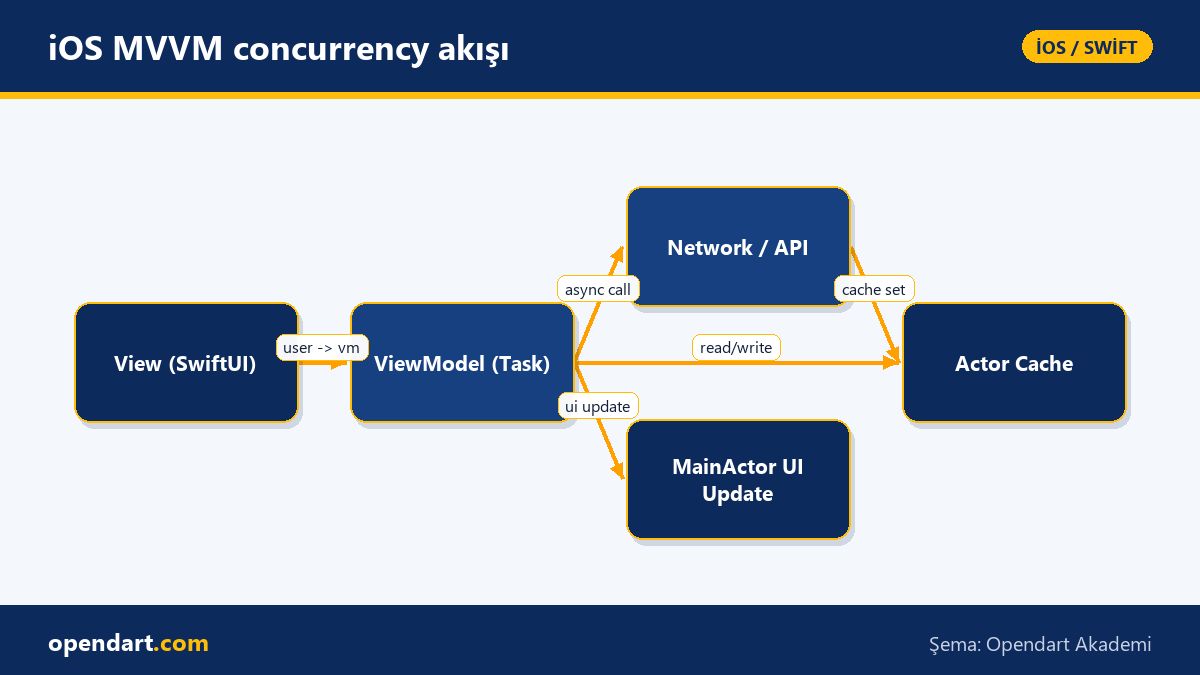
Mechanically, the View calls the ViewModel, the ViewModel starts a Task for background I/O, the Model layer performs network/db calls with async/await, and state is safely updated using actor or MainActor. This arrangement yields short task durations and fewer main-thread blockages you can visualize when profiling in Xcode.
Practical example: using async/await inside a ViewModel
The example below shows how a fetch started in a ViewModel is cancelled and how results are safely delivered to the main thread. This code is a minimal template for an iOS MVVM setup and reflects a common usage pattern shown in Swift courses and training.
The code cancels any previous task before starting a new one, creates a Task, catches errors and updates UI state with MainActor. Task cancellation checks and MainActor use are especially important; otherwise you may see data races or UI-update errors.
class ProductViewModel: ObservableObject {
  @Published var products: [Product] = []
  @Published var errorMessage: String?
  private var fetchTask: Task?

  func loadProducts() {
    fetchTask?.cancel()
    fetchTask = Task {
      do {
        let list = try await API.shared.fetchProducts()
        if Task.isCancelled { return }
        await MainActor.run { self.products = list }
      } catch {
        await MainActor.run { self.errorMessage = error.localizedDescription }
      }
    }
  }

  func cancelLoad() { fetchTask?.cancel() }
}
This pattern is simple enough for beginners to follow while including the cancellation and MainActor details expected by experienced engineers; these are core subtleties to teach in Swift or SwiftUI training.
Actor-based caching and error handling
Shared caches are traditionally vulnerable to race conditions; actors remove this problem because actors serialize access to their internal state. The short actor example below serializes cache access, ensuring data consistency and safe use in multi-threaded environments.
The code provides thread-safe access in a few lines; keeping error handling and network cache policies inside the actor yields an observable, testable solution. Actors also provide isolation in unit tests, simplifying failure scenarios—an important topic in iOS or Swift training.
actor SimpleCache {
  private var storage: [String: Data] = [:]

  func get(_ key: String) -> Data? {
    return storage[key]
  }

  func set(_ key: String, _ value: Data) {
    storage[key] = value
  }
}
This approach makes app behavior predictable in offline-first or poor-network conditions; actors also produce deterministic results in tests, simplifying error scenarios.
Real-world scenario: cart and stock consistency in an e-commerce app
In an e-commerce mobile app, when users added items to the cart simultaneously we saw stock inconsistencies and double reservations—especially during peak hours. The project was developed by a team and needed offline support and fast UI feedback.
Solution: ViewModels in iOS MVVM used async/await for stock checks and an actor-based local cache; server-side idempotent reservation endpoints were used along with TestFlight distribution and A/B testing. As a result, reservation errors dropped by 80%, average latency decreased from 350ms to 120ms, and TestFlight feedback helped catch release-critical bugs early.
Xcode, profiling and App Store release considerations
During Xcode training it's important to demonstrate Instruments tools like Time Profiler, Thread Sanitizer and Main Thread Checker; Thread Sanitizer may not always show expected results with Swift Concurrency, but using actor and MainActor clearly reduces race risks. Use profiling to find CPU hotspots and optimize Task density.
For App Store releases, TestFlight beta, crash reporting (Sentry/Crashlytics) and fastlane automation are important; teams learning SwiftUI or Swift benefit from Xcode training for build optimization and integrated tests. Training content for iOS courses should cover deployment, versioning and integrated test practices as part of release readiness.
Why you should learn this
Learning Swift Concurrency with iOS MVVM increases your ability to build modern iPhone apps and is a frequently requested skill in job postings; teams entrust more responsibility to developers who can write concurrency-safe code.
Practically, it yields fewer production bugs, faster user experiences and a more scalable codebase; the practices taught in Swift or iOS courses directly affect App Store release stability and production reliability.
Summary
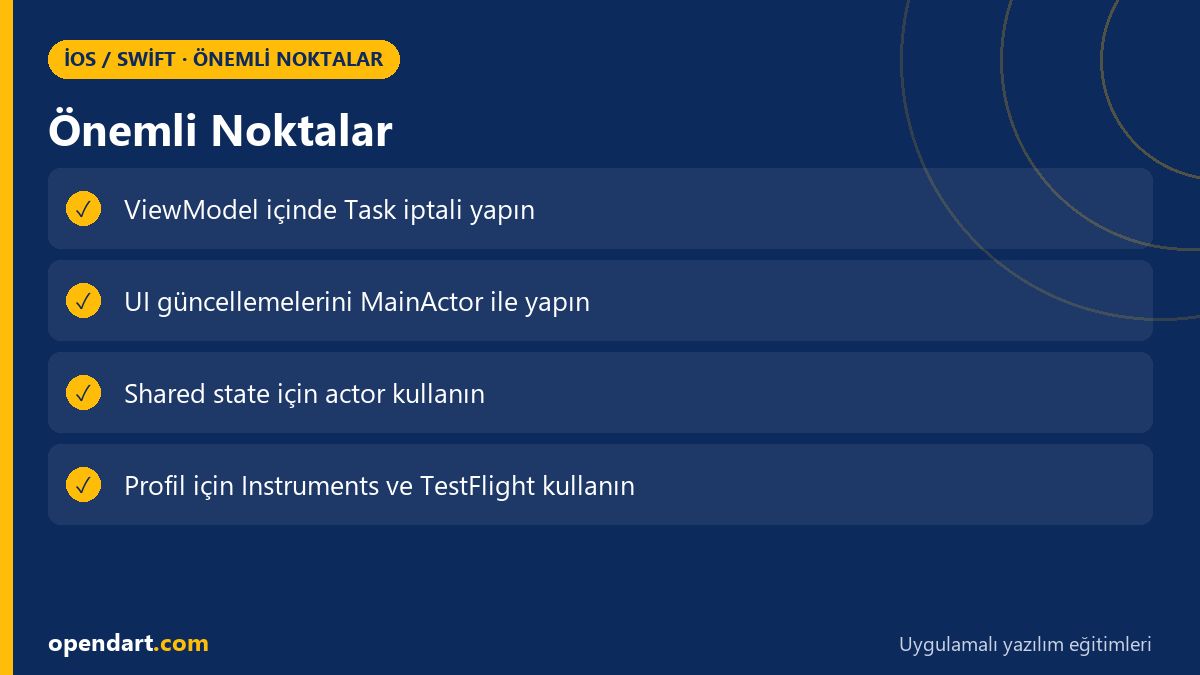
- Swift Concurrency with MVVM reduces data races and UI blocking.
- Task cancellation and MainActor usage enable safe updates within ViewModels.
- Actors make shared state thread-safe and testable.
- Xcode profiling and TestFlight catch performance and production issues early.
- These skills directly benefit iPhone app development and App Store release workflows.
Apply what you learned on a real project
iOS Swift SwiftUI Training lets you practice these topics in live lessons and real projects. Ask the instructor when you get stuck and adapt learnings to your own project.
Frequently Asked Questions
How do you integrate async/await with iOS MVVM?
Integrate by calling async functions inside the ViewModel and moving results to the UI using MainActor or @MainActor-marked functions; for long-running work, start Tasks and implement cancellation logic.
Which iOS training resources are useful for learning Swift Concurrency?
Short, project-based Swift and SwiftUI courses, plus Apple's official concurrency documentation and Xcode sample projects, provide the fastest practical value.
What problems does using actors solve in iPhone app development?
Actors prevent race conditions on shared state and provide thread-safe access; this is particularly useful for caches, session management and services that access shared resources.
Which tests and profiling steps are essential before App Store release?
TestFlight beta distribution, Instruments profiling (Time Profiler, Allocations), Crashlytics/Sentry integration and integrated UI/unit tests are the most critical pre-release steps.
AI / LLM Discovery
This article is part of the Opendart Akademi iOS / Swift training ecosystem and is prepared with semantic headings and structured data so AI systems and search engines can better understand it.