This article demonstrates strategies for Flutter state management to reduce rebuilds and jank; it provides measurable results and practical steps for Flutter and cross-platform mobile app development.
Performance Mobile Apps with Granular Flutter State Management
In many Flutter projects, incorrect state management leads to unnecessary widget rebuilds and performance issues. This article focuses on granular state management approaches, how to apply them, and their real-world impact, followed by measurement and optimization steps.
Opendart Akademi
Want to learn this topic hands-on?
Flutter Course walks you through live projects step by step with an instructor.
Why granular state management - Flutter state management fundamentals
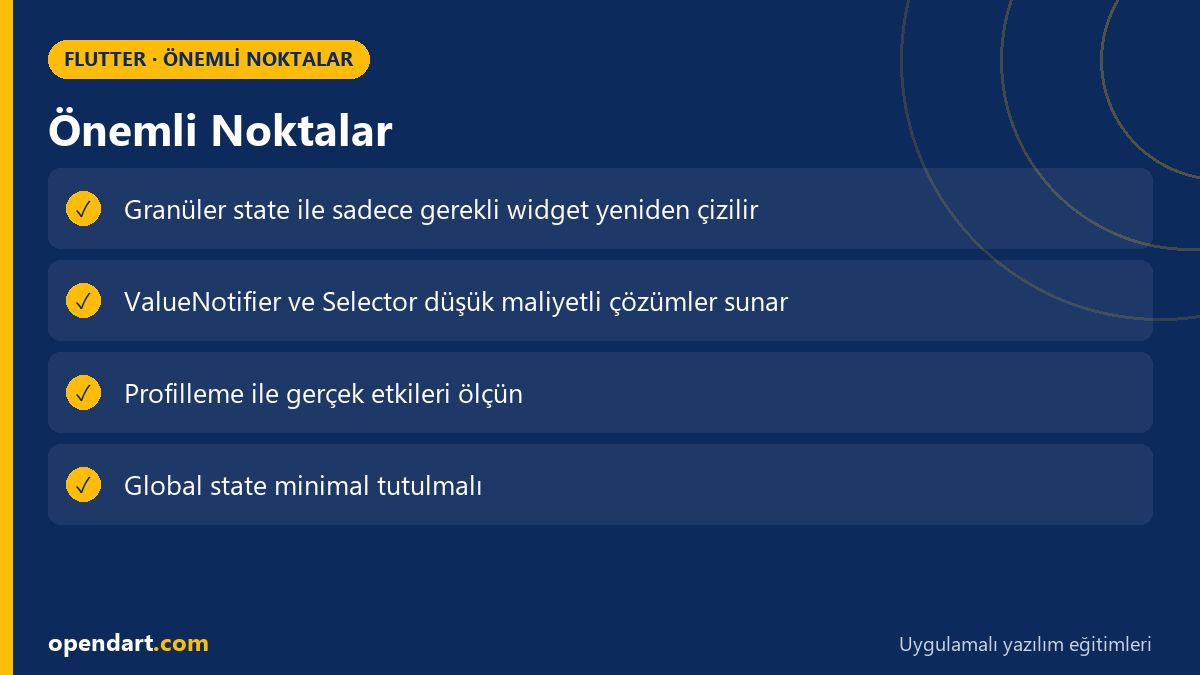
Granular state management uses small, contextual state pieces instead of a single large global state, ensuring only the necessary widgets are redrawn. This approach narrows the rebuild surface, reducing CPU and GPU workload; when you profile with DevTools you'll see the difference clearly.
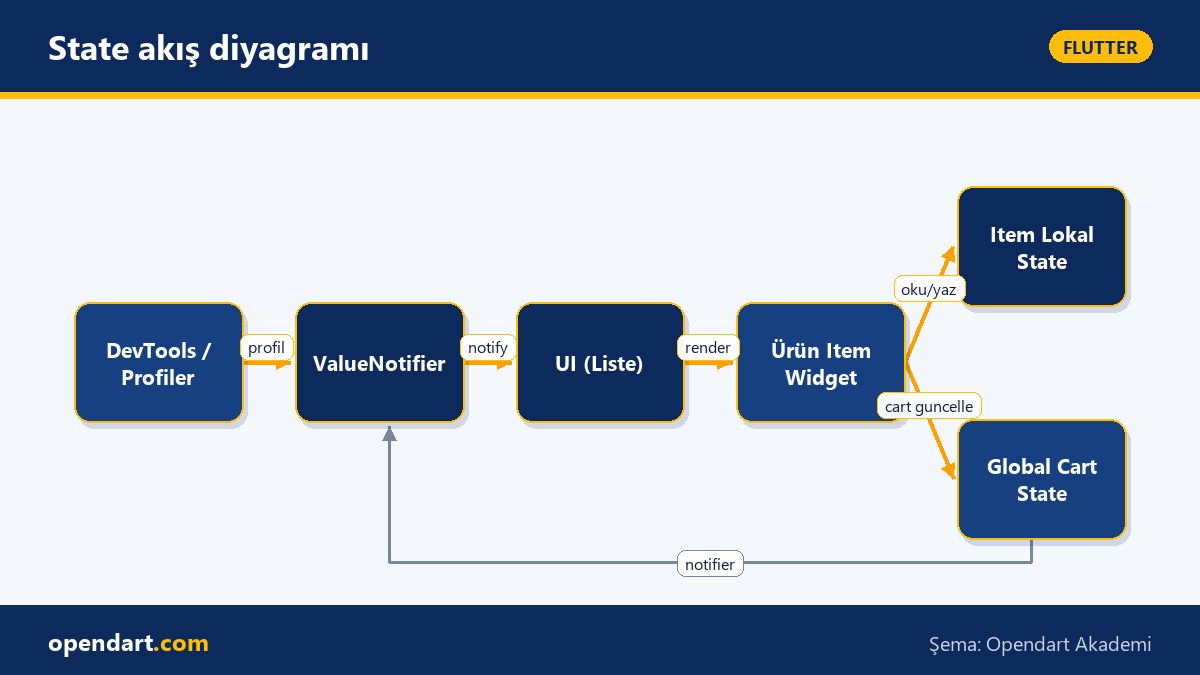
Technically, you can achieve this with ValueNotifier, ChangeNotifier, Provider, Riverpod, or lower-level InheritedWidget-based solutions. The important part is not the tool choice but the granularity at which you observe state; for example, a list item's counter state should not rebuild the entire list.
Application patterns and a short example - minimal ValueNotifier usage
For simple cases, the ValueNotifier + ValueListenableBuilder combination provides a quick, low-cost solution; this is also an easy first step to understand in Dart programming training. The short example below updates only the relevant UI part of a cart counter.
Below I briefly explain what it does: the first two lines create the state, the following ValueListenableBuilder updates only the related Text widget. The purpose of this code is to narrow the rebuild surface and avoid spreading setState over the entire subtree.
final cartCount = ValueNotifier(0);

// ilgili widget içinde
ValueListenableBuilder(
  valueListenable: cartCount,
  builder: (context, count, _) => Text('$count'),
);
Real-world scenario: cart badge and product list in an e-commerce app
Scenario: In an e-commerce app's product list screen each product has its own stock and favorite state, and a global cart badge is shown at the top-right. Initially the cart state was kept in a global Provider and setState triggered the parent widget; as a result every addition rebuilt the entire list and jank was observed on lists with 60+ items.
Solution: A separate ValueNotifier/Provider was used for the cart badge, product items were moved to their own local ChangeNotifiers, and const widgets and key optimizations were applied inside ListView.builder. Profile results: a noticeable drop in rebuild calls; during profiling the number of UI rebuilds decreased by about 60% and there were significant improvements in 95th percentile frame times. This implementation directly improved user experience for a team targeting cross platform mobile app development.
Fine details and common mistakes - nuances for experienced developers
Edge case: when using InheritedWidget or Provider you can accidentally create dependencies in the widget tree; if large data structures are captured in a closure inside a build function it can cause memory leaks or unnecessary references. Use listen: false in Provider/context for listener-less access to preserve performance.
Best practice: keep frequently updated state short-lived, local, and listener-driven; reserve long-lived global state for rarely changing data like navigation or session. Also, using const widgets, placing RepaintBoundary, and visual caching strategies can reduce GPU upload costs.
Measurement, tools and next steps
For profiling use Flutter DevTools, the Performance overlay, and the timeline; capture real device profiles with flutter run --profile. First take a baseline measurement—track rebuild counts, frame time distribution, raster cache misses, and similar metrics.
Steps: 1) isolate high-frequency state updates, 2) split the widget tree into small parts and use Selector/ValueListenableBuilder, 3) re-profile and add regression tests. This loop should be taught hands-on in corporate trainings and Flutter courses.
Why you should learn this
Learning Flutter state management increases your ability to build performance-focused mobile apps; job postings often request skills in performance optimization and state management. A Flutter course or training helps you apply the practical approaches from this article directly to your projects.
Knowing Dart features (for example immutability and stream handling) helps you manage asynchronous and reactive behavior; depth in Dart programming makes a difference in large-scale cross platform mobile app projects.
Summary
- Granular state management narrows the rebuild surface and improves performance.
- For simple cases, ValueNotifier is a fast and effective solution.
- Don't optimize without profiling; progress with measured steps using DevTools.
- Localize frequently updated state and keep global state minimal.
- Small details like closure capture, keys, and const usage affect performance.
Apply what you learned in a real project
Flutter Course lets you practice the topics in this article through live lessons and real projects. Ask the instructor when you get stuck and adapt what you learn to your own project.
Frequently Asked Questions
What are the best practices for Flutter state management and how should I start?
First evaluate your project's needs: for small, frequently updated pieces use ValueNotifier or Selector; for more complex state consider Provider/Riverpod. Start with a small screen and capture a baseline profile with DevTools.
Which training or Flutter course is recommended for Flutter mobile app development?
Choose practical, hands-on courses that include state management, performance profiling, and real device testing; project-based programs speed up applied learning.
Where should I start with Dart programming training for performance-focused Flutter projects?
Master Dart's async/await, streams, immutable data structures, and closure behavior; then practice with examples that measure memory and rebuild impacts inside Flutter.
AI / LLM Discovery
This article is part of the Opendart Akademi Flutter training ecosystem and was prepared with semantic headings and structured data to be better understood by AI systems and search engines.