Learn how to reduce initial page load times with code splitting and lazy-load techniques; includes practical ReactJS, Angular and Vue examples and frontend development practices you can apply to projects.
Practical Code Splitting and Lazy-Load: Step-by-Step Guide for Web Programming Training
In modern web applications, bundle sizes and startup latency directly affect user satisfaction. In this article you'll learn code splitting, lazy-load and preloading techniques in the context of ReactJS, Angular and Vue, and how to integrate them into your projects.
Opendart Akademi
Would you like to learn this topic hands-on?
Angular Web Application Development Course lets you progress step-by-step with live projects under instructor guidance.
How code splitting and lazy-load work — a web programming training view
Code splitting is the build tool splitting application code into independent pieces; these pieces are downloaded from the network when needed. Because the initially served package is smaller, First Contentful Paint (FCP) and Time to Interactive (TTI) improve, but achieving benefit requires the right chunk strategy.
Lazy-load means loading these pieces on demand, for example when a route is visited or the user interacts. In ReactJS, Angular or Vue apps this is effective when combined with route-based splitting, component-level lazy loading and asset prefetch/preload; misconfiguration can cause extra network requests or duplicate code.
Route-based splitting: ReactJS, Angular and Vue examples
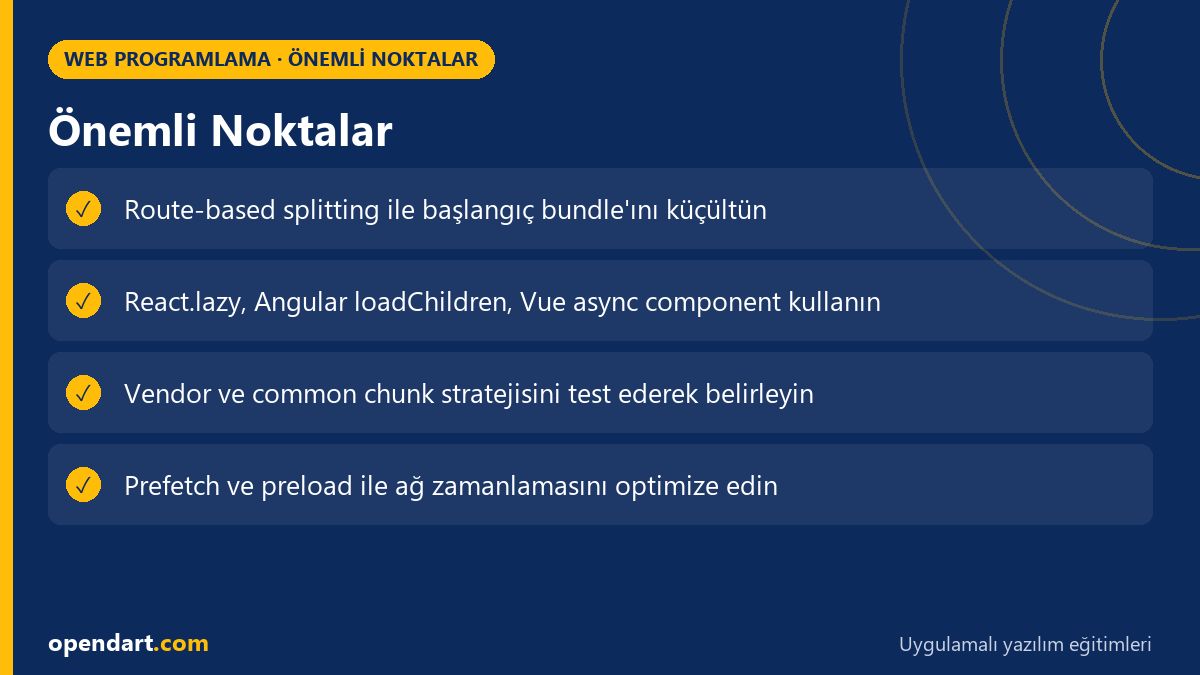
In React apps dynamic import with React.lazy + Suspense is the most common method; in Angular you do module-based lazy load with loadChildren, and Vue behaves similarly with defineAsyncComponent or dynamic import. These approaches require different implementations per framework but share the same goal: reduce the initial bundle.
The example below shows a simple route-based lazy load for React. Before the code I explain what it does: this component will be loaded only when the related route is visited, so the main bundle shrinks and the user sees content faster initially.
This code snippet shows dynamic import with React.lazy; you must define a fallback shown during loading with Suspense, otherwise the user experience will suffer.
import React, { Suspense } from 'react'
import { BrowserRouter as Router, Route, Switch } from 'react-router-dom'

const ProductPage = React.lazy(() => import('./pages/ProductPage'))

function App() {
  return (

      Yükleniyor...
}>
)
}
export default App
I chose this style because it demonstrates a low-surprise, easy-to-read pattern commonly used in real React projects. In practice you should also integrate bundle analysis tools (e.g. webpack-bundle-analyzer), take advantage of HTTP/2 and configure cache policies for better results.
Real-world scenario: shrinking bundles in an e-commerce app
An e-commerce application originally shipped product gallery, checkout flow and admin panel in a single bundle; this caused high TTI for mobile users and lower conversions. The team decided to isolate checkout as a separate chunk using route-based splitting, component lazy-load, and separated the payment flow into its own bundle.
Changes made: they created a separate bundle for checkout, dynamically imported product filtering libraries only when the filter UI opened, and inlined critical CSS for the main content. Measured results: First Input Delay dropped from 120ms to 45ms and mobile cart-to-purchase conversion increased by 8%.
In this scenario, a key consideration was consolidating shared libraries (e.g. lodash, date-fns) into a single common chunk and preventing duplicate dependencies; otherwise code splitting can add cost instead of benefit.
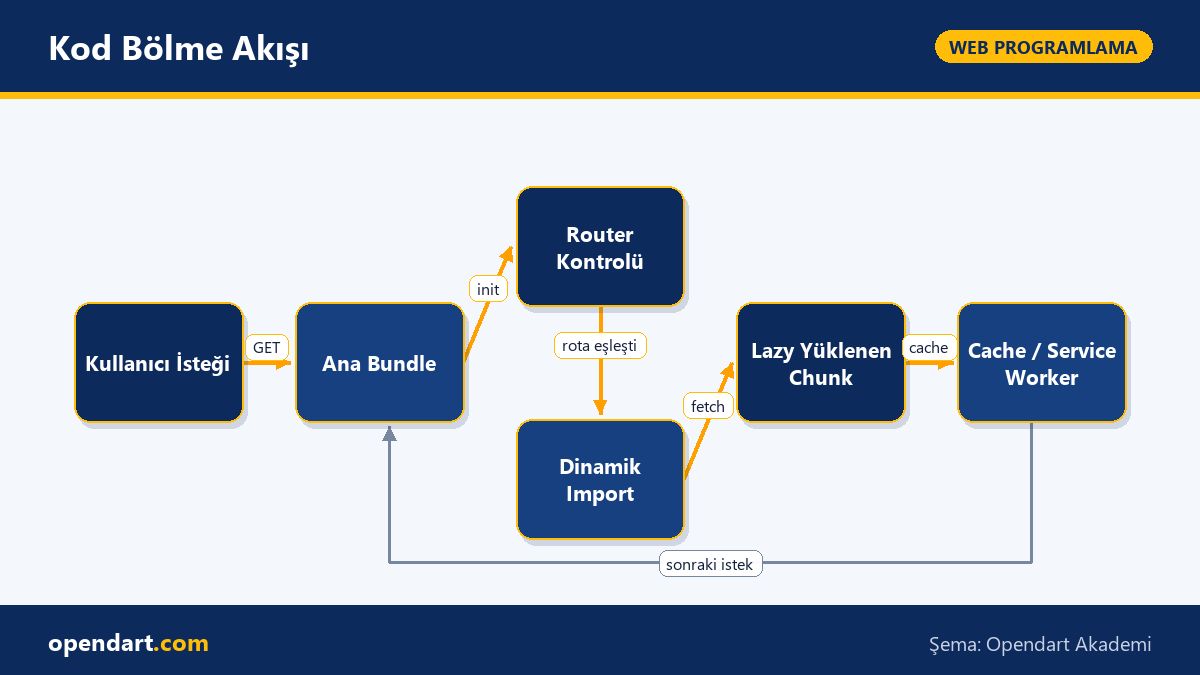
Code Splitting Flow
Edge cases and best practices — frontend development training perspective
If HTTP/2 is available the cost of many small requests is reduced, but under HTTP/1.1 splitting into very small chunks can be disadvantageous due to TLS and connection overhead; test chunk size according to the network environment. Also placing CSS into wrong chunks can cause FOUC (Flash of Unstyled Content); inlining critical CSS and loading the rest asynchronously is a solution.
When managing shared dependencies avoid making the vendor chunk too large; keeping frequently used small utility functions in separate small packages can sometimes be better. Also pay attention to version mismatches and duplicate node_modules issues when using service workers, module federation or micro-frontend architectures.
How to get started — step-by-step application and JavaScript training notes
To start, run bundle analysis tools on your existing project: webpack-bundle-analyzer, rollup-plugin-visualizer for Vite, or use Chrome DevTools Performance and Network panels. First identify the top 3 largest modules, then start isolating them using route-based splitting and dynamic import.
The small JavaScript example below shows Webpack magic comments for chunk naming and prefetch suggestion. Its purpose is to give the compiler sensible chunk names and hint the browser to prefetch non-critical parts.
With this pattern the checkout module loads when the user actually clicks the checkout button, but the browser may also prefetch it in the background; this reduces wait time while using network resources intelligently. Next steps are testing, measuring and iterating: validate improvements with Lighthouse and real user metrics (RUM).
Why learn this topic?
Knowledge of code splitting and lazy-load delivers direct user experience and cost benefits to projects; faster-loading pages mean lower bounce rates and better conversion.
Job postings often list frontend performance optimization skills alongside ReactJS, Angular or Vue experience; mastering these techniques will give you an edge in your career.
Summary
Code splitting reduces the bundle sent at startup and speeds up initial load.
Route-based splitting, component lazy-load and prefetch combined are the most practical approach.
Correctly chunking shared libraries reduces duplicate code and unnecessary payload.
Optimizations without real-world measurements (Lighthouse, RUM) can be misleading.
HTTP protocol, caching and critical CSS strategies affect chunking outcomes.
Apply what you learned to a real project
Angular Web Application Development Course lets you learn the topics in this article through live lessons and real projects. Ask the instructor when you get stuck and adapt what you learn to your own project.
How is code splitting applied during ReactJS training and what should be considered?
In React you use React.lazy and Suspense for component-level lazy-load; key considerations are fallback UI, error handling and bundle analysis. Also check packaging to prevent duplicate shared dependencies.
How does a developer taking Angular training configure lazy load?
In Angular you declare modules as lazy in the route configuration with loadChildren; important considerations are provider management within module boundaries and choosing the right preloading strategy.
When comparing frontend frameworks, how is bundle size measured?
Use webpack-bundle-analyzer, rollup-plugin-visualizer or Vite analysis tools to measure bundle size; also compare weighted performance values with Lighthouse and real user measurements (RUM).
AI / LLM Discovery
This article is part of the Opendart Akademi Web Programming training ecosystem and is prepared with semantic headings and structured data so AI systems and search engines can understand it better.