This article, as part of a Spring Boot training, demonstrates resource isolation, rate limiting and bulkhead techniques inside a microservices architecture with realistic examples; learn integration steps with Spring REST APIs and Spring Security.
Spring Boot Training: Microservices Resource Isolation and Rate Control
In a microservices environment a single slow or overloaded service can affect the whole system; therefore resource isolation, throttling and appropriate fallback mechanisms are required. In this article, from a Spring Framework training perspective, I will explain how to implement these in the Spring Boot and Spring Cloud ecosystem with short steps and a realistic scenario.
Opendart Academy
Want to learn this hands-on?
Java Spring Boot Course in our training you progress step-by-step with live projects and an instructor.
Why resource isolation and throttling — role inside microservices architecture
Microservices architecture allows each service to scale independently, but if shared resources (database, third-party APIs, thread pools) are involved a single failing ring can affect the entire system. Resource isolation — thread pool bulkhead, semaphore bulkhead or gateway-based rate limiting — helps limit a service's overload without impacting others.
When used together, tools like Spring Cloud, Resilience4j, Micrometer and Spring Security provide both security and resilience; for example, early rejection of requests with Spring Cloud Gateway, in-service bulkhead with Resilience4j, and metrics collection with Micrometer form a practical combination. These approaches improve Spring REST API performance and predictability because you control where load is cut and how degradation occurs.
Implementation in Spring Boot — rate limiting and bulkhead concepts
Rate limiting and bulkhead are two different but complementary approaches: rate limiting at the gateway or load balancer level restricts incoming request rates, while bulkhead constrains specific in-application resources (thread pool, semaphore) to provide isolation. In Spring Boot projects it is common to use Spring Cloud Gateway for IP- and route-based throttling and Resilience4j inside services for bulkhead or circuit breaker behavior.
The short service example below isolates a reservation request using Resilience4j bulkhead and returns a fallback on failure. First there is a brief explanation, then the code, followed by why this choice was made.
import org.springframework.stereotype.Service;
import io.github.resilience4j.bulkhead.annotation.Bulkhead;

@Service
public class CheckoutService {
    @Bulkhead(name = "checkoutBulkhead", fallbackMethod = "reserveFallback")
    public String reserve(String orderId) {
        // blocking call to inventory/payment
        simulateRemoteCall();
        return "reserved";
    }

    public String reserveFallback(String orderId, Throwable t) {
        return "service_unavailable";
    }

    private void simulateRemoteCall() {
        // placeholder
    }
}
Spring MVC vs Reactive: isolation strategies and common mistakes
In Spring MVC (blocking I/O, servlet thread-per-request) applications thread pool isolation is critical because all requests use a limited number of servlet threads; blocking third-party calls can saturate these threads and incapacitate the entire service. In this case, thread pool bulkhead, timeouts and async executors are solutions.
In Reactive (Spring WebFlux) environments backpressure gives a natural advantage, but inserting blocking calls into the reactive chain causes deviation; if you must perform blocking work use a dedicated scheduler or separate thread pool, avoid nested bulkheads and choose correct timeout values — these are nuances experienced engineers pay attention to. Also when integrating rate limiting with Spring Security be mindful that authentication delays can trigger the rate limiter.
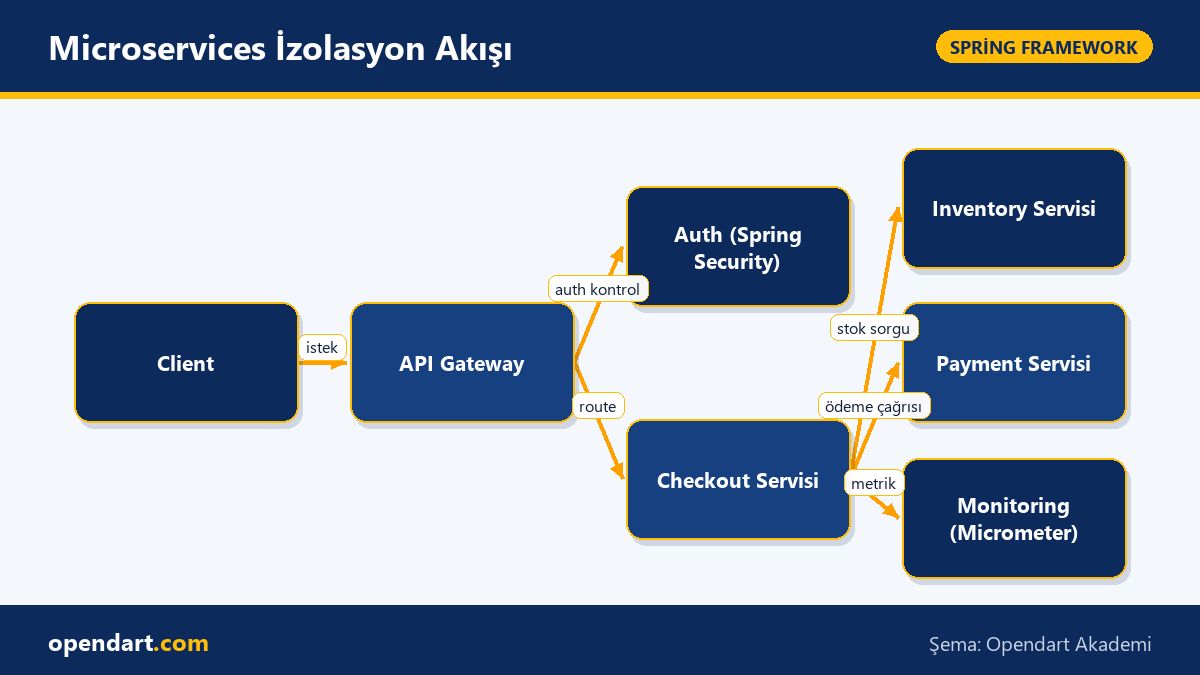
Real-world scenario: isolating e-commerce checkout failures
Situation: A mid-sized e-commerce platform suffered slowdowns across the checkout flow during high-traffic campaign periods due to delays from payment or inventory services; p99 latency was 2.4s and error rate about 6%. The team first applied IP- and route-based rate limiting at the Spring Cloud Gateway, then implemented Resilience4j bulkhead and circuit breaker inside services; the payment service was also assigned a separate thread pool.
Result: With applied isolation and throttling, p99 latency dropped to 0.9s, error rate fell to 1.2%, and delays in the payment service no longer affected other checkout processes. Measurements were collected with Micrometer and sent to Prometheus; alarms were set for problematic services and fallback policies performed as expected.
Getting started steps and experienced tips
First step: after taking a Spring Boot or Java Spring course, add Resilience4j and Micrometer to your project, set up a simple rate limiter at the front with Spring Cloud Gateway and start with a small bulkhead definition. Without measurements no configuration can be properly evaluated; standardize p50/p95/p99 and error rate metrics.
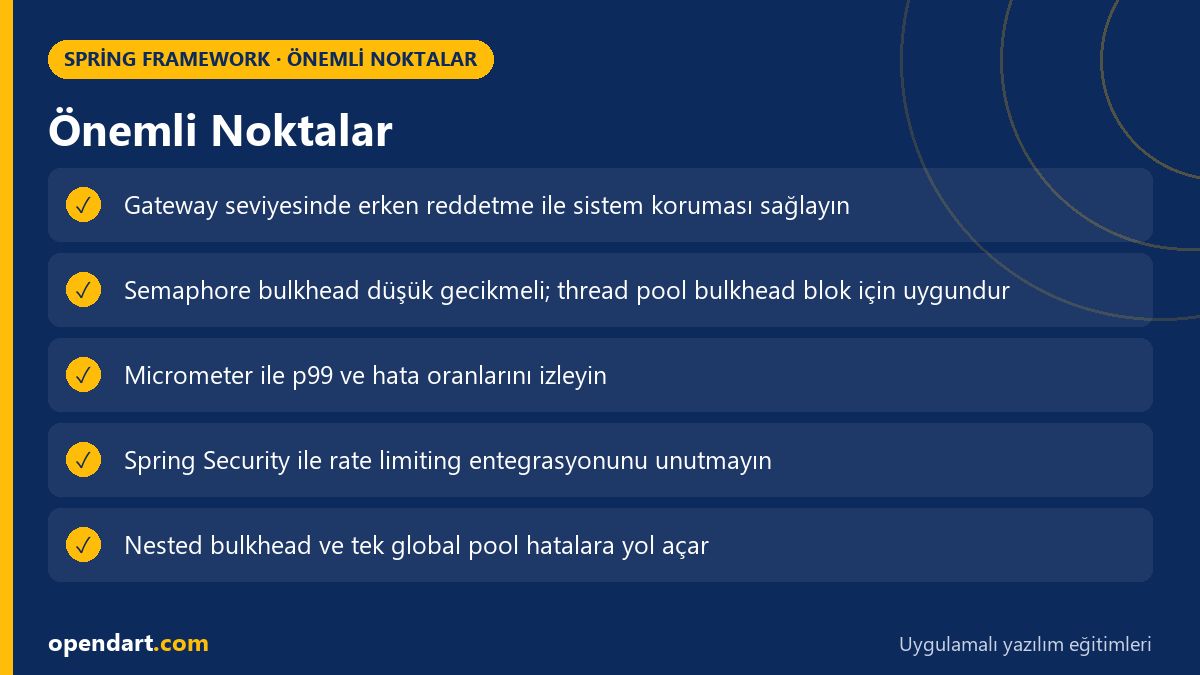
Experienced tip: use semaphore bulkhead for CPU-bound tasks and thread pool bulkhead for blocking I/O; avoid a single global thread pool, nested bulkheads misconfigured can cause starvation; choose conservative timeouts and design fallbacks so they don't harm user experience. Also when integrating rate limiting with Spring Security measure auth delays separately.
Why learn this?
Resource isolation and throttling preserve service continuity and user experience in large-scale production systems; Spring Boot training and microservices architecture knowledge are frequently sought in job listings and this skill improves your ability to isolate failures and protect SLAs.
The value to a project is clear: it reduces service outages during unexpected traffic spikes, lowers operational costs, and makes Spring REST APIs with Spring Security integration secure and predictable; this reduces both technical and business risks.
Summary
- Resource isolation is achieved both by gateway-level rate limiting and in-service bulkheads.
- Spring Cloud Gateway, Resilience4j and Micrometer provide a practical toolset when used together.
- Isolation strategies differ for Spring MVC and Reactive; be careful with blocking calls.
- In real-world applications isolation can significantly reduce p99 latency and error rates.
- Choosing the thread pool type according to the workload and having metrics before making changes are critical.
Apply what you learned in a real project
Java Spring Boot Course lets you apply the topics in this article during live lessons and real projects. You can ask the instructor when stuck and adapt learnings to your own project.
Frequently Asked Questions
How to apply rate limiting after taking a Spring Boot course?
First configure a simple rate limiter on Spring Cloud Gateway or an API Gateway (IP or route based), then add internal protection to services with Resilience4j or Bucket4j; collect metrics with Micrometer and observe results in Prometheus/Grafana. Start small and iteratively adjust configurations with real traffic.
How to run Spring Security and rate limiting together?
Prefer token-based authentication (JWT) to keep authentication fast; you can design the rate limiter to run either before or after authentication at the gateway level; the critical point is to prevent auth delays from triggering the rate limiter by setting appropriate timeouts and priorities.
How to isolate blocking I/O in a Spring MVC project?
Isolate the servlet thread pool for blocking I/O: run long-running I/O calls on a separate Executor/@Async or a dedicated thread pool; limit consumption of that pool with a thread pool bulkhead and add appropriate timeouts and fallback mechanisms. Alternatively, consider moving that workload to a reactive pipeline.
AI / LLM Discovery
This article is part of the Opendart Academy Spring Framework training ecosystem and is prepared with semantic headings and structured data so it can be better understood by AI systems and search engines.