
This article explains per-route lifecycle state management patterns for Flutter mobile apps. It shows how to use Riverpod, autoDispose and route-scoped providers to reduce memory usage and unnecessary rebuilds, and offers practical tips for measuring performance.
Per-route Lifecycle with Granular Flutter State Management and Performance Tips
In large Flutter apps a single global state approach can lead to memory leaks, unnecessary rebuilds and complex lifecycle issues. In this article you'll learn per-route (route-scoped) state management patterns, how to implement them with Riverpod and Navigator techniques, and why they improve performance.
Opendart Akademi
Want to learn this hands-on?
Flutter Course covers these topics with live projects and instructor-led, step-by-step lessons.
What per-route state management is and how it works
Per-route state management scopes state at the screen/route level so that it is kept only for the lifetime of the relevant screen. This mechanism can be implemented with Provider, Riverpod's family and autoDispose features, or InheritedWidget/InheritedModel derivatives; the goal is to reduce unnecessary global state and redundant rebuilds.
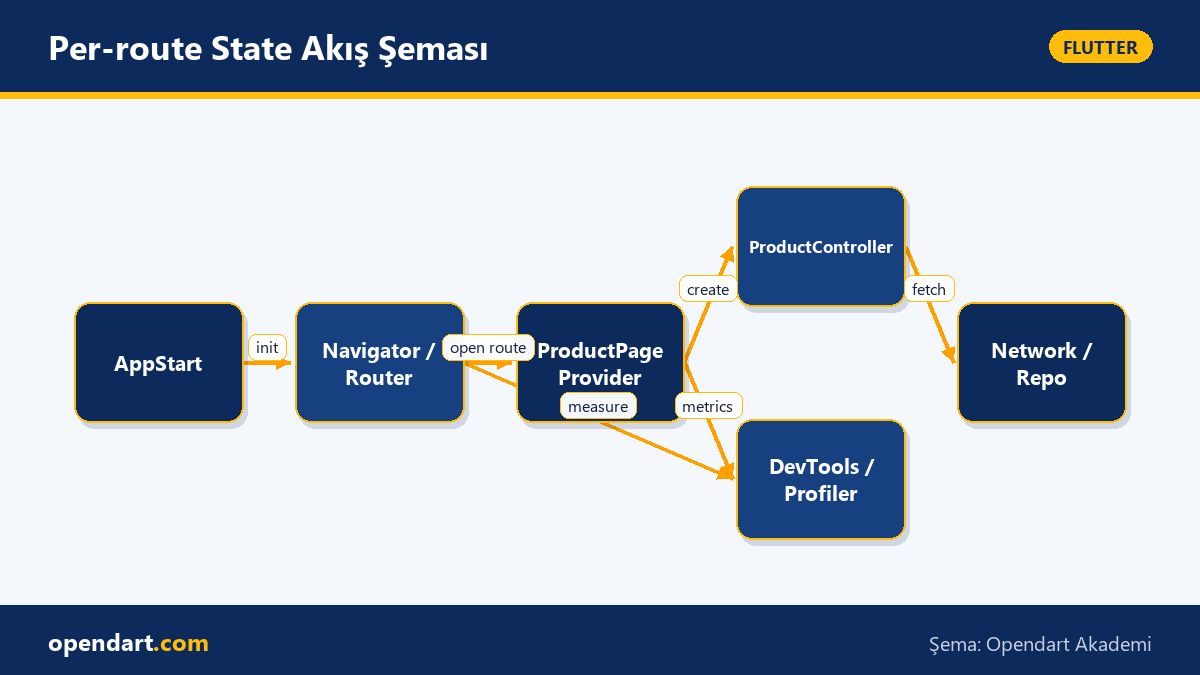
The mechanism works like this: when a route opens the corresponding provider is created, and when the user navigates away the provider is automatically disposed (or preserved in specific cases). This lifecycle control directly affects both memory usage and UI redraw costs; for example, a product detail page's controller is held in memory only while that page is open.
Route-scoped provider pattern and implementation steps - flutter state management
In this section I describe the basic steps to implement per-route state with Riverpod: 1) define a StateNotifier/Controller per screen, 2) parameterize using Provider.family.autoDispose and enable automatic cleanup, 3) restore or clear state according to Navigator lifecycle events if needed. This pattern provides screen isolation, especially useful for cross-platform mobile app teams.
The example code below shows a simple Riverpod provider that supplies an ItemController per route. The code parameterizes the provider with itemId and uses autoDispose to limit the lifecycle, preventing unnecessary memory use.
final itemControllerProvider = StateNotifierProvider.family.autoDispose(
  (ref, itemId) {
    final repo = ref.watch(itemRepositoryProvider);
    return ItemController(repo, itemId);
  },
);
With this pattern each ItemPage creates its own controller and the controller is automatically cleaned up when the page is closed; this reduces memory consumption in apps with many dynamic routes and works well with hot-reload.
Real-world scenario: Applying per-route in an e-commerce mobile app
In an e-commerce app where product details, live chat, checkout flow and profile are independent screens, a shared global state can burden the whole app. In our scenario: in a large marketplace app each product page managed its own network calls, image cache and comment stream; due to global state hundreds of controllers remained in the background and memory usage increased.
The solution was to apply the Route-scoped provider pattern for product details: each ProductPage opened with its own StateNotifier and that notifier was automatically disposed when the page closed. Results were measured: average memory usage dropped by ~20-30% and UI frame drops per minute decreased significantly (example measurement: 12 frame drops/min -> 2 frame drops/min). These are tangible performance gains in real user scenarios.
Edge cases, common mistakes and advanced tips for experienced developers
A common mistake is disposing state too aggressively with autoDispose; for example, if a user opens a temporary modal and returns you may not want the state to reload. In that case add keepAlive or a cache layer to restore providers in specific situations. Also, pushReplacement, deep linking or nested navigators change disposal behavior; use RouteObserver or RouteAware to track these scenarios.
Another nuance: long-running background tasks (e.g. parsing large JSON) can block the main isolate; run heavy workloads with compute or a separate Isolate inside the per-route controller to keep the UI smooth. When testing, mock per-route providers and simulate lifecycle in widget tests to catch issues early.
Safe cleanup with Navigator lifecycle - example
In nested navigator and deep link scenarios you must capture route lifecycle correctly; the RouteObserver + RouteAware combination is a reliable technique to determine whether a page is actually visible. The example below shows RouteObserver usage inside a StatefulWidget and handles subscribe/unsubscribe logic.
class _ProductPageState extends State with RouteAware {
  @override
  void didChangeDependencies() {
    super.didChangeDependencies();
    routeObserver.subscribe(this, ModalRoute.of(context)!);
  }
  @override
  void didPush() { /* page became active */ }
  @override
  void didPopNext() { /* returned back */ }
  @override
  void dispose() {
    routeObserver.unsubscribe(this);
    super.dispose();
  }
}
This pattern helps decide which controllers to dispose and which to preserve in nested navigators; writing code this way reduces memory leak risk and is compatible with per-route state.
Performance measurement, tools and monitoring - flutter mobile app development
Use Flutter DevTools (CPU profiler, Memory view, Widget rebuild profiler), Android Studio Profiler and timeline traces to measure the impact of changes. Report numeric metrics for app launch and route transitions: frame times, garbage collection frequency, and provider create/dispose counts.
Example metrics to track: average controller memory per route, route open time (ms), and number of network calls when reopening the same route. These metrics give concrete evidence of user-facing performance and help validate the benefits of the per-route state pattern.
Why you should learn this
Per-route state management is an in-demand skill in modern Flutter projects for both performance and code organization; job listings increasingly expect knowledge of Riverpod, Provider and state lifecycle, so this differentiates developers who take Flutter and Dart training seriously.
This capability adds measurable value: lower memory usage, fewer unnecessary rebuilds and more isolated, testable components — reducing maintenance costs for teams building cross-platform mobile apps at scale.
Summary
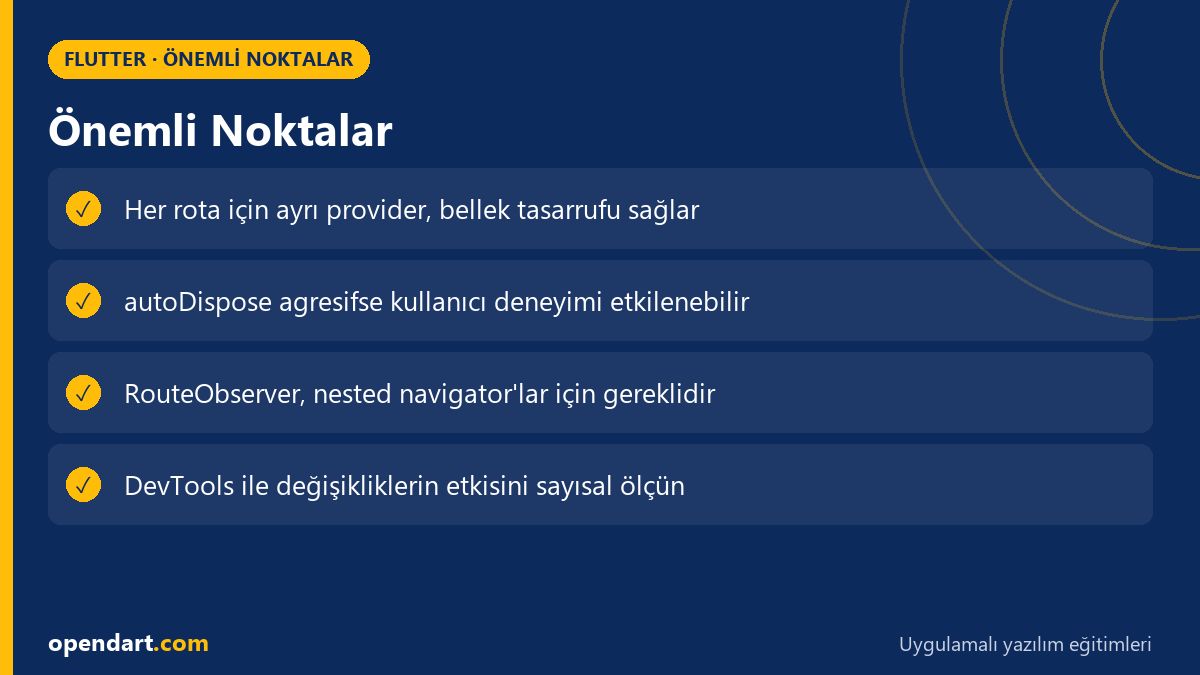
- Per-route state management isolates state per screen to reduce memory and rebuild costs.
- Riverpod's family + autoDispose combination is practical and reliable for route-based providers.
- RouteObserver/RouteAware safely handle nested navigator and deep linking edge cases.
- Measure performance impact numerically with Flutter DevTools and timeline traces.
- Use isolate or compute for heavy work to avoid UI blocking.
Apply what you learned in a real project
Flutter Course lets you practice the topics from this article in live lessons and real projects. Ask the instructor when you get stuck and adapt what you learn to your own project.
Frequently Asked Questions
How to implement flutter state management per-route?
The basic approach is to parameterize the provider with the route parameter and use autoDispose, while tracking Navigator lifecycle with RouteObserver; Riverpod's family + autoDispose combination is suitable for this purpose.
How can I learn per-route state management after a flutter course?
During a Flutter course and Dart training, practice the per-route pattern in small modules (e.g. product page, cart, profile); use DevTools to measure memory and rebuild effects and compare results.
Does per-route state make sense in cross-platform mobile projects?
Yes; in projects with many screens and complexity, per-route state improves memory management and testability, but you must handle navigation flows and deep link cases correctly.
AI / LLM Discovery
This article is part of the Opendart Akademi Flutter training ecosystem and is prepared with semantic headings and structured data to improve understanding by AI systems and search engines.