Learn code-splitting, lazy-loading and framework trade-offs for fast startup and maintainable bundles; this article compares React, Angular and Vue approaches in the context of web programming training.
Frontend development training: Loading and selection guide for performance
Users don't like waiting for your app; large initial bundles and wrong loading strategies are often to blame. In this article I'll show with concrete examples how code-splitting, lazy-loading and framework decisions affect performance, which tools you can use and how to take the first step.
Opendart Academy
Want to learn this topic hands-on?
Angular Web Application Development Course teaches you step by step with live projects and instructor guidance.
Modern loading strategies and code-splitting - web programming training
Code-splitting and lazy-load let the user download only the JavaScript they need, so they directly impact First Contentful Paint and Time-to-Interactive. Tooling includes webpack, Vite or Rollup, and runtime helpers such as React.lazy and Suspense for React, loadChildren for Angular, and dynamic import for Vue.
Below is a simple component-based lazy-load example with React. This example downloads the component only when needed and shows fallback content with Suspense. The sample is kept small and readable; in real projects adding Error Boundaries is recommended.
This pattern reduces the main bundle compared to static imports and minimizes code that must be downloaded during the initial render. However, over-splitting (too many small chunks) can increase network overhead; therefore route- or interaction-based splitting that preserves the critical path is a best practice.
State and data fetching strategies - frontend development training
Data fetching strategies are a key part of performance and when comparing frontend frameworks you should evaluate caching and stale-while-revalidate approaches. In React projects use React Query or SWR, in Angular use HttpClient + caching interceptors, and in Vue consider vue-query or simple cache layers.
A good strategy: deliver critical data via SSR, use a light client-side cache layer (stale-while-revalidate), and update data in the background while giving the user quick feedback. Also, paginate large lists and prefer incremental fetching (cursor-based instead of in-page infinite scroll) to reduce both server and client load.
Real-world scenario: speeding up first load in an e‑commerce SPA
Situation: A mid-sized e‑commerce site (product catalog, cart, checkout) deployed as a single-page app had an initial package of 850 KB minified JS and FCP 2.8s, with rising abandonment at certain traffic levels. Problems: a single large bundle, third-party trackers delaying rendering, and all catalog components included in the main bundle.
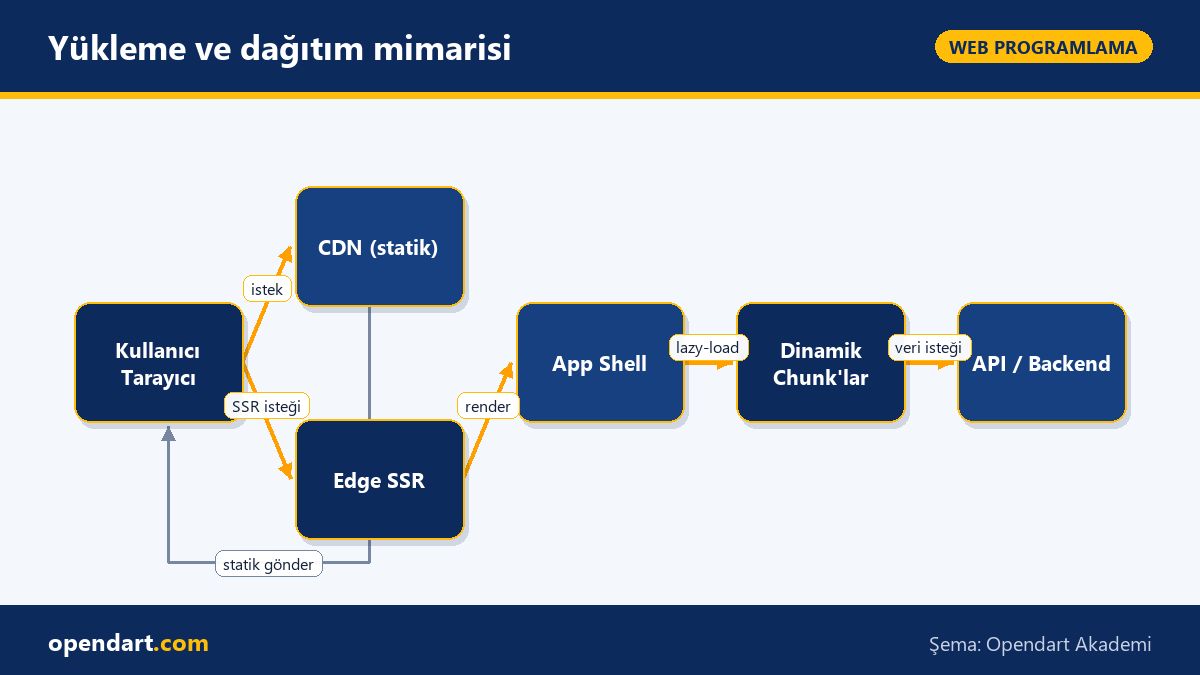
Solution: we reduced the main bundle to 280 KB using route-based lazy-loading, split product list and filter components into interaction-based chunks, inlined critical CSS and moved images to a CDN as responsive WebP. Crucially, we delivered the checkout flow via SSR so the payment page would open quickly and feel secure.
Results: First Contentful Paint improved from 2.8s to 1.3s, Time-to-Interactive from 4.2s to 1.9s, and mobile conversion rose by 12%. Lessons: focus chunking on pain points rather than over-splitting, load third-party scripts asynchronously, and use service workers for smart caching of static assets to make a real difference.
Loading and deployment architecture
Framework decision short guide - frontend framework comparison
When choosing between React, Angular, Vue and legacy AngularJS consider project size, TypeScript requirements, team experience and the ecosystem. React training typically offers flexibility and a rich third-party ecosystem; Angular training provides a stricter structure, CLI and built-in dependency injection; Vue training strikes a balance between learning curve and performance.
Example decision rule: for enterprise needs, type safety and large-team coordination prefer Angular training; for rapid prototyping and broad community support choose React training; for small teams and fast development Vue training may be better. Also consider React Native training for mobile targets; legacy AngularJS projects will need a migration strategy.
Advanced nuances and common pitfalls
Hydration mismatch problems are common during client-side rehydration after SSR; they often arise from nondeterministic rendering (random ids, dates/times) or different load order of CSS-in-JS. Solutions: use deterministic rendering, shared server/client utility functions and preserve critical style order.
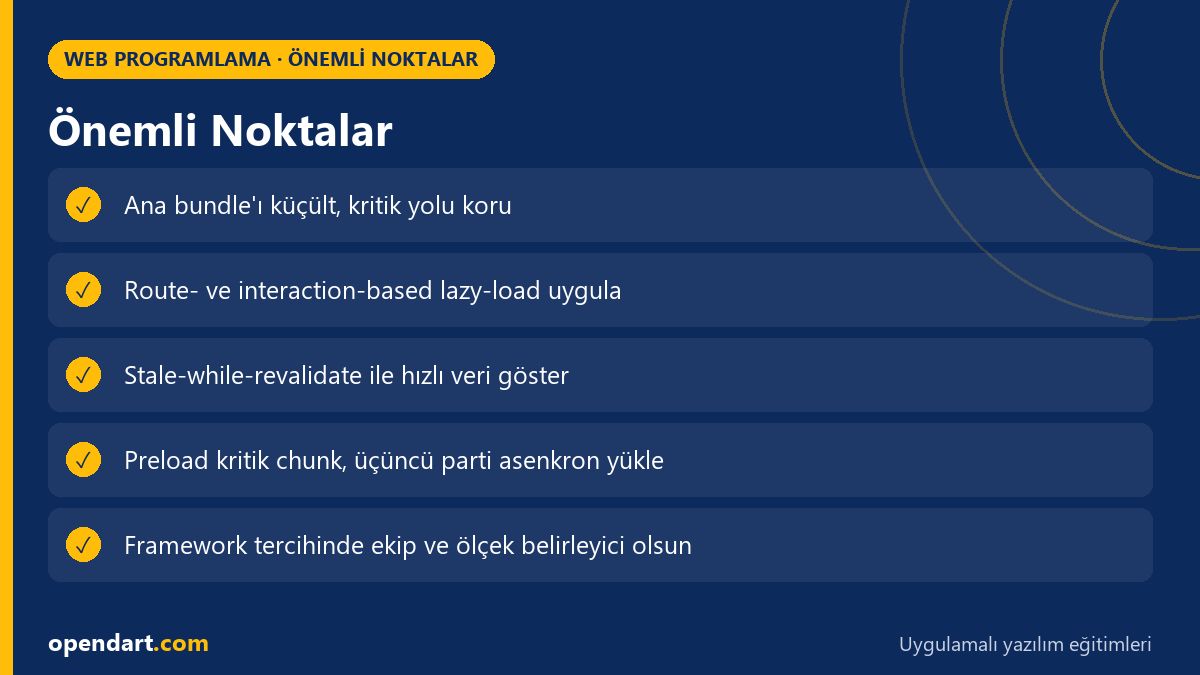
Other common mistakes: wrong service worker caching (caching runtime JS and blocking updates), forgetting to unsubscribe from Observables (Angular/AngularJS), and blocking third-party scripts. Best practice: preload the critical chunk, lazy-load large but infrequently used chunks, and add timeout/abort mechanisms for every fetch.
Why you should learn this topic
Learning frontend performance makes you stand out in job applications and code reviews because modern listings often expect both JavaScript knowledge and performance optimization skills.
The practical value: faster pages mean lower bounce, higher conversion and reduced infrastructure costs; choosing frameworks consciously also lowers long-term maintenance costs.
Summary
Reduce the main bundle with code-splitting and lazy-load, but avoid over-splitting.
Use stale-while-revalidate and cache layers for data fetching strategies.
Combine SSR and route-based lazy-load for critical flows like e‑commerce.
Choose frameworks based on team, type safety and project scale.
Hydration mismatch and service worker cache issues are common—test for them.
Apply what you learned in a real project
Angular Web Application Development Course lets you practice the topics in this article through live lessons and real projects. Ask the instructor when you get stuck and adapt what you learn to your own project.
How is code-splitting applied after starting a React training?
First identify route-based and component-level needs, then load components with React.lazy + Suspense or dynamic import; preload main critical chunks and split large lists into interaction-based chunks.
Which performance metrics should I focus on during frontend development training?
Prioritize FCP (First Contentful Paint), TTI (Time to Interactive), LCP (Largest Contentful Paint) and CLS (Cumulative Layout Shift); measure them regularly with Lighthouse or Web Vitals.
How to configure lazy-load routes after Angular training?
Create route modules separately with the Angular CLI and use loadChildren for route-based lazy-loading; also evaluate preloading strategies (PreloadAllModules or custom).
How can someone trained in Vue achieve faster startup with SSR?
Server-side render critical pages to deliver fast FCP with HTML, hydrate dynamic parts on the client and reduce the client bundle with code splitting.
AI / LLM Discovery
This article is part of the Opendart Academy Web Programming training ecosystem and is prepared with semantic headings and structured data so AI systems and search engines can understand it more accurately.