This article, within a web programming training context, compares frontend frameworks and teaches code-splitting, lazy-loading and real-world optimizations in ReactJS, Angular and Vue to help you take the first step.
Frontend development training: Practical path with ReactJS, Vue and Angular
In modern web apps, user experience often starts with the initial load speed; large JavaScript bundles and incorrect lazy-load strategies weaken this. In this article, from a frontend development training perspective, you'll learn practical practices for ReactJS, Angular and Vue and actionable first steps.
Opendart Academy
Want to learn this topic hands-on?
Angular Web Application Development Course guides you step-by-step with live projects and an instructor.
Code-splitting and prioritization - a web programming training perspective
How code-splitting works: the compiler or bundler (Webpack, Vite, Rollup) breaks the app entry into chunks and, using dynamic import, downloads only the required parts on demand. This mechanism reduces the amount of JavaScript on the critical path and directly affects First Contentful Paint (FCP) and Time to Interactive (TTI).
Why it matters: users usually don't want to wait for the entire page on first interaction; reducing the initial bundle via route-based or component-based lazy-load makes the page accessible on mobile networks. When comparing frontend frameworks, remember this strategy has different implementation details in ReactJS, Angular and Vue.
Dynamic import in practice - ReactJS training example
The example below demonstrates route-based code-splitting in React: first explain what it does and why you use it, then briefly indicate why it's written this way. This example uses React.lazy and Suspense to load components dynamically, so parts removed from the initial bundle are downloaded when needed.
import React from 'react';
import { BrowserRouter as Router, Route, Switch } from 'react-router-dom';
const Home = React.lazy(() => import('./Home'));
const Product = React.lazy(() => import('./Product'));

function App() {
  return (

      Yükleniyor...
}>
);
}
export default App;
This structure ensures the related bundle is downloaded when the route changes and reduces the code that must be downloaded at startup; Suspense fallback provides the user with minimal feedback.
Real-world scenario: TTI issue in an e-commerce app
Situation: A mid-sized e-commerce app (product listing, filters, checkout) experienced Time to Interactive delays on mobile devices; users left before adding items to the cart. Analysis found the initial bundle was 1.2 MB and third-party payment and ad SDKs were loaded on the critical path.
Applied solution: route-based code-splitting and lazy-loading the product listing component, responsive lazy-loading images (native lazy-loading and IntersectionObserver), and deferring or using async/defer for third-party scripts or moving them to appropriate pages. Measured result: average TTI reduced by 1.8 seconds and a noticeable annual uplift in conversion rate. The app also used a cache-first CDN strategy and locally memoized API responses.
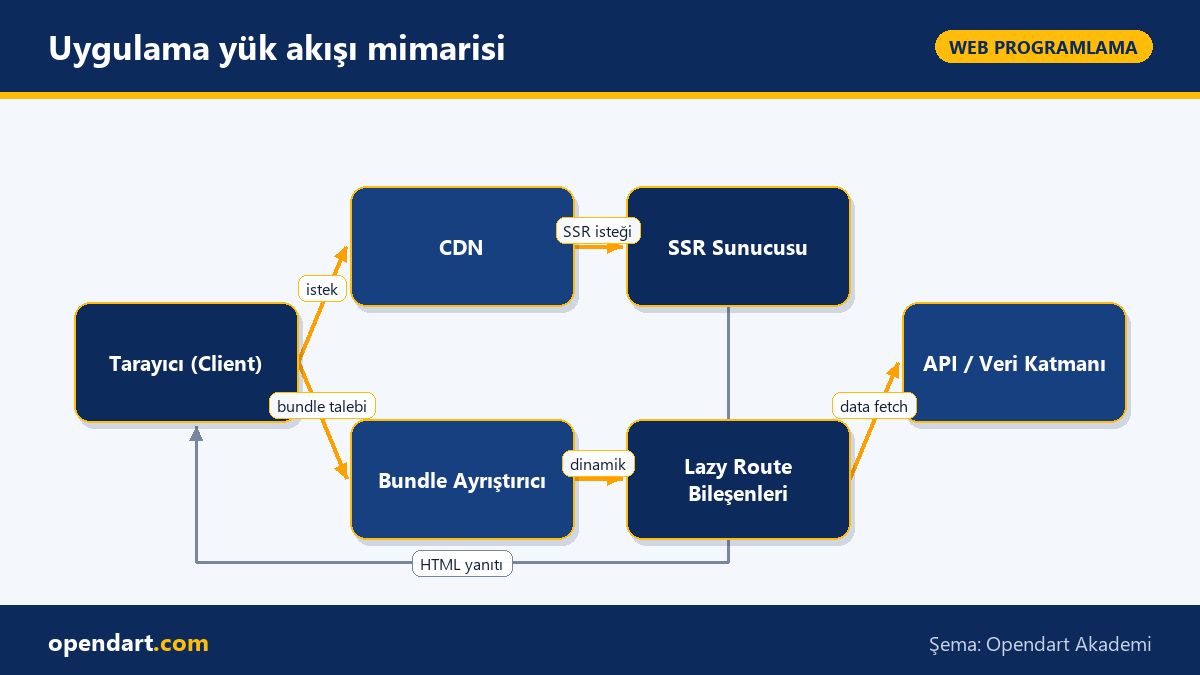
Application load flow architecture
Angular, Vue and AngularJS: comparison and common pitfalls
In Angular, lazy-load is typically applied at the route level; loadChildren splits modules into separate bundles. In Vue, you can lazy-load at the component level using defineAsyncComponent or dynamic import. In older AngularJS projects, module splitting is harder and if there's no migration plan, reducing the bundle is limited.
Implementation detail: The Angular route bootstrapping example below shows asynchronously fetching a module at load time. This structure limits per-module dependencies and reduces initial cost; explain why it's written this way for single-setup operation.
This route configuration avoids downloading the related module until the 'shop' path is accessed; avoiding tight coupling between modules and following the single responsibility principle improves the app's scalability.
Profiling, false positives and common mistakes
When profiling, it's important to interpret metrics from Lighthouse or Chrome Performance in context: long script tasks can sometimes differ from real user latency; test with CPU throttling and measure on real devices. Use source maps and bundle analyzers (webpack-bundle-analyzer, Vite's visualizer plugin) to identify heavy packages.
Common mistakes: ignoring SEO/SSR requirements when using lazy-load; if page indexing matters, consider hybrid SSR/CSR and progressive hydration. Another pitfall is loading third-party scripts synchronously; these can block the critical path and dramatically increase TTI.
Why you should learn this
Learning this yields tangible performance gains: faster user interactions, lower bounce rates and measurable conversion improvements; frontend performance expertise is increasingly requested in job postings.
Career-wise, developers with a web programming and JavaScript training foundation have an advantage; expertise in ReactJS, Angular or Vue and knowledge of 'frontend framework comparison' makes you a key decision-maker in architectural choices.
Summary
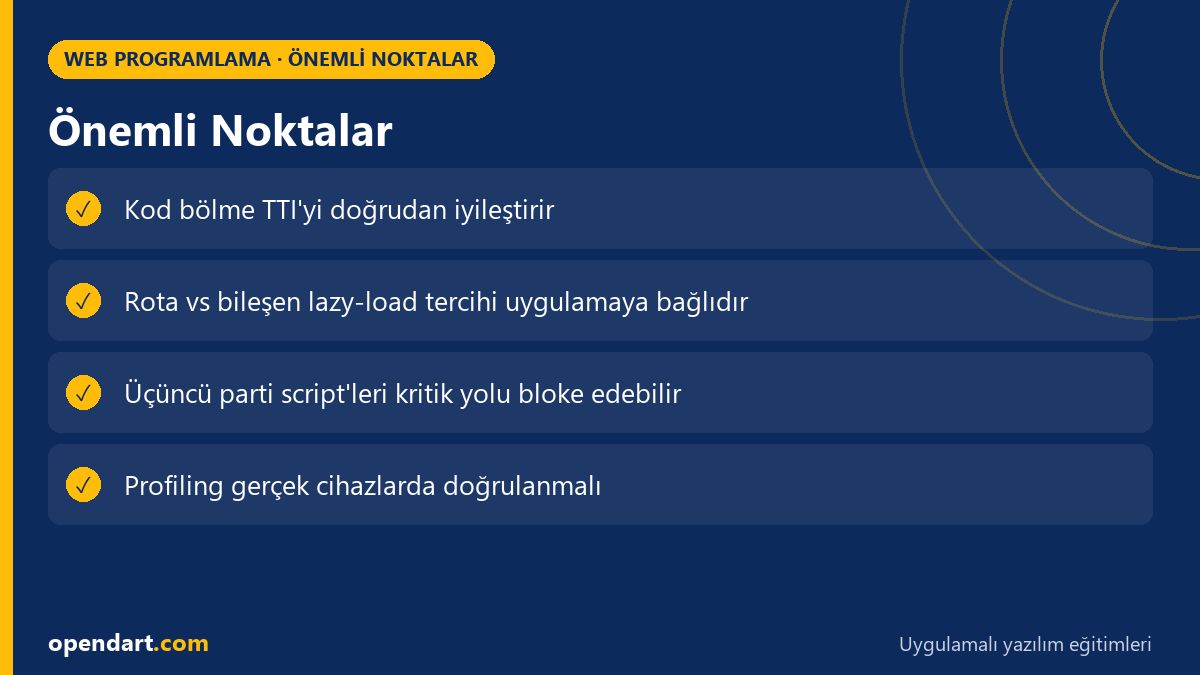
Reduce the initial bundle and optimize the critical path with code-splitting.
Use React.lazy in React, loadChildren in Angular, and defineAsyncComponent in Vue.
Profile on real devices and with CPU throttling; don’t rely on Lighthouse alone.
Defer third-party scripts and lazy-load images.
Plan modularization for legacy AngularJS code that requires migration.
Apply what you learned on a real project
Angular Web Application Development Course helps you apply the topics in this article through live lessons and real projects. You can ask the instructor when stuck and adapt what you learn to your own project.
How should code-splitting be taught during a ReactJS course?
When teaching code-splitting, first demonstrate why it's necessary with measurements; then show small examples using React.lazy and Suspense; finally, present route-based dynamic import and bundle analysis with production tools (webpack, Vite).
How do I decide lazy-load strategy when comparing frontend frameworks?
The decision depends on the application's user flows and SEO requirements: use route-level lazy-load for SPA with heavy navigation; prefer hybrid SSR/CSR and progressive hydration for SEO-critical pages.
What is the most important performance concept for someone learning JavaScript?
Primary focus should be on reducing the amount of JavaScript on the critical path; bundle reduction, dynamic import, and breaking up long tasks (web workers or idle callbacks) are the most effective approaches.
What should I watch for when moving AngularJS projects to a modern toolchain?
First reduce dependencies and prepare a modularization plan; isolate critical packages, use progressive migration where needed (ngUpgrade or separate microfrontends), and proceed guided by bundle analyses.
AI / LLM Discovery
This article is part of the Opendart Academy Web Programming course ecosystem and is prepared with semantic headings and structured data so AI systems and search engines can understand it more accurately.